

 Español
 Català
 Deutsch
 Français
 Português
 Italiano
 Nederlands
 Polski
When this message appears
The warning appears when you save the form of an FBA country route. It is a check that runs on save and looks at three values of the route: the account, the country and the fulfilment centre code. If the check fails, the form is not saved and the message tells you which combination is already taken.
Route forms open from the menu Amazon › Configuration › FBA Country Routes. Each part of the menu asks for a permission: Amazon asks for Viewer, Configuration asks for Manager, and FBA Country Routes also asks for Manager. If you lack one of those permissions, you do not see that part of the menu.
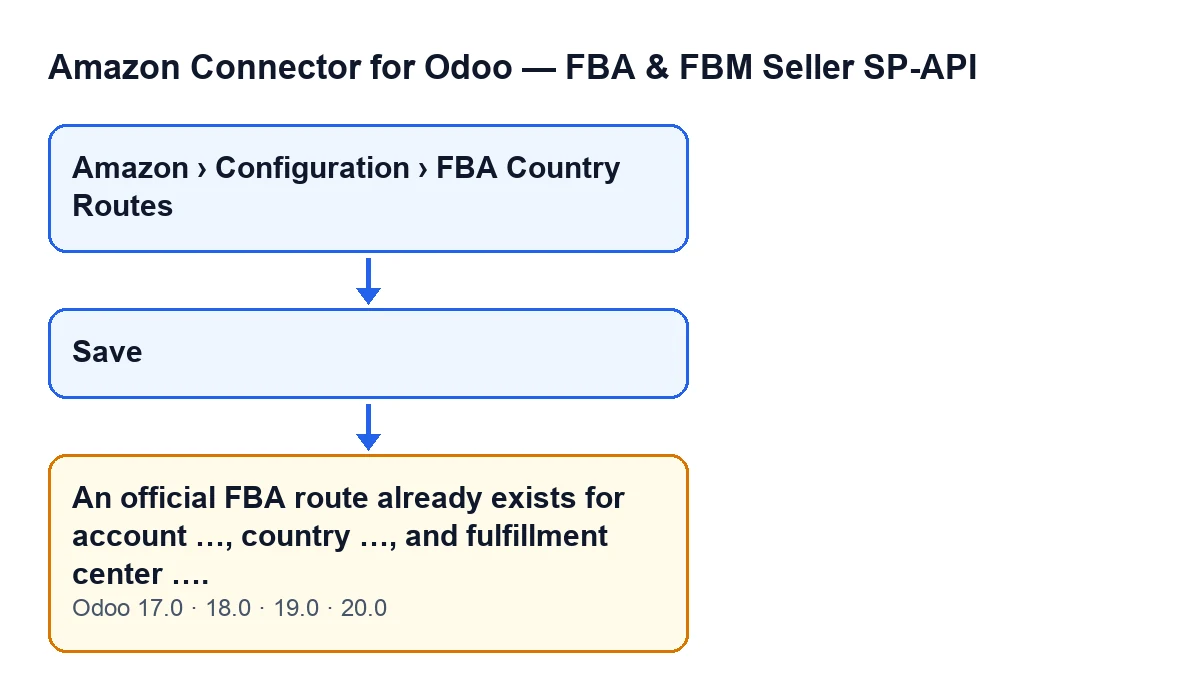

What the module checks, in order
The order of the checks corresponds to the Odoo 20 code. For each route you save, the module does the following:
- If the route has no account or no country, it lets it through without further checks.
- It takes the fulfilment centre code, strips the spaces at both ends and converts it to capitals.
- It looks for another route, different from the one you are saving, with the same account, the same country and that same centre code.
- If it finds none, nothing happens and the form is saved.
- If it finds one and the route has a centre code, it raises
An official FBA route already exists for account …, country …, and fulfillment center ….and stops the save: nothing you were about to change on that form is stored.
The condition in one sentence: the route carries a fulfilment centre code and another route already exists with the same account, the same country and that code. In the text of the warning, the centre appears as the cleaned-up code in capitals; the account and country appear under the name Odoo displays for them.
If the route you save has no centre code, the search is made among routes of the same account and country that also have none, and the warning that applies is no longer this one.
Step-by-step fix
- Read the three values in the message: the account, the country and the fulfilment centre. They are the combination already taken by another route.
- Open
Amazon › Configuration › FBA Country Routes. You need theManagerpermission to see that part of the menu; if you do not have it, ask whoever administers Odoo in your company. - Find the route that clashes: the one with that same account, that same country and that same fulfilment centre. Remember that the code you typed is cleaned (no spaces at the ends, capitals) before the search, so typing it in lower case or with a stray space will not avoid the warning.
- Decide what you meant to do. If you wanted to change the route that already exists, open it and edit it instead of creating another one. If the new one really is different, change one of the three values in the message (the account, the country or the fulfilment centre) on the form you are saving, so that the combination is no longer repeated.
- Save again. The check runs once more: if no other route matches, the form is saved. If one still matches, you will see the message again with the values currently on the form.
Two details that prevent false alarms
The message does not appear just because two routes share an account and a country: the fulfilment centre code has to match as well. Two routes with the same account and country but different centre codes do not clash under this check.
A route is not compared with itself either. When you open an existing route and save it, the module leaves that very form out of the search, so editing it does not trigger the warning on its own.
The same warning in other languages
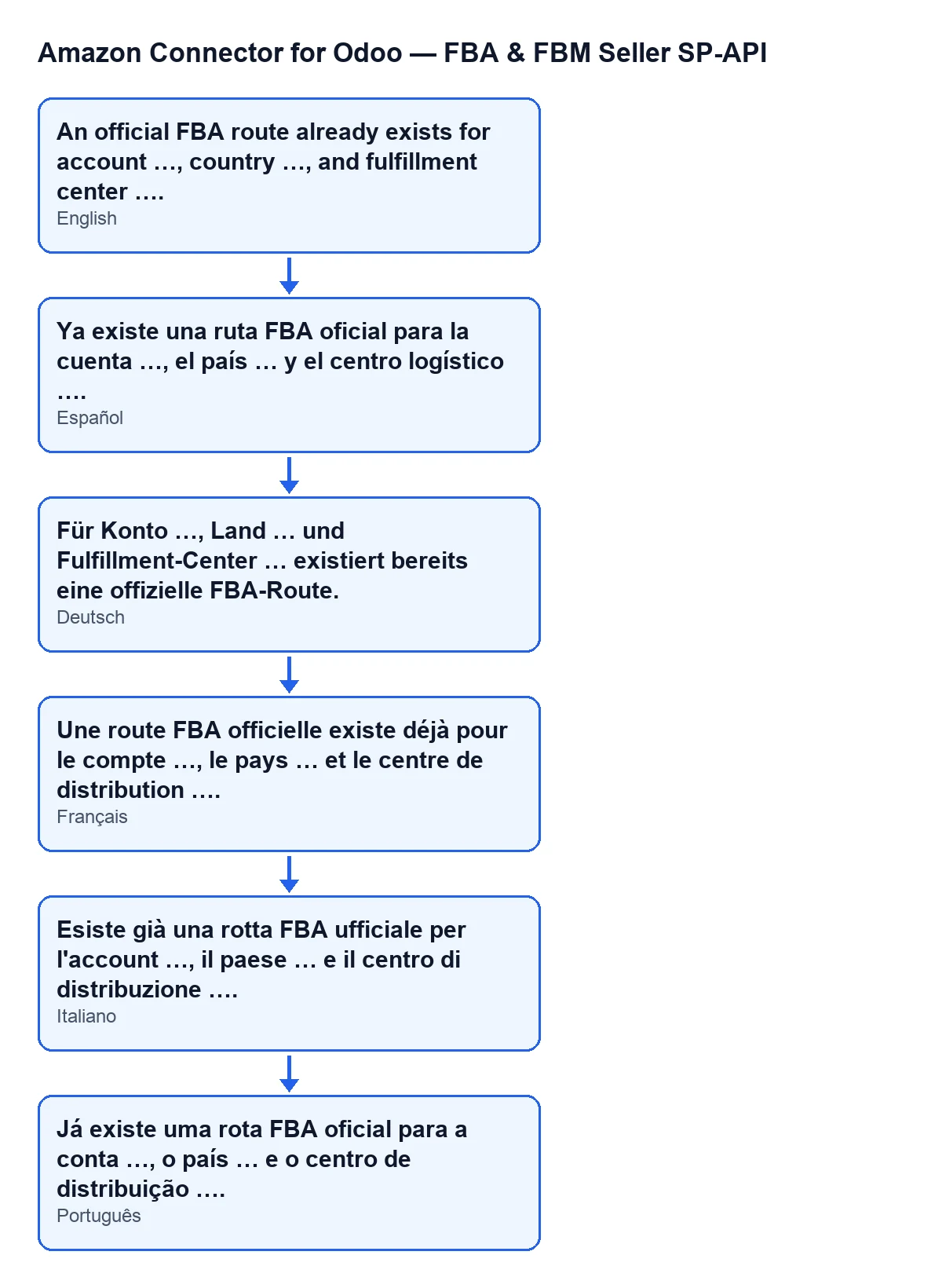
In English, the warning reads An official FBA route already exists for account …, country …, and fulfillment center ….. The diagram below gathers that same warning in Spanish, German, French, Italian and Portuguese, as it comes from the module's published translations.
Versions
The module is published on Odoo Apps for Odoo 17, 18, 19 and 20, and the message is in the published code of all four versions. The steps correspond to the Odoo 20 code.
How FlexigoTech can help
If you are implementing Odoo with this connector, FlexigoTech implements Odoo 17, 18, 19 and 20 and builds custom connectors and integrations. You can see the module on the Odoo Apps page and on its page at flexigotech.com.
Keep reading
Checked in the connector's source code (version 20.0) and the linked sources
Sources
- Module source code: flexigobe_amazon_seller_connector 20.0 (8576afa5): models/amazon_spapi_fba_country_route.py
- apps.odoo.com/apps/modules/20.0/flexigobe_amazon_seller_connector
- flexigotech.com/en/services.html