

 Español
 Català
The AEAT text is El NIF del bloque Destinatarios no está identificado en el censo de la AEAT., «the NIF in the recipients block is not identified in the AEAT census». The NIF is the Spanish tax ID. The code sits in the section of errors that accept the record, the ones the AEAT calls admissible.
Why the AEAT accepts it
The AEAT validation document covers this case in its list of admissible errors: a correct recipient tax ID that is not in the census should be sent in the IDOtro block with identification type 07, «No censado» (not in the census). If it is sent as an ordinary NIF, the AEAT does not reject it; it registers it with 2001 so that it is on file and gets corrected.
Other codes with very similar texts, such as 1109, 1110 or 1193, do reject the record. They are explained, with their differences, on the customer tax ID page.
What Odoo sends with our module
When the invoice is posted, the module looks at the contact's country and tax ID. A customer with country Spain, or no country, always goes in the NIF field of the recipients block; if the number starts with X, Y or Z it is treated as an NIE. Type 07 is never used: for foreign customers the module sends IDOtro with types 02, 03 or 04.
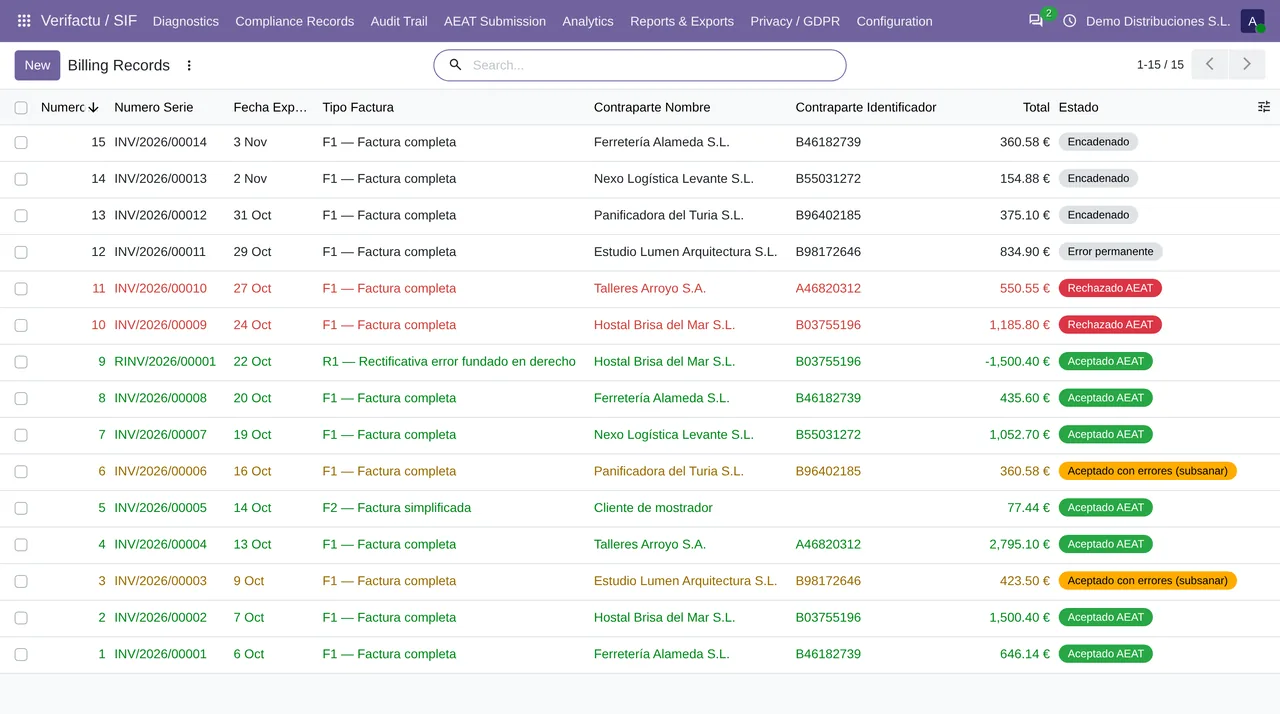
Before chaining the invoice, the module checks the Spanish tax ID against the format rules: length of 9, digits and check letter, and the X, Y or Z prefix of an NIE. What it cannot check from Odoo is the census, and that is where 2001 comes in: a well-formed tax ID that the AEAT has no record of.
- A mistyped tax ID
- A mistyped number usually fails the check letter, which the module verifies before posting. If it still passes, the tax ID is valid in form but may not be your customer's.
- An individual not in the census
- This is the case the AEAT describes for type 07. Code 1131 confirms it: with type 07, the number must be the tax ID of an individual.
What to do
- Check the tax ID with your customer. If it was a typo, fix it on their contact for the next invoices.
- If the tax ID is correct, the invoice is already on file at the AEAT. What remains is the correction, which the AEAT handles with a new record carrying the same invoice identifier.
- The published module does not generate correction records or send type 07 on its own. Write to comercial@flexigobe.com with the affected invoices and we will tell you how to close them.
The Odoo invoicing record cannot be edited: it was created when the invoice was posted and it is what gets sent. Fixing the contact fixes what comes next, not what has already gone out. Keep that in mind before changing a customer's data in a hurry: the old invoices keep the old tax ID on purpose.
Keep reading
Checked in the module's source code (version 20.0) and the linked sources
Sources
- www.agenciatributaria.es/static_files/AEAT_Desarrolladores/EEDD/IVA/VERI-FACTU/Validacione
- Module source code: flexigo_spain_verifactu 20.0 (aa2ea3d2): models/verifactu_cadena.py
- Module source code: flexigo_spain_verifactu 20.0 (aa2ea3d2): models/verifactu_aeat_client.py
- Module source code: flexigo_spain_verifactu 20.0 (aa2ea3d2): models/account_move.py
- Module source code: flexigo_spain_verifactu 20.0 (aa2ea3d2): models/verifactu_cola_envio.py
- Module source code: flexigo_spain_verifactu 20.0 (aa2ea3d2): models/verifactu_registro.py
- prewww2.aeat.es/static_files/common/internet/dep/aplicaciones/es/aeat/tikeV1.0/cont/ws/err