

 Español
 Català
An error that does not reject
The AEAT text is El cálculo de la huella suministrada es incorrecta., «the hash supplied is calculated incorrectly», and it belongs to the third section of the official list, the codes that accept the record. The AEAT validation document calls them admissible errors: they do not stop the registration, but they leave a note that something does not add up, and the AEAT asks for a correction («subsanación») so it can process the record.
The same family holds the warnings about the format of the previous record's hash, which must be a SHA-256 of 64 hexadecimal characters in capitals. Those codes are on the chaining page.
How the hash is computed
The AEAT technical specification sets the recipe: the record fields are taken in a fixed order, written as field=value joined by &, hashed with SHA-256 and turned into hexadecimal in capitals. One of those fields is the hash of the previous record, which is how every record is tied to the one before it.
A single character of difference between what was hashed and what was sent is enough for the AEAT to get another result. An amount one cent off, a date written in another format or an invoice number with an extra space will all do it.
What the module does so that it matches
- It computes the hash when the record is chained, at the moment the invoice is posted, and stores it. Neither the hash nor the previous hash can be changed afterwards.
- It sends CuotaTotal and ImporteTotal (total tax and total amount) as exactly the same strings that went into the hash, so the AEAT can repeat the calculation.
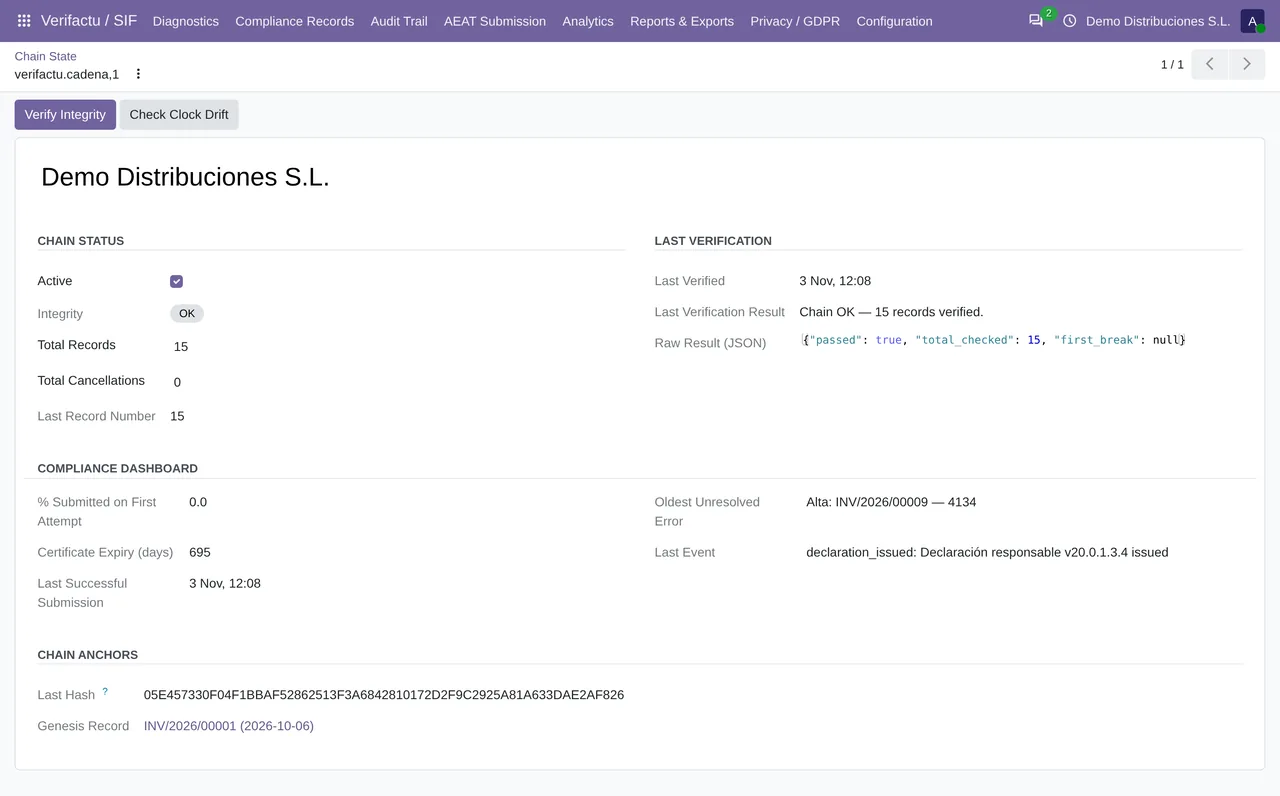
- Every day the Verifactu: Nightly Integrity Check cron walks through each company's chain and leaves the result in Compliance Records › Chain State.
What to do when you get a 2000
- Do not worry about the invoice: it is registered at the AEAT. In Odoo the record shows as «Aceptado con errores (subsanar)», accepted with errors to be corrected.
- Open Chain State and click Verify Integrity. If the local chain reports an error, the problem started in Odoo and has to be looked at before you keep invoicing.
- To correct it, the AEAT asks for a new record with the same invoice identifier. The published module does not send correction records on its own, so write to comercial@flexigobe.com with the record number and the stored answer.
Can I recompute the hash myself and fix it in Odoo?
No. The invoicing record does not let you change the hash or the previous hash, and that is deliberate: the chain has to be tamper-proof.
Does it affect the following invoices?
Each record chains the previous hash as it was stored in Odoo. If the local chain is intact, the next ones carry on as normal.
In short: a 2000 never loses the invoice, but it should never be ignored either. It is one of the few errors where the AEAT is telling you that your system and theirs disagree about the record itself, not about a single field.
Keep reading
Checked in the module's source code (version 20.0) and the linked sources
Sources
- www.agenciatributaria.es/static_files/AEAT_Desarrolladores/EEDD/IVA/VERI-FACTU/Validacione
- www.agenciatributaria.es/static_files/AEAT_Desarrolladores/EEDD/IVA/VERI-FACTU/Veri-Factu_
- Module source code: flexigo_spain_verifactu 20.0 (aa2ea3d2): models/verifactu_cola_envio.py
- Module source code: flexigo_spain_verifactu 20.0 (aa2ea3d2): models/verifactu_registro.py
- Module source code: flexigo_spain_verifactu 20.0 (aa2ea3d2): models/verifactu_aeat_client.py
- Module source code: flexigo_spain_verifactu 20.0 (aa2ea3d2): data/verifactu_crons.xml
- prewww2.aeat.es/static_files/common/internet/dep/aplicaciones/es/aeat/tikeV1.0/cont/ws/err