

 Español
 Català
 Deutsch
 Français
 Português
 Italiano
 Nederlands
 Polski
Where this notice appears
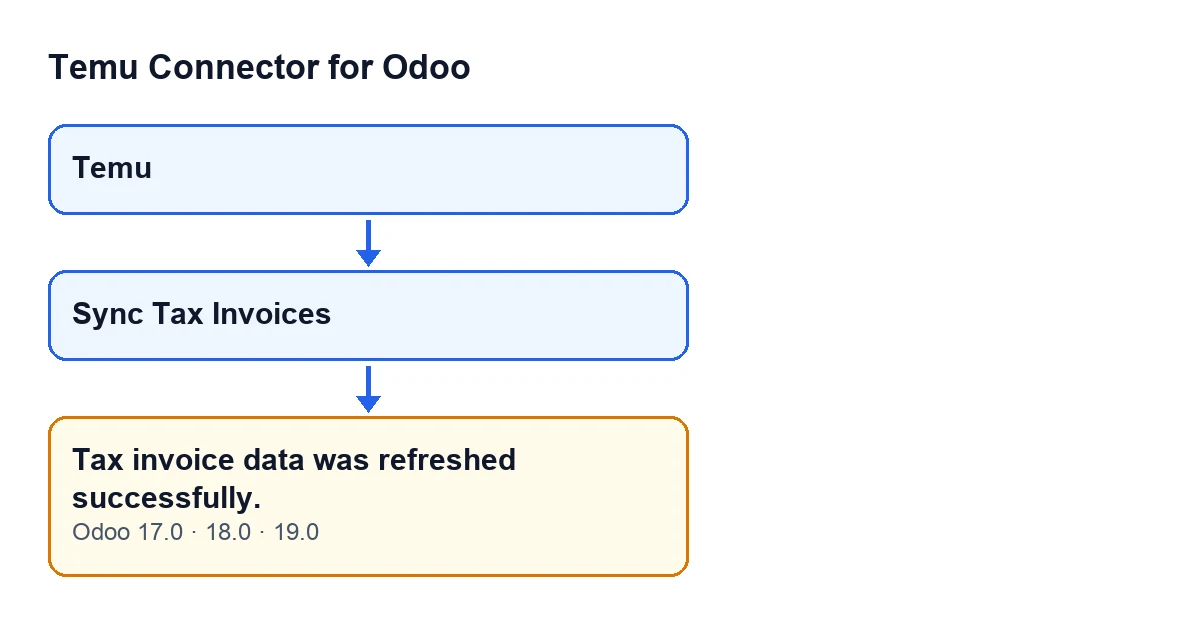
You open an instance record from the Temu menu and press Sync Tax Invoices. That button is always visible in Odoo 17, 18 and 19. Pressing it makes the module run the tax invoice synchronisation and, depending on what that synchronisation returns, Odoo shows one of two notifications. If it returns no warnings, you get Tax invoice data was refreshed successfully., a success notification that stops nothing. The message is in the published code of branches 17.0, 18.0 and 19.0.

How the module decides which notice to show
It is not an error and it asks for nothing
The text is a success-type notification titled Temu tax invoices synchronized. It does not block the screen and does not oblige you to do anything afterwards. If you only wanted to run the synchronisation and you have run it, that is the end of it.
It appears when there are no warnings, not when there is new data
After running the synchronisation, the module collects the warnings it returned. If there are none, it shows Tax invoice data was refreshed successfully.. To decide that, it does not look at how many records were synchronised: that count is only used in the other notification, the one for warnings. So the green notice does not tell you that anything new came in, only that the synchronisation returned no warnings. And the green text carries no number, so it cannot tell you how many records were touched.
It only walks through the most recent orders that have a parent order
For each instance, the module looks for the Temu orders of that instance that have their parent order filled in. It sorts them from newest to oldest (by order date and, for equal dates, highest identifier first) and keeps 500 at most. Repeated parent order numbers count once, and that list of numbers is what is handed to the synchronisation.
The button does not ask you for that limit: the default in the code applies. An order with no parent order filled in does not enter that search, and neither does one older than the 500 most recent.
The yellow warning is the other outcome
If the synchronisation returns any warning, the green message does not appear. Instead you get a warning-type notification titled Temu tax invoices, with the warnings one per line, and it stays on screen until you close it. If some records were also synchronised, Temu tax invoices synchronized: … records. is added at the end, with the number of records where the ellipsis is. If you see that count, the same press produced both warnings and synchronised records.
The green notice does not stay on screen
The success notification is not sticky; the warning one is. If you need to read the result of a press at your own pace, bear in mind that only the yellow one waits for you to close it.
What to do depending on what you see
- Green, and it was what you expected: there is nothing to fix. The notice blocks nothing and asks for no action.
- Green, but you expected changes: check that the Temu orders of that instance are already in Odoo, that they have their parent order filled in, and that the ones you care about are among the most recent of the instance, because the search is limited to 500.
- Yellow: read the warnings line by line. That text is what needs attention, and if there is a count at the end, some of the records were synchronised.
How FlexigoTech can help
Temu Connector for Odoo is a one-off purchase per Odoo version and needs a FlexigoTech Cloud subscription (Connector plan: €49 a month or €490 a year, excluding VAT). It is published on Odoo Apps for versions 17.0, 18.0, 19.0 and 20.0, and you can see the module page and its Odoo Apps listing. If you are implementing Odoo or need a bespoke integration, FlexigoTech implements Odoo 17, 18, 19 and 20 and builds connectors and bespoke integrations.
Keep reading
Checked in the connector's source code (version 19.0) and the linked sources
Sources
- Module source code: flexigobe_temu_connector 19.0 (455b3f0f): models/temu_instance.py
- Module source code: flexigobe_temu_connector 19.0 (455b3f0f): views/temu_instance_views.xml
- Module source code: flexigobe_temu_connector 19.0 (455b3f0f): models/fgt_cloud.py
- apps.odoo.com/apps/modules/19.0/flexigobe_temu_connector
- flexigotech.com/precios.html
- flexigotech.com/en/services.html