

 Español
 Català
 Deutsch
 Français
 Português
 Italiano
 Nederlands
 Polski
Where it is and when it shows
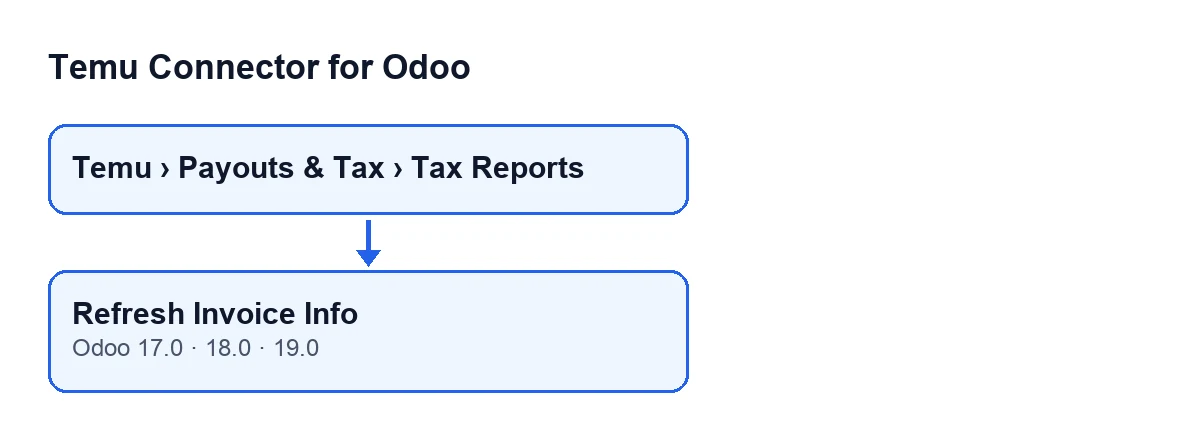
The button lives on the Tax Invoices screen of Temu Connector for Odoo.
Where do I find the button?
On the Tax Invoices screen, which you open from the menu Temu › Payouts & Tax › Tax Reports. With Odoo in English the button is called Refresh Invoice Info.
When does it show?
According to the condition in its view, the button is always visible, in Odoo 17, 18 and 19. The button on the Tax Invoices screen is also in every published branch of those three versions.
What data does it use to know what to ask for?
For each record it uses its Instance and its Parent Order Sn, two fields you can see on the record and also in the Tax Invoices list. In other words, it queries Temu, through that instance, for that parent order number. If a record has no parent order number, the code does not call Temu for it and treats it as a response with no invoices (see below).

What it does when you press it
In Odoo 19.0, the module's published code does the following when you press the button.
What does it do, step by step?
First, for each record it is run on, it asks Temu for the invoice information of that record's Parent Order Sn, using the API method configured on the instance. The code may try alternative methods and, if one that differs from the saved one works, the instance keeps the one that worked. Second, it looks for the list of invoices inside Temu's response. Third, it goes through that list: if an invoice carries no parent order number, it uses the record's own, and it saves or updates the matching tax invoice. Records are processed one at a time.
What happens if Temu returns no invoices?
It is not an error. In that case the button creates no new records: it writes what Temu replied into the record itself, together with the API method used, notes the time of the synchronisation and moves on to the next record.
Does it create new records or update the ones I already have?
Both, depending on what it finds. For each invoice in the response, the module saves the instance, the invoice number, the invoice date and time, the data Temu returns for that invoice and the time of this synchronisation, and clears the last recorded error. To decide between updating and creating, it looks for a record with the same instance and the same parent order:
- If the invoice has a number, it first looks for a record with that same number; if there is none, it looks for a record of the same order whose number is empty.
- If the invoice has no number, it looks for a record of the same order whose number is empty.
- If it finds a record, it updates it; otherwise it creates a new one.
So pressing the button again on the same data updates the records that match that search instead of creating others.
What should I check afterwards?
Open Temu › Payouts & Tax › Tax Reports again and look at the Tax Invoices list: there you can see the instance and the parent order of each record. If Temu returned invoices, there will be records created or updated with that data; if it returned none, the records you queried will only have received the response and the synchronisation time.
Errors, cost and versions
What errors can it give?
The button tries the configured API method and, where needed, alternative ones. If the call to Temu fails and the code does not carry on with another method, or the candidates run out, the error is passed on and the action stops with that error. A response with no invoices, on the other hand, stops nothing (see above).
What do I need to use it, and in which versions is it available?
Temu Connector for Odoo is a one-off purchase per version and needs a FlexigoTech Cloud subscription, Connector plan: €49/month or €490/year excluding VAT (up to 3 accounts on the platform). The connection goes through FlexigoTech Cloud, which stores the credentials encrypted, watches the synchronisation and emails you if it fails. Without a subscription, or with the service suspended, what the subscription provides stops; your data stays in your Odoo. The module is published on Odoo Apps for 17.0, 18.0, 19.0 and 20.0, and you can see the price for each version on its listing or on the module page.
If you want us to set it up
FlexigoTech implements Odoo 17, 18, 19 and 20 and builds custom connectors and integrations. If your Temu tax invoice workflow needs something the button does not do, tell us about it.
Keep reading
Checked in the connector's source code (version 19.0) and the linked sources
Sources
- Module source code: flexigobe_temu_connector 19.0 (455b3f0f): views/temu_tax_invoice_views.xml
- Module source code: flexigobe_temu_connector 19.0 (455b3f0f): models/temu_tax_invoice.py
- apps.odoo.com/apps/modules/19.0/flexigobe_temu_connector
- flexigotech.com/precios.html
- flexigotech.com/en/services.html