

 Español
 Català
 Deutsch
 Français
 Português
 Italiano
 Nederlands
 Polski
The exact condition behind the message
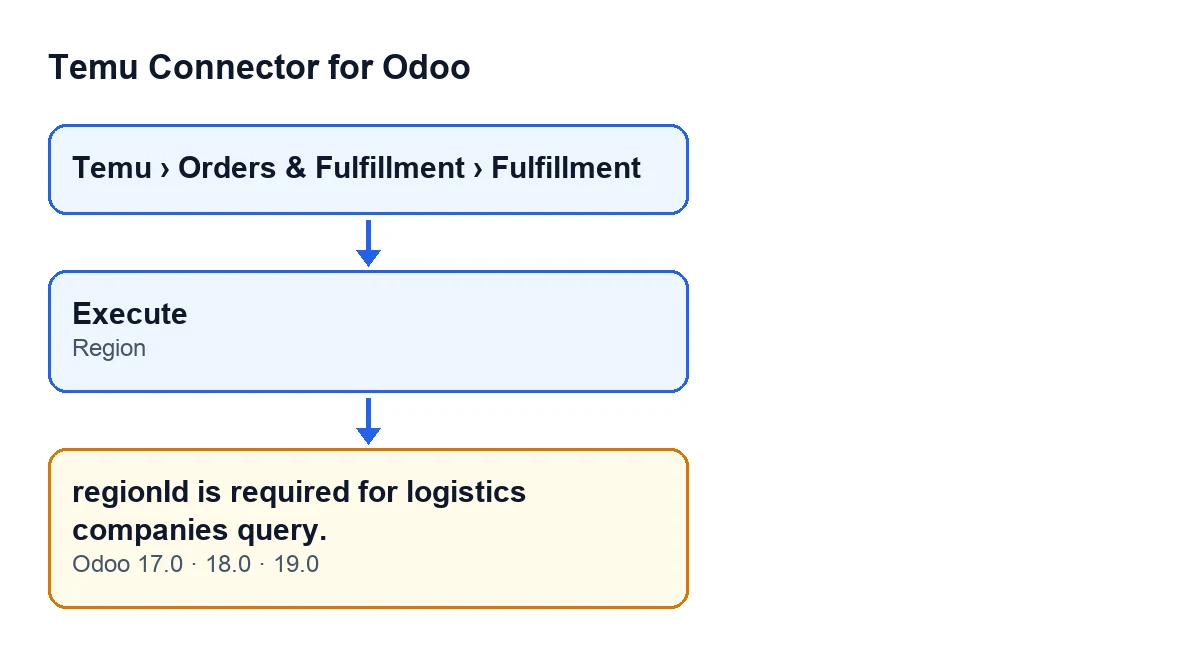
The message regionId is required for logistics companies query. is raised by the method in Temu Connector for Odoo that builds the request from the Fulfillment record. You reach it by pressing the Execute button: its action goes through that method and, if the condition is met, stops with the message.
Read from the Odoo 19.0 code, the condition has two parts that must both hold:
- The record is set up for the logistics companies query.
- The
Regionfield does not hold a value other than 0: it is empty or 0. For the code, a 0 counts the same as an empty field.
There is one earlier detail. If the record already carries a ready-made request of its own, the method returns it as it is and never looks at the operation or at Region. Without that request, the method reads the record's operation and, when it is the logistics companies query, checks Region. If Region holds a number other than 0, the request carries that region number. If it is empty or 0, the action stops with the message and goes no further.
The message is in the published code for Odoo 17, 18 and 19. The Execute button always shows on the record in those three versions.

What it means
The message tells you that the logistics companies query needs a region number and the record does not have one. On the record, that value is the Region field, a whole-number field shown on the Fulfillment record. With that operation, the request the method builds carries only that region number, so if the field is empty or 0 there is nothing to build it with and the method stops.
Fulfillment records are opened from the Temu › Orders & Fulfillment › Fulfillment menu.
Checklist before pressing Execute
If you are about to run the logistics companies query, go through this first and you will avoid the message.
- Open the record from the
Temu › Orders & Fulfillment › Fulfillmentmenu, either an existing one or a new one.
- Be clear that the record is the one for the logistics companies query. This message only appears with that operation.
- Find the
Regionfield on theFulfillmentrecord.
- Fill in
Regionwith a whole number other than 0 before executing. If you leave it empty or at 0, the code condition is met and the action stops.
- Confirm that you can see the
Executebutton on the record. In Odoo 17, 18 and 19 it always shows.
Checklist if the message has already appeared
- Read the whole text:
regionId is required for logistics companies query.It refers to the region of the query, which on the record is theRegionfield.
- Bear in mind that the action has stopped with the message: that press of
Executedid not build the request.
- Open the
Fulfillmentrecord and fill inRegionwith a whole number other than 0.
- Press
Executeagain.
- If the field already held a 0 and you thought it was a valid value, change it: for the code, a 0 is the same as having filled in nothing, and the message comes back.
- If you did not mean to query logistics companies, check that you opened the record you intended. The condition behind the message depends on the record's operation.
Checklist after fixing it
- Check that
regionId is required for logistics companies query.no longer appears when you execute.
- If a different message appears, read it in full: it is another check in the module and may refer to another piece of data. Deal with it separately.
- Remember that, with the record set up for the logistics companies query, the request carries the number exactly as you typed it in
Region.
- If the record carries a ready-made request of its own, the method uses it without looking at
Region. Keep that in mind if a change toRegionseems to have no effect.
The button label by language
With Odoo in English the button is called Execute. It is the same button on the Fulfillment record, and it is the one that goes through the Region check. If your users work in different languages, each will see the label translated into their own language, but the behaviour is the same.
What the code checks at this point
At this point the code only looks at whether Region holds a value other than 0. If it does, it passes the value on in the request as it is. That is why, when the message appears, Region is the place to look (is it empty or 0?) and, if that is fine, the operation the record is set up for.
To see what else the button does and which other errors it can give, read What the Execute button does in Temu Connector for Odoo.
How FlexigoTech can help
If you are implementing Odoo and want to connect Temu to your shipping operations, FlexigoTech implements Odoo 17, 18, 19 and 20 and builds custom connectors and integrations. You can see the module on its page or on the Odoo Apps listing. The module is a one-off purchase per Odoo version and needs the FlexigoTech Cloud subscription (Connector plan: €49 a month or €490 a year, excluding VAT).
Keep reading
Checked in the connector's source code (version 19.0) and the linked sources
Sources
- Module source code: flexigobe_temu_connector 19.0 (455b3f0f): models/temu_fulfillment.py
- Module source code: flexigobe_temu_connector 19.0 (455b3f0f): views/temu_fulfillment_views.xml
- flexigotech.com/en/services.html
- flexigotech.com/precios.html