

 Español
 Català
 Deutsch
 Français
 Português
 Italiano
 Nederlands
 Polski
What the message means
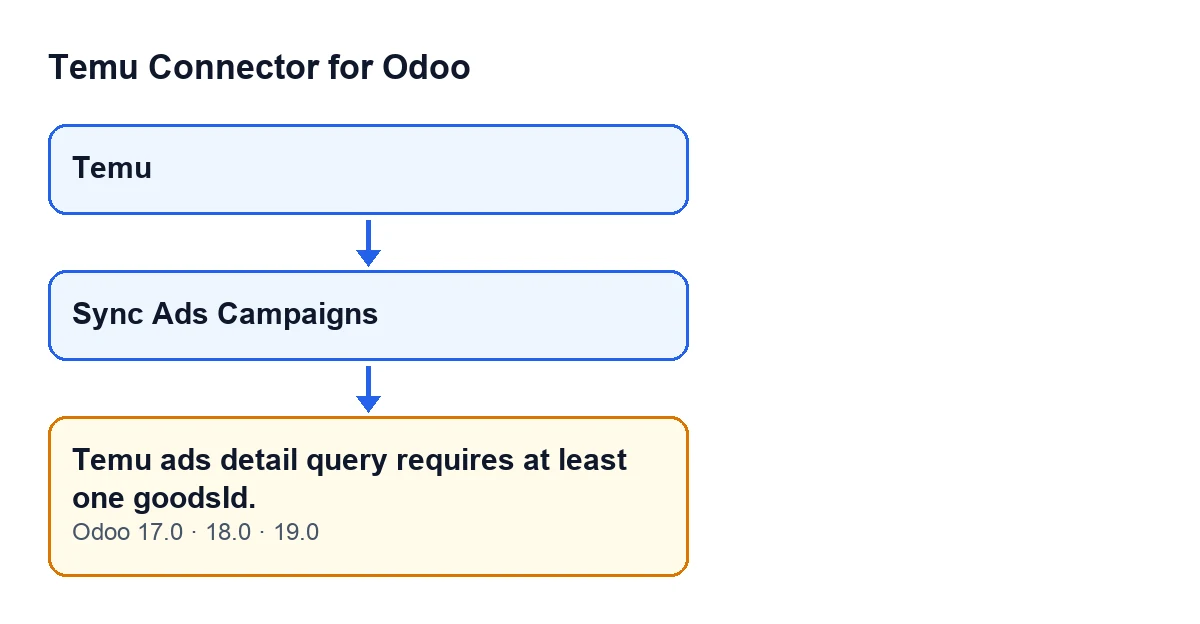
The full text is Temu ads detail query requires at least one goodsId. and it stops the action: the module's Ads detail query raises it when, after going through the list of goodsId values it receives, none is left.
It can appear when you press the Sync Ads Campaigns button on the Temu Dashboard record, which opens from the Temu menu: the button's action reaches that query, and the query raises the error if its condition is met. The message is in the published code of Odoo 17, 18 and 19.

What the code checks, in order
In Odoo 19, the code of the query does the following. First it goes through the list of goodsId values and discards empty ones: nothing, an empty string or false. It then tidies what is left: a text made only of digits (ignoring spaces at the ends) becomes a number, any other text is kept without those spaces, and any other value is left as it is. If the list never arrives at all, the outcome is the same as if it arrives empty.
Only after that tidy-up does it check whether the list is empty. If it is, it raises the error and stops there. When you see this message, the module has not yet sent the Ads detail request to Temu: the list that query received arrived empty or with only empty values.
The message text does not include any specific goodsId, so all it tells you is that, after the filter, none was left.
Checklist for this message
Before you press the button
- Note your Odoo version: the message is in the published code of 17, 18 and 19.
- Open the record from the
Temumenu and find theSync Ads Campaignsbutton. In Odoo 17, 18 and 19 it is always visible, so no condition has to be met for it to be in front of you.
- Keep in mind that this button leads to the Ads detail query. If the message appears when you press it, you know which query raised it.
When the message appears
- Copy the whole text,
Temu ads detail query requires at least one goodsId., without trimming it. Whoever helps you review it will need exactly that.
- Bear in mind that the action has stopped.
- Bear in mind that the Ads detail query checks the list before it makes its request to Temu.
- Read the condition in plain words: the list of goodsId values arrived empty, or only with empty values (nothing, an empty string or false).
- Remember that this first filter looks at values exactly as they arrive. A text made only of spaces is not discarded as empty by that filter, because the space trimming happens afterwards.
What happens when there is a goodsId
- If a goodsId arrives as a text of digits, the module turns it into a number before sending it.
- If any other kind of text arrives, it is kept without the spaces at its ends.
- The request carries at most the first 100 goodsId values in the list.
- When it finishes, if the method used differs from the one the record had stored for the Ads detail query, the module updates it.
If the message keeps coming back
- Write down the Odoo version, the
Temu Dashboardrecord you pressed the button from and the time it happened.
- Write to us with those details from the module page and we will look at it with you.
Subscription and versions
Temu Connector for Odoo is a one-off purchase per version and needs a FlexigoTech Cloud subscription, Connector plan: €49 a month or €490 a year, excluding VAT. The connection goes through FlexigoTech Cloud, which stores the credentials encrypted, watches the synchronisation and emails you if it fails. The module is published on Odoo Apps for 17.0, 18.0, 19.0 and 20.0; you can see it on its Odoo Apps page.
How FlexigoTech can help
If you are implementing Odoo and want Temu connected properly, FlexigoTech implements Odoo 17, 18, 19 and 20 and builds bespoke connectors and integrations. With the message text and the details from your last attempt, we can look together at what reached the query.
Keep reading
Checked in the connector's source code (version 19.0) and the linked sources
Sources
- Module source code: flexigobe_temu_connector 19.0 (455b3f0f): models/temu_instance.py
- Module source code: flexigobe_temu_connector 19.0 (455b3f0f): views/temu_instance_views.xml
- Module source code: flexigobe_temu_connector 19.0 (455b3f0f): models/fgt_cloud.py
- apps.odoo.com/apps/modules/19.0/flexigobe_temu_connector
- flexigotech.com/en/services.html
- flexigotech.com/precios.html