

 Español
 Català
 Deutsch
 Français
 Português
 Italiano
 Nederlands
 Polski
When the message appears
What does the message say and where will I see it?
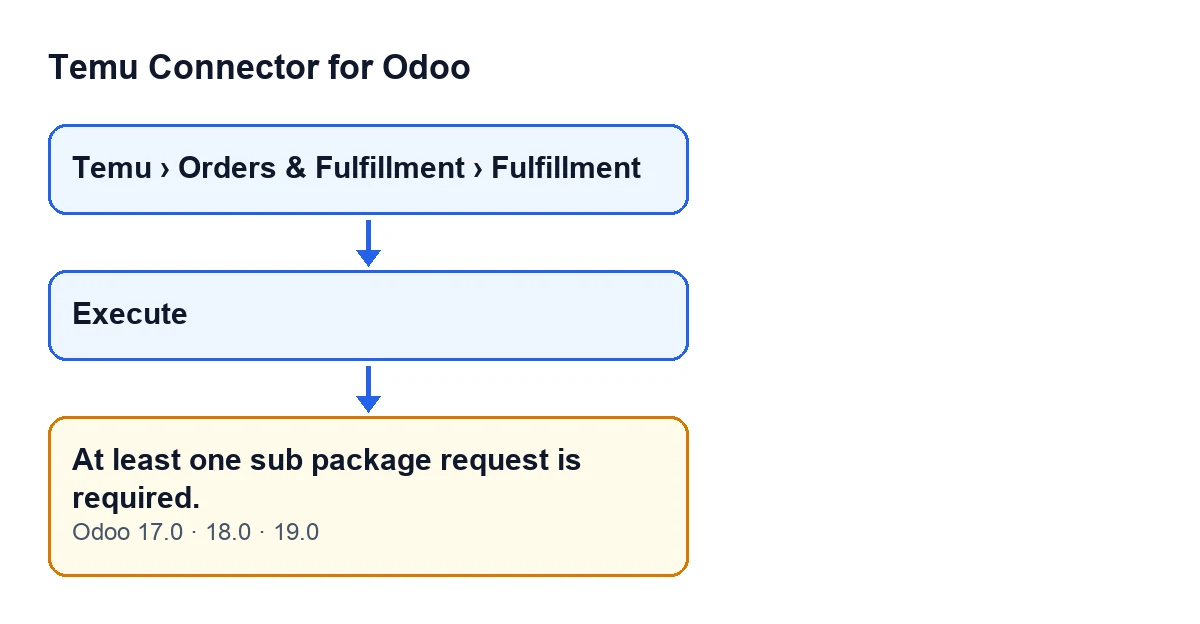
The text is At least one sub package request is required. and it can appear when you press the Execute button on the Fulfillment record, which opens from the menu Temu › Orders & Fulfillment › Fulfillment. The button is always visible on that record in Odoo 17, 18 and 19. The message stops the action.
What is the exact condition that triggers it?
All of the following must hold at once. The record's operation is the one that confirms the sub packages of a shipment. The record has no JSON that replaces the request. The main package number is filled in: if it is empty, the module stops earlier with a different message and this one never appears. And, after going through the record's lines, the list of sub package requests the module has been building is still empty. When all of that holds, the module stops and shows the message.
Can it appear with any other operation on the record?
No. This check belongs only to the branch that confirms sub packages. The other operations follow other branches of the same method that builds the request, and some of them have their own checks. If you see a different message, it is not this one: read it in full and look that one up instead.
Can I tell in advance whether it will appear?
Yes, with the code in front of you. It will appear if the record's operation is the sub package confirmation, the record has no replacement JSON, the main package is filled in and the record has no lines at all. If any of those conditions is missing, this message does not appear.

What the module does with the record's lines
How does the module build that list of requests?
It goes through the record's lines one by one. If a line carries its own sub package request in JSON format, the module uses it: if it is a list, its items are added one by one; if it is a single object, it is added as it is. If the line does not carry one, the module builds an entry with the carrier, the self-shipping warehouse and the tracking number. Each value comes from the line and, if it is empty there, from the record itself. Empty values are dropped from the entry, but the entry is still added.
So when does the list end up empty?
Reading the code, every line contributes at least one item to the list, whatever data it holds. The list therefore ends up empty only when the record has no lines at all. That is the case to look for when the message appears.
Do I need to fill in the carrier and tracking number to make the message go away?
For this message, no: it only checks that the list has some item, not that its data is complete. One line is enough to pass this check. Whether that data is complete is a separate matter that this message does not review.
Can it appear if the record has a JSON that replaces the request?
No. If the record has that JSON filled in and it is an object, the module returns its content as it is right at the start, without looking at the operation or the lines, so this check never runs.
How to fix it
What do I do, step by step?
First, open the record from Temu › Orders & Fulfillment › Fulfillment. Second, see whether it has lines. If it has none, make sure it carries at least one that matches the sub package you want to confirm. Third, press Execute again.
How do I check that it is fixed?
When you press the button again, At least one sub package request is required. should no longer appear, because the list stops being empty as soon as there is one line. If a different message appears, it is another check in the module and is about something else: read it in full and deal with it separately.
What is the button called with Odoo in Spanish?
With Odoo in Spanish the button is called Execute; with Odoo in English it is Execute.
Execute, and in English Execute.Which Odoo versions show it?
The message is in the published code of the Odoo 17, 18 and 19 branches. The module is published on Odoo Apps for versions 17, 18, 19 and 20; you can see it on its Odoo Apps page.
How FlexigoTech can help
If you are implementing Odoo and want to connect Temu, FlexigoTech implements Odoo 17, 18, 19 and 20 and develops connectors and custom integrations. The module is a one-off payment per version and needs the FlexigoTech Cloud subscription (Connector plan: €49 a month or €490 a year, excluding VAT). You can see the module on the Temu Connector for Odoo page.
Keep reading
Checked in the connector's source code (version 19.0) and the linked sources
Sources
- Module source code: flexigobe_temu_connector 19.0 (455b3f0f): models/temu_fulfillment.py
- Module source code: flexigobe_temu_connector 19.0 (455b3f0f): views/temu_fulfillment_views.xml
- apps.odoo.com/apps/modules/19.0/flexigobe_temu_connector
- flexigotech.com/en/services.html
- flexigotech.com/precios.html