

 Español
 Català
 Deutsch
 Français
 Português
 Italiano
 Nederlands
 Polski
When it appears and what it means
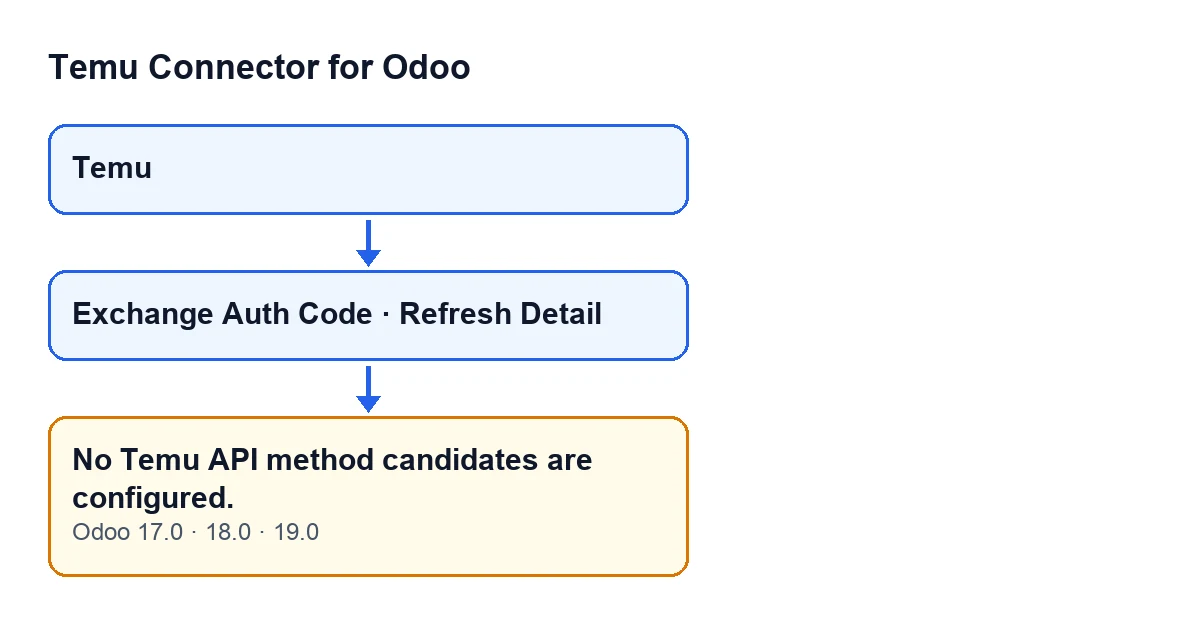
The message No Temu API method candidates are configured. stops the action that triggers it. It is the module's own text, not a reply from Temu. In the call-with-fallbacks method, it appears when the list of methods it could try is empty: neither the requested method nor its fallbacks give a valid name. If it appears there, no method was ever tried.
Two methods of the Temu instance model, the record opened from the Temu menu, raise this same text: the call-with-fallbacks method and the JSON-body call-with-fallbacks method. The condition detailed below is that of the call-with-fallbacks method. The message is in the published code of Odoo 17, 18 and 19.

Which buttons can lead to it
The code links the message to two buttons. Both reach the call-with-fallbacks method, which raises it if its condition is met:
Exchange Auth Code, on the Temu instance record. With the default values it is not visible: the button is hidden depending on theTemu connectionfield, whose default value leaves it hidden. This holds for Odoo 17, 18 and 19.Refresh Detail, on a Temu order record. It is always visible, in Odoo 17, 18 and 19.
The message being reachable from these buttons does not mean it appears every time you press them. It only appears if the condition described below is met.
An example case
Example Illustrative case: the company and its figures are made up to explain the flow.
Picture «Hogar Mediterráneo», an invented shop that already has Temu Connector for Odoo installed. Marta, who looks after sales, opens a Temu order record and presses Refresh Detail. Instead of refreshing anything, Odoo shows No Temu API method candidates are configured.
Marta might first think of credentials, or of Temu not responding. But the text is not a reply from Temu: it is the module saying that, while preparing the call, it had no method name to try. The action stops.
What Marta can usefully do is note which button she pressed, on which record and with which Odoo version, and pass that to whoever maintains the module.
The exact condition in the code
The call-with-fallbacks method does this, in this order:
- It builds the candidate list: the name of the requested method and then any fallback names it was given. If a value is text, it splits it on commas or line breaks, trims the spaces and discards anything left empty.
- For each valid name, the module may add other names derived from it, without repeating the original.
- It goes through the list and tries each candidate with a call to Temu. If a call works, it returns the method used and its result.
- If a call fails, it keeps the error and checks whether it should move on to the next candidate. It only continues when the error matches one of the module's retry checks, among them access denied to the API and business service errors. Any other error is raised as it is and the process ends.
- If it ran out of candidates and there was at least one error, it raises the last one.
- If the list was empty, there is no call and no earlier error to raise, and that is when
No Temu API method candidates are configured.appears.
That is what sets this message apart in that method: it comes from having nothing to try, not from everything tried having failed. If there was at least one candidate and it failed, you will see the error from that call, not this message.
The text of this message contains no variable data: what changes is the button that triggers it.
What to do when it appears
- Note the button and the screen:
Refresh Detailon the order record, orExchange Auth Codeon the instance record, which is opened from theTemumenu. - Check your Odoo version. The message is in the published code of Odoo 17, 18 and 19.
- If you arrived through
Exchange Auth Code, bear in mind that with the default values that button is hidden. - Do not read it as a reply from Temu: it is the module's own text, warning that there was no method to try.
- Send FlexigoTech what you noted (button, record, version and the text of the message) so that the reason the method list arrives empty can be reviewed.
What to take from the case
- The message is the module's own text, not a reply from Temu.
- It can be reached from two different buttons, so saying which one you pressed is the first useful piece of information.
- In the call-with-fallbacks method, an error from a specific call is shown with its own text; this message is the one that appears when the candidate list was empty.
- The message is in the published code of Odoo 17, 18 and 19.
How FlexigoTech can help
FlexigoTech implements Odoo 17, 18, 19 and 20 and builds connectors and custom integrations, so it can review the Temu instance with you and the flow that produced the message. The module is published for Odoo 17, 18, 19 and 20; it is a one-off payment per version and needs the FlexigoTech Cloud subscription (Connector plan: €49 a month or €490 a year, excluding VAT). You can see how to buy it on the module page.
Keep reading
Checked in the connector's source code (version 19.0) and the linked sources
Sources
- Module source code: flexigobe_temu_connector 19.0 (455b3f0f): models/temu_instance.py
- Module source code: flexigobe_temu_connector 19.0 (455b3f0f): views/temu_instance_views.xml
- Module source code: flexigobe_temu_connector 19.0 (455b3f0f): views/temu_order_views.xml
- Module source code: flexigobe_temu_connector 19.0 (455b3f0f): models/fgt_cloud.py
- apps.odoo.com/apps/modules/19.0/flexigobe_temu_connector
- flexigotech.com/precios.html
- flexigotech.com/en/services.html