

 Français
 Nederlands
What a Peppol ID is
According to the FPS Finance (FAQ on Peppol), a Peppol ID is the number that identifies a business on the Peppol network. The FAQ compares it to a telephone number on a telecom network.
Since 1 January 2026, structured electronic invoices between Belgian VAT-registered businesses travel over that network (Law of 6 February 2024, art. 3, and the Report to the King of the Royal Decree of 8 July 2025, which sets Peppol BIS over the Peppol network as the base standard). The Peppol ID is therefore the address your invoices go to.
The Belgian format
- Scheme ID 0208
- The code for the enterprise number of the Crossroads Bank for Enterprises (BCE/KBO).
- Enterprise number
- The company's 10-digit number in the Crossroads Bank for Enterprises.
- Peppol ID
- The two joined by a colon, for example 0208:0308357159.
- Peppol service provider
- The certified provider that connects a business to the network, also called an access point (FAQ on Peppol).
According to the FPS Finance (FAQ on Peppol), every Belgian company on Peppol must be registered at least with its enterprise number under scheme 0208. Peppol service providers are contractually bound to do this under the Peppol Authority Specific Requirements, and a refusal can cost them their certification.
That rule has a practical effect. The same FAQ says you do not need to ask each customer for its Peppol ID: as a supplier, you can deliver to the enterprise number by default.
A Belgian VAT number contains the enterprise number. BE0477.472.701 becomes the Peppol ID 0208:0477472701 once you drop the BE prefix and the dots.
How to look up a customer's Peppol ID
The FPS Finance points to Peppol Lookup for checking which customers and suppliers are connected (FAQ on Peppol). Its B2B FAQ also mentions the Peppol Directory for the same check.
- Take the customer's Belgian VAT number from your records or its last invoice, for example BE0308.357.159.
- Remove the BE prefix and the dots to get the 10-digit enterprise number: 0308357159.
- Write it as 0208:0308357159, the format the FPS Finance gives in its FAQ.
- Open Peppol Lookup and search with that string. You can also search by company name.
- If the company appears, it is registered to receive documents such as invoices over Peppol. Send your structured electronic invoice to that ID.
- If it does not appear, check the number, then try a search by name. A registration under another identifier is possible, but the 0208 registration should be there for any Belgian company on Peppol.
- If the customer is still missing, it may not be able to receive yet. Read the fallback rule on the Belgium e-invoicing mandate before you send a PDF.
What the lookup does not tell you
The FPS Finance is clear on one limit: the lookup shows organisations that can receive documents over Peppol. It does not show whether the organisation can also send them (FAQ on Peppol).
In practice, a customer listed there can receive your invoices. The listing says nothing about whether that company can send you its own invoices over Peppol, so if you buy from it as well, ask it directly.
Found the ID, but the invoice is late
A registered ID does not promise instant delivery. According to the FPS Finance (FAQ on Peppol), Peppol is a decentralised network without real-time delivery. Most invoices arrive within a few minutes to a couple of hours. Delays can come from the exchange between the two service providers, from the link between a provider and the invoicing software, or from internal processing at either end. If an invoice is more than one working day late, the FAQ advises contacting your software supplier.
Your own Peppol ID
You cannot register on Peppol yourself. According to the FPS Finance (FAQ on Peppol), registration only goes through an approved Peppol service provider, in practice through invoicing or accounting software connected to the network. Once registered, your ID follows the same 0208 format with your own enterprise number. Check that it resolves in Peppol Lookup the same way you would check a customer's.
Getting this right matters for both sides. A business without the technical means to send and receive structured electronic invoices risks a fine of €1,500, then €3,000, then €5,000 (Royal Decree of 8 July 2025, art. 5). The details are on penalties.
How it works in Odoo
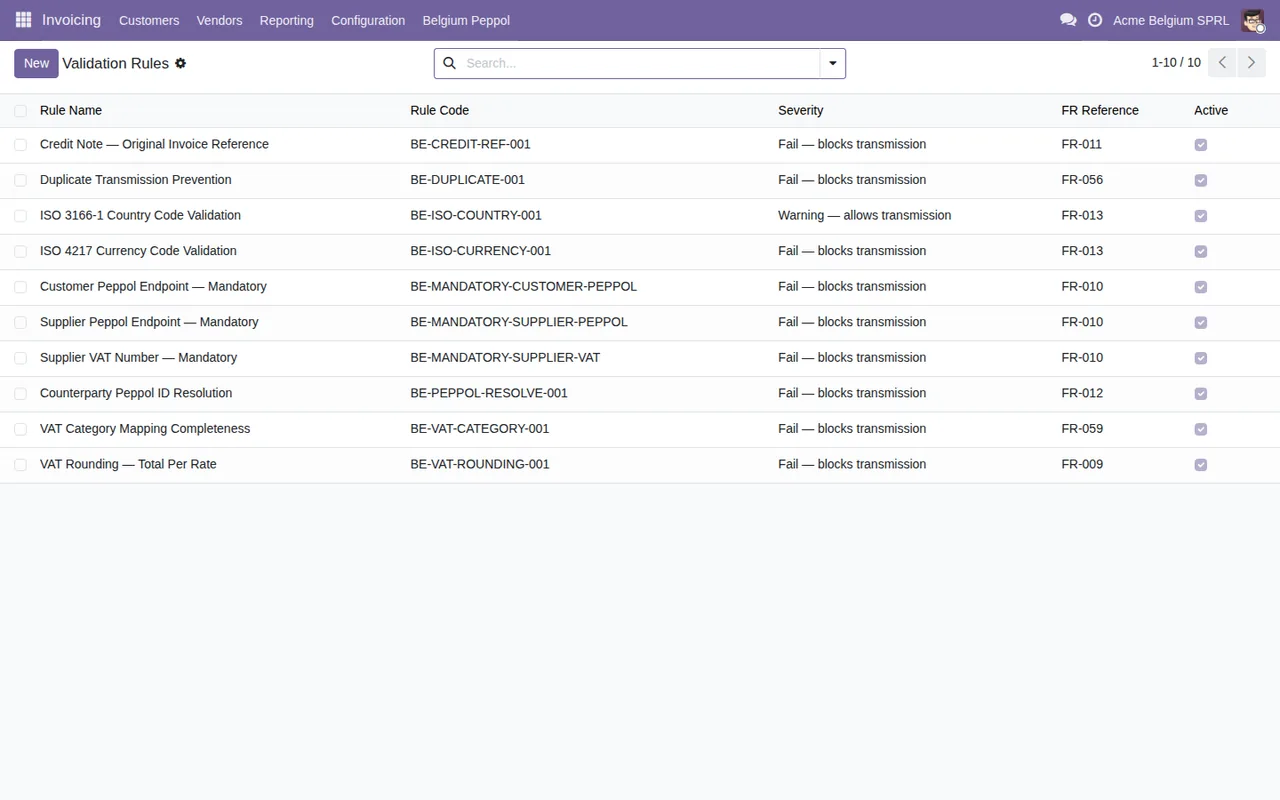
Belgium Peppol for Odoo, by FlexigoTech, runs on Odoo 17 to 20 with account_peppol. Step 6 of its Setup Wizard looks each customer up on the live network. When a contact has no Peppol ID but has a Belgian VAT number, the step works one out for the lookup (BE0477.472.701 gives 0208:0477472701) and does not save it on the contact. On a posted invoice, Peppol check runs rule BE-PEPPOL-RESOLVE-001, which asks the network (SML by DNS, then the SMP) about the Peppol ID stored on the contact in Odoo. A contact without one fails the rule.
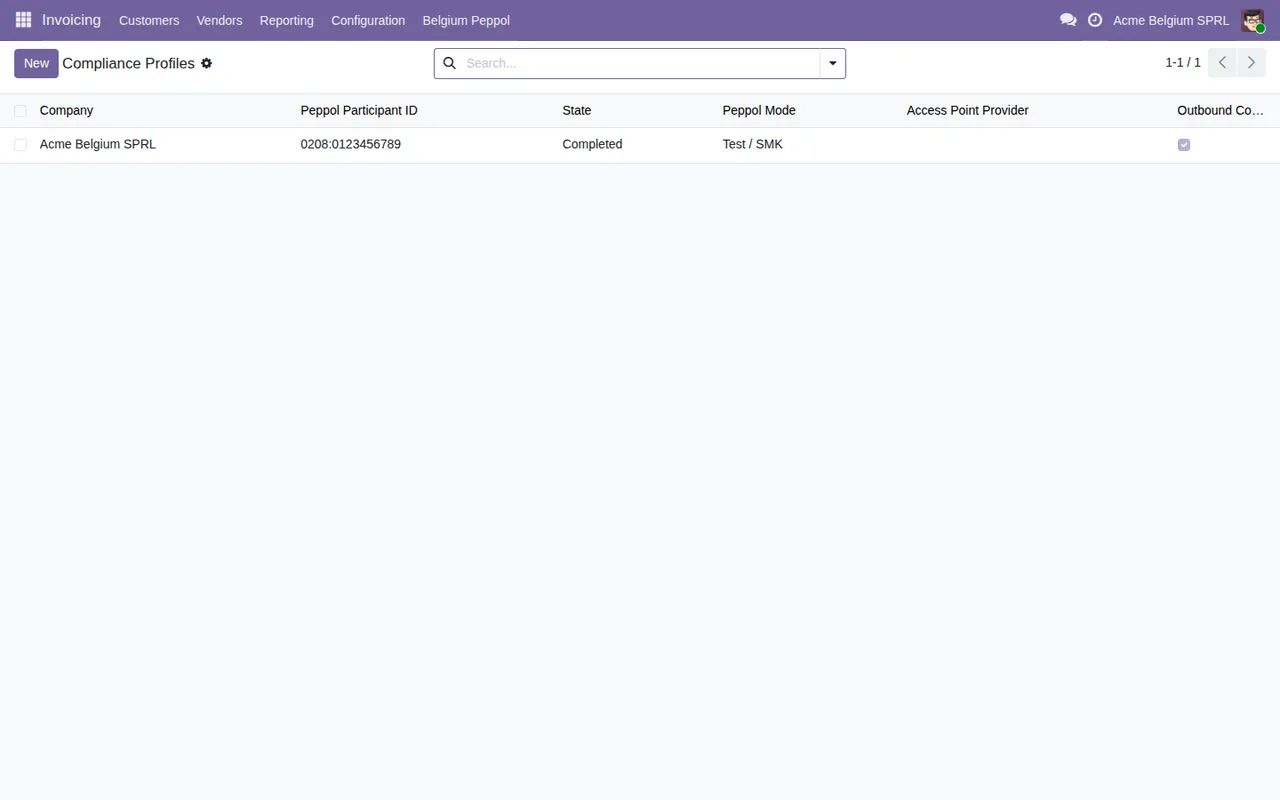
The module licence costs €9 on Odoo Apps for each Odoo version. The module works with a FlexigoTech Cloud subscription: €29 a month or €290 a year per production database, VAT excluded (staging and test copies included), with monitoring of the module's official sources, alerts and a calendar of deadlines. There is a 14-day trial with no card (Odoo Apps listing). Every purchase includes 2 months of support: we help you install it, set it up and get it working, by email and video call.
The module does not build or send the UBL file: account_peppol does. Odoo's normal Send button skips the rules.
Keep reading
Checked against the linked sources
Sources
- efacture.belgium.be/fr/FAQ/questions-generales-sur-peppol
- efactuur.belgium.be/nl/FAQ/algemene-vragen-over-peppol
- einvoice.belgium.be/en/FAQ/general-questions-about-peppol
- efacture.belgium.be/fr/FAQ/questions-generales-b2b
- efactuur.belgium.be/nl/FAQ/algemene-vragen-b2b
- einvoice.belgium.be/en/FAQ/general-questions-b2b
- www.ejustice.just.fgov.be/eli/arrete/2025/07/08/2025005169/moniteur
- apps.odoo.com/apps/modules/19.0/flexigo_belgium_peppol_b2b_e_invoicing_compliance_wizar
- Module source code: flexigo-belgium-peppol-b2b-e-invoicing-compliance-wizar@1449d23c:flexigo_belgium_peppol_b2b_e_invoicing_compliance_wizar/wizard/be_peppol_setup_wizard.py:132
- Module source code: flexigo-belgium-peppol-b2b-e-invoicing-compliance-wizar@1449d23c:flexigo_belgium_peppol_b2b_e_invoicing_compliance_wizar/wizard/be_peppol_setup_wizard.py:620
- Module source code: flexigo-belgium-peppol-b2b-e-invoicing-compliance-wizar@1449d23c:flexigo_belgium_peppol_b2b_e_invoicing_compliance_wizar/wizard/be_peppol_setup_wizard.py:628
- Module source code: flexigo-belgium-peppol-b2b-e-invoicing-compliance-wizar@1449d23c:flexigo_belgium_peppol_b2b_e_invoicing_compliance_wizar/services/peppol_resolution.py:1
- Module source code: flexigo-belgium-peppol-b2b-e-invoicing-compliance-wizar@1449d23c:flexigo_belgium_peppol_b2b_e_invoicing_compliance_wizar/models/be_peppol_validation_rule.py:254
- Module source code: flexigo-belgium-peppol-b2b-e-invoicing-compliance-wizar@1449d23c:flexigo_belgium_peppol_b2b_e_invoicing_compliance_wizar/data/be_peppol_validation_rules.xml:8
- Module source code: flexigo-belgium-peppol-b2b-e-invoicing-compliance-wizar@1449d23c:flexigo_belgium_peppol_b2b_e_invoicing_compliance_wizar/models/account_move.py:3
- Module source code: flexigo-belgium-peppol-b2b-e-invoicing-compliance-wizar@1449d23c:flexigo_belgium_peppol_b2b_e_invoicing_compliance_wizar/README.rst:44
- Module source code: flexigo-belgium-peppol-b2b-e-invoicing-compliance-wizar@1449d23c:flexigo_belgium_peppol_b2b_e_invoicing_compliance_wizar/wizard/be_peppol_setup_wizard.py:322
- efacture.belgium.be/fr/news/fin-de-la-periode-de-tolerance-pour-le-facturation
- efactuur.belgium.be/nl/news/einde-van-de-algemene-tolerantieperiode-voor-e-facturering
- www.ejustice.just.fgov.be/eli/loi/2024/02/06/2024001635/moniteur
- efacture.belgium.be/fr/news/e-facturation-mesures-en-matiere-de-tva-partir-du-1er-janvier-
- efactuur.belgium.be/nl/news/e-facturering-btw-maatregelen-vanaf-1-januari-2026