

 Español
 Català
 Deutsch
 Français
 Português
 Italiano
 Nederlands
 Polski
What you need for an Odoo Temu integration
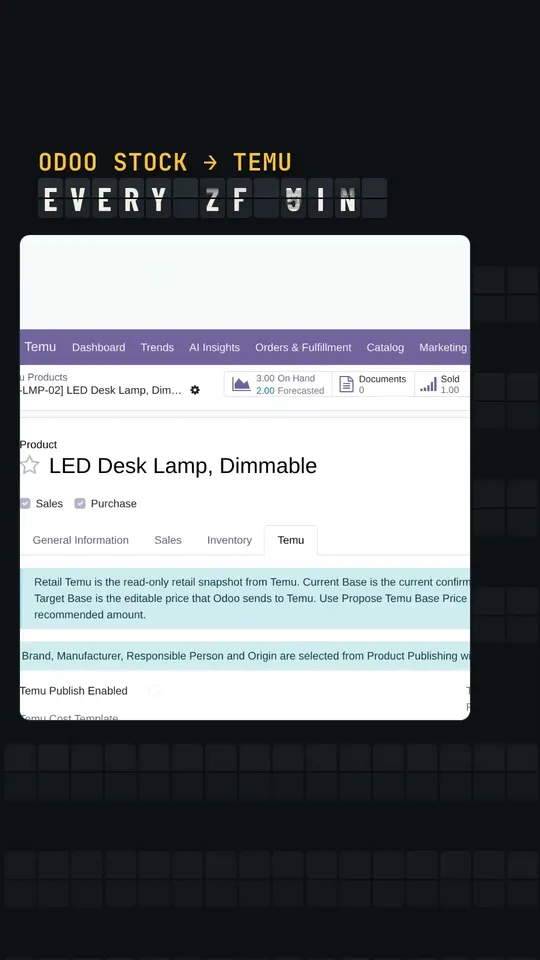
The short answer: a Temu seller account and Temu Connector for Odoo installed in your database, with the FlexigoTech Cloud subscription. The connector is published on Odoo Apps for Odoo 17, 18, 19 and 20. Its Odoo Apps listing describes the scope: your Temu listings together with their stock, orders with their fulfilment and returns, price proposals and campaigns, tax invoices and an estimate of what Temu will pay out. That listing also says it needs the FlexigoTech Cloud subscription, from 49 EUR a month excluding VAT.
After installation, your Odoo has a Temu menu organised like this:
- A dashboard and
Orders & Fulfillment. - The catalogue section, with products, listings, mappings, pricing and sales campaigns.
MarketingandPayouts & Tax.Compliance, Settings andTechnical.
Temu, for its part, states in its EU seller centre that, thanks to its traffic, 50% of new sellers make their first sale within 20 days. That is Temu's figure, but it is a useful warning: better to have Odoo connected before that first order lands.
Temu seller sign-up, step by step according to Temu
Temu says seller sign-up is done ‘in four simple steps’ and that it charges no registration fee: ‘Temu does not charge any registration fees.’ While you work through those steps in Temu's EU seller centre, keep in mind what Temu publishes about sign-up:
- Signing up is free, according to Temu: ‘You can register as a Temu seller for free.’
- The form first asks where you sell from: ‘Which country do you sell from ?’. If you sell from Spain, the option reads ‘Spain seller’.
- Temu accepts business types including ‘Corporation, Partnership, and Sole Proprietorship’, so both companies and sole traders can register.
Once your seller store is open, the rest of the connection is prepared between the store form in Odoo and the IP list of your app in Temu. Given Temu's own figure that half of new sellers sell within 20 days, it makes sense to prepare the Odoo side while you complete sign-up. If someone around you already sells on Temu but does not use Odoo yet, the guide for Temu sellers without Odoo explains what changes when moving to Odoo.
Connecting your Temu store to Odoo and what to bring in first
The connection runs through FlexigoTech Cloud. Work in this order:
- Install the connector on your Odoo version and activate the FlexigoTech Cloud subscription.
- Open your store's form in
Store Accounts, under Settings in theTemumenu. - Read the notice on the form:
Temu only accepts calls from the IPs on your app's list: add the one of the FlexigoTech Cloud. In Temu, add the FlexigoTech Cloud IP to your app's list. - Note the other line on the form:
Webhooks are not used: the scheduled actions sync.The scheduled actions do the syncing. - Review the catalogue section of the
Temumenu: the products andSKU Mappings, and alsoListingsandCategory Mappings.
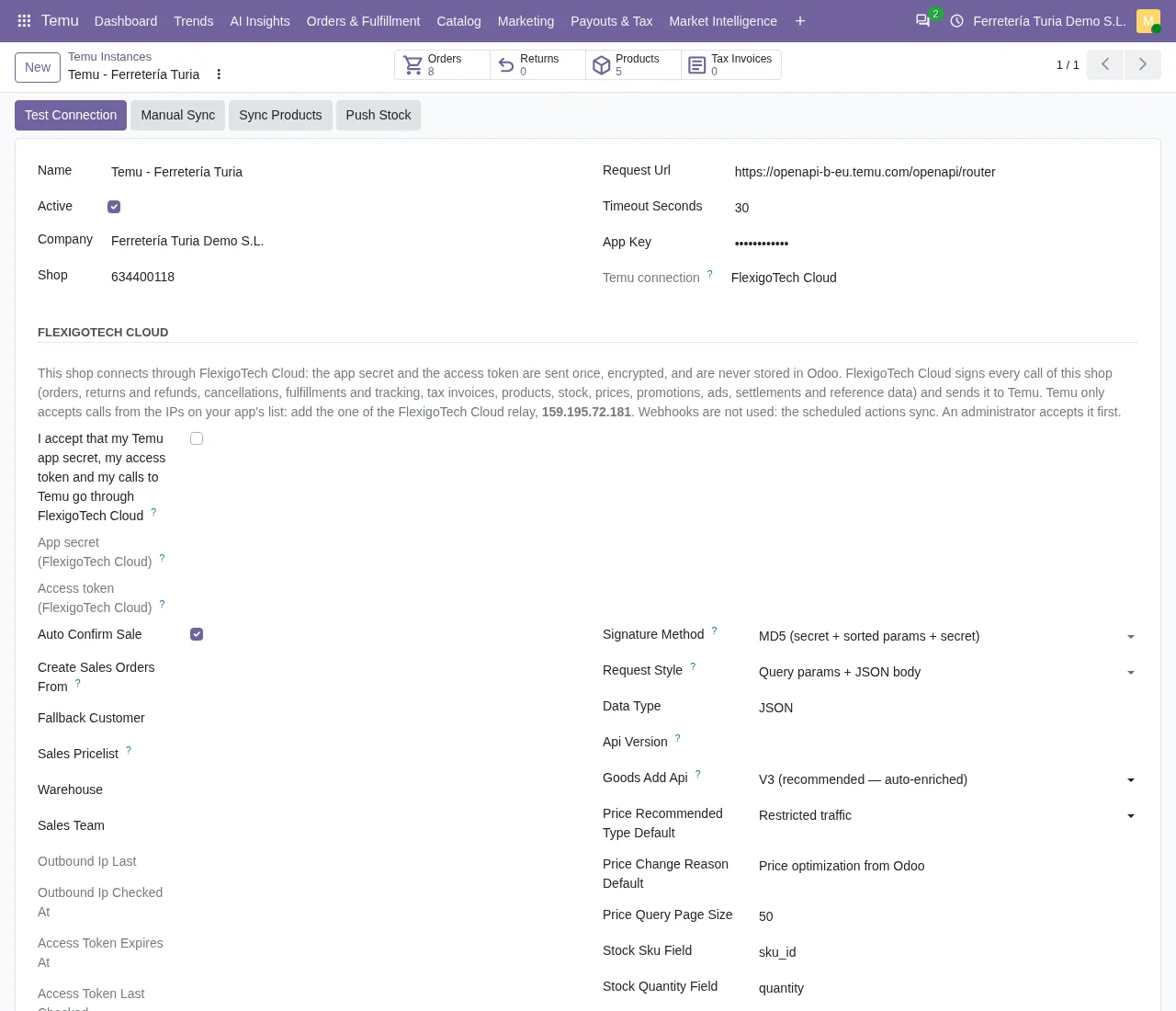
These scheduled actions are active from installation: Temu Sync Products runs every 30 minutes, while Temu Sync Reference Cache and Temu Push Stock run every 5 minutes.
Other scheduled actions are also switched on at installation: Temu Backfill Missing Amounts runs every 10 minutes, Temu Cleanup Sensitive Payloads every day and Temu AI Weekly Digest every week.
Your first Temu order in Odoo: order, shipment and return
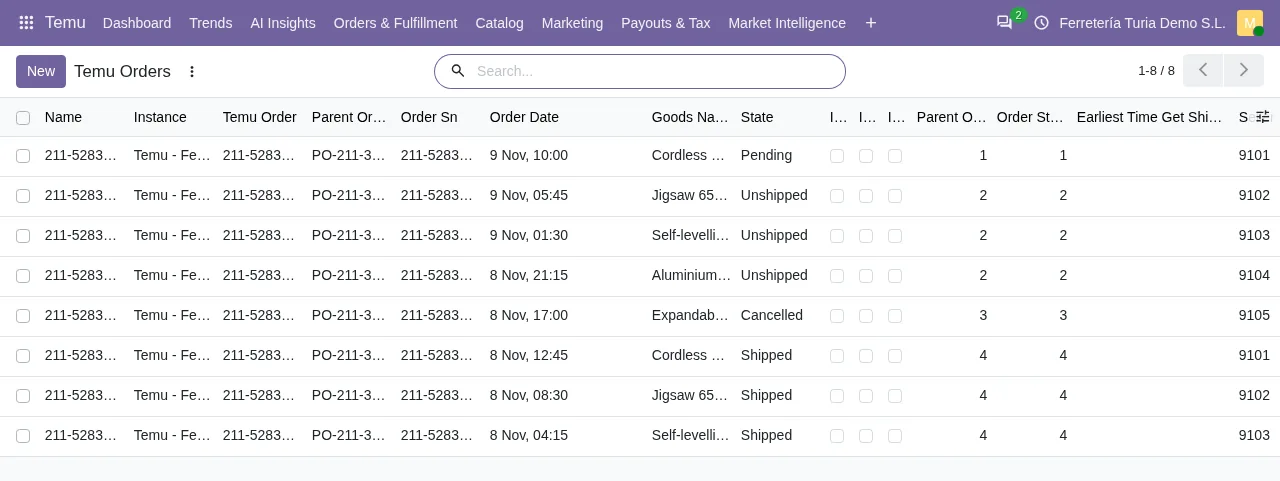
When your first sale comes in, the Temu Sync Orders task, active from installation, picks it up on its next run: it runs every 15 minutes. Orders live under Temu › Orders & Fulfillment › Orders.
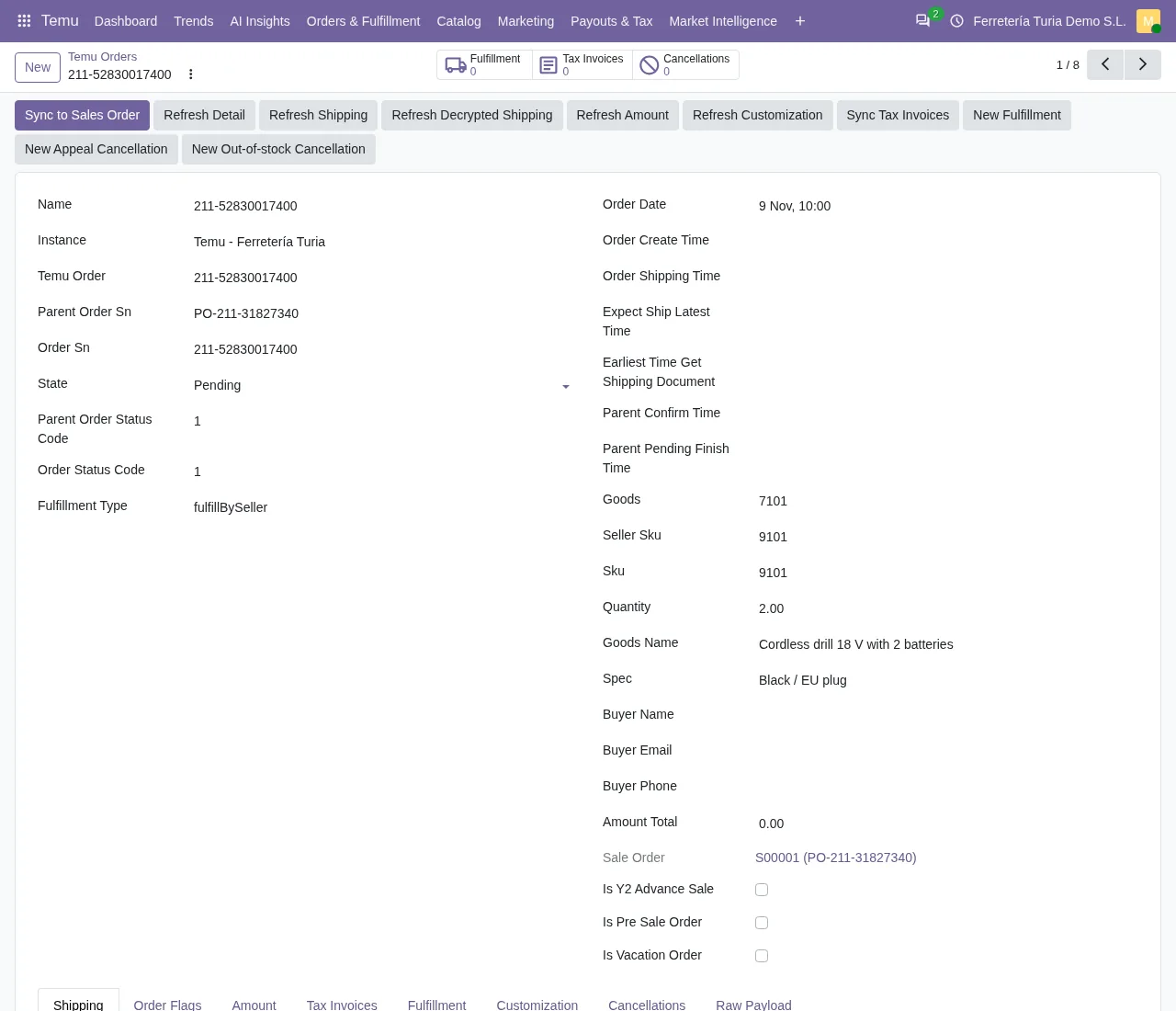
The rest of the journey sits in the neighbouring menus:
- Shipments:
Orders & Fulfillment › Fulfillment. - Cancellations:
Orders & Fulfillment › Cancellations. - Returns:
Orders & Fulfillment › Returns; theTemu Sync Returnstask runs every 30 minutes. - Tax invoices: the
Temu Sync Tax Invoicestask runs every 60 minutes, and reports are underPayouts & Tax › Tax Reports. - Payouts:
Payouts & Tax › Settlements; theTemu Build Estimated Settlementstask runs every day.
So cancellations and returns each have their own entry under Orders & Fulfillment, right next to the orders themselves. The same payouts section also holds Payouts & Tax › VAT (info). In the first week, keep the dashboard, Temu › Technical › System Events and Temu › Compliance › Compliance History close at hand as well.
Temu pricing and campaigns from Odoo
The connector's listing mentions price proposals and campaigns, and both have their place in the catalogue section of the Temu menu:
Pricing › Price Rules.Pricing › Price Adjustments.Sales Campaigns › Campaigns.Sales Campaigns › Campaign Products.
Price rules and price adjustments sit side by side under the same Pricing submenu, and Sales Campaigns is a submenu of its own. Do not mix them up with advertising: ad campaigns sit in a different section, Temu › Marketing, with Ad Campaigns, Ad Performance and Ad History. Sales campaigns hang off the catalogue; ad campaigns, off Marketing.
Because pricing and sales campaigns live in the same catalogue section as the products and the SKU mappings, whoever looks after your Temu catalogue finds all of them under one menu.
What the Odoo Temu integration costs and how to start
According to Temu, registering as a seller costs nothing. The connector is licensed per Odoo version of €9 excluding VAT per Odoo version on Odoo Apps, for 17, 18, 19 and 20, and it needs the FlexigoTech Cloud subscription: the Connector plan costs €49/month or €490/year excluding VAT, with up to 3 platform accounts (Pro: €98/month or €980/year, up to 10). The subscription comes with a free trial, no card required.
To start, buy the connector on its flexigotech.com page, activate the subscription and follow the connection steps above. If you are still implementing Odoo, FlexigoTech implements Odoo 17, 18, 19 and 20 and builds bespoke connectors and integrations: you can run the implementation and the Temu connection as one project.
Odoo Temu integration: frequently asked questions
How often do Temu orders reach Odoo?
The Temu Sync Orders task runs every 15 minutes from the moment you install the connector. The store form puts it this way: Webhooks are not used: the scheduled actions sync. Returns follow every 30 minutes with Temu Sync Returns, and stock is pushed every 5 minutes with Temu Push Stock.
Does Temu charge to open a seller store?
According to Temu, no: ‘Temu does not charge any registration fees.’ It also says: ‘You can register as a Temu seller for free.’
Which business types does Temu accept at sign-up?
Temu says it accepts business types including ‘Corporation, Partnership, and Sole Proprietorship’. In other words, companies, partnerships and sole traders can all sign up.
Can I connect several Temu stores to the same Odoo?
The Connector plan allows up to 3 platform accounts, and Pro up to 10. Each store has its own form in Store Accounts, under Settings in the Temu menu, where the connection notices described above appear.
What do I need to set up in Temu to connect Odoo?
Among other things, add the FlexigoTech Cloud IP to your app's list, as the store form warns: Temu only accepts calls from the IPs on that list.
Keep reading
Checked in the connector's source code (version 20.0) and the linked sources
Sources
- seller-eu.temu.com/
- Module source code: flexigobe_temu_connector (a3395b64): views/temu_instance_views.xml
- apps.odoo.com/apps/modules/17.0/flexigobe_temu_connector
- apps.odoo.com/apps/modules/18.0/flexigobe_temu_connector
- apps.odoo.com/apps/modules/19.0/flexigobe_temu_connector
- apps.odoo.com/apps/modules/20.0/flexigobe_temu_connector
- Module source code: flexigobe_temu_connector 20.0 (a3395b64): __manifest__.py
- Module source code: flexigobe_temu_connector 20.0 (a3395b64): views/menu_views.xml
- Module source code: flexigobe_temu_connector 20.0 (a3395b64): data/ir_cron_data.xml
- flexigotech.com/en/services.html
- flexigotech.com/en/precios.html