

 Español
 Polski
When Odoo signs in
Odoo authenticates at two moments: when you save the KSeF certificate with its private key in the settings, and in the scheduled action “Refresh KSeF tokens”, which repeats the full sign-in every 6 days. The context is the company's NIP, so the company VAT number has to start with PL. The KSeF challenge is valid for 10 minutes.
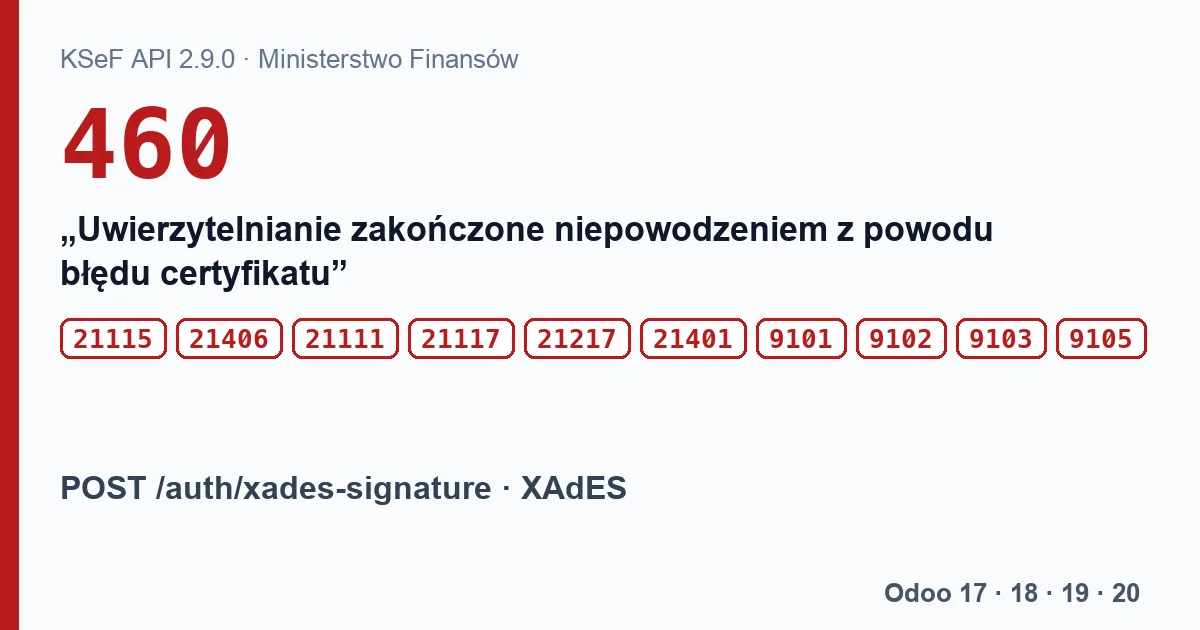
POST /auth/xades-signature.The codes and their texts
| Code | KSeF text |
|---|---|
| 9101 | “Nieprawidłowy dokument.” (invalid document) |
| 9102 | “Brak podpisu.” (no signature) |
| 9103 | “Przekroczona liczba dozwolonych podpisów.” (too many signatures) |
| 9105 | “Nieprawidłowy podpis.” (invalid signature) |
| 21111 | “Nieprawidłowe wyzwanie autoryzacyjne.” (invalid authorisation challenge) |
| 21115 | “Nieprawidłowy certyfikat.” (invalid certificate) |
| 21117 | “Nieprawidłowy identyfikator podmiotu dla wskazanego typu kontekstu.” (invalid subject identifier for the context type) |
| 21217 | “Nieprawidłowe kodowanie znaków.” (invalid character encoding) |
| 21401 | “Dokument nie jest zgodny ze schemą (xsd).” This is the sign-in XML, not the invoice. |
| 21406 | “Konflikt podpisu i typu uwierzytelnienia.” (signature and authentication type conflict) |
| 460 | “Uwierzytelnianie zakończone niepowodzeniem z powodu błędu certyfikatu”, with details: “Nieważny certyfikat”, “Błąd weryfikacji łańcucha certyfikatów”, “Niezaufany łańcuch certyfikatów”, “Certyfikat odwołany”, “Certyfikat zawieszony” or “Niepoprawny certyfikat” (expired, chain error, untrusted chain, revoked, suspended, incorrect). |
The first ten arrive at once, as an HTTP 400 answer to the signature. Status 460 comes later, when the sign-in status is checked. A word of caution about the specification itself: the examples for that request show code 400 with the description “Uwierzytelnianie zakończone niepowodzeniem” for the same reasons, while the status table gives 460. The details text matters more than the number.
What Odoo will not show
When the signature fails, Odoo writes “Failed to authenticate with XAdES:” followed by the exception text from the requests library, along the lines of “400 Client Error: Bad Request for url: …/auth/xades-signature”. The code from the table never reaches the screen: Odoo only takes the response body when the response object is “truthy”, and in requests a response with a code from 400 to 599 is falsy. The same happens when fetching the challenge, checking the status and redeeming the tokens.
For status 460 Odoo writes “KSeF Authentication failed with status 460: …” with the description and without the details.
When the renewal every 6 days fails, it only leaves a trace in the server log. The KSeF refresh token lasts up to 7 days; after that, sending ends with “Failed to refresh KSeF access token. You may need to re-authenticate manually.”.
The credentials list in our module
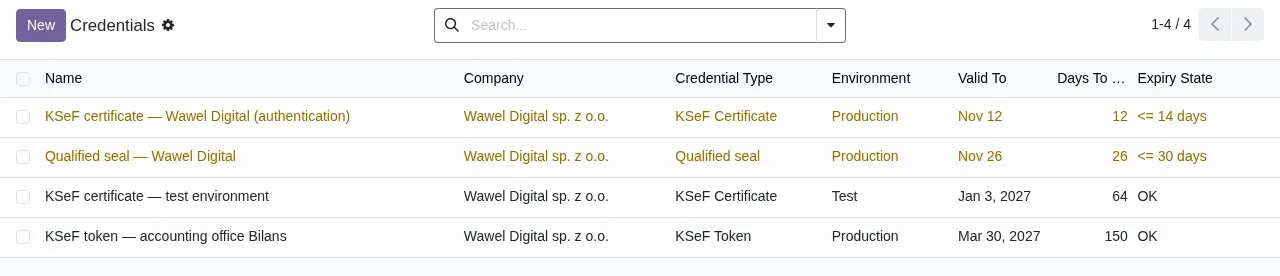
Poland KSeF 2.0 Validator has a list under KSeF › Configuration › Credentials with KSeF certificates, tokens, seals and qualified signatures and the days left before each expires: orange with 30 days or fewer, red once expired. Whoever adds an entry types its expiry date. The module does not read the certificate in Odoo's settings or its state in KSeF, so it will not flag a revoked or suspended certificate.
What to do
- Check in the settings that the selected record is a KSeF certificate with its private key.
- Check the validity dates and whether the certificate was revoked or suspended in KSeF.
- Check that the company VAT number starts with PL and is the NIP the certificate was issued for.
- Save the certificate in the settings again. If the error comes back and Odoo only shows “400 Client Error”, ask for the KSeF response with its code to be read.
Keep reading
Checked in the module's source code (version 20.0) and the linked sources
Sources
- Module source code: flexigo_poland_ksef_2_0_e_invoice_connector_and_migrati 20.0 (ba7c60f1): i18n/pl.po
- github.com/CIRFMF/ksef-api/blob/ce3670ea042de380039de4c5849fd6455811b292/open-api.json
- github.com/CIRFMF/ksef-api/blob/ce3670ea042de380039de4c5849fd6455811b292/uwierzytelnianie.
- github.com/odoo/odoo/blob/2fec20391a8a61ea3a3bf15e9f24d59dba910a8d/addons/l10n_pl_edi/mode
- github.com/odoo/odoo/blob/2982b5f44af03fae6a9888f20632c1cc19f623ba/addons/l10n_pl_edi/tool
- github.com/odoo/odoo/blob/4d2d4b5895db70596863df941d9a1f0beeb117f8/addons/l10n_pl_edi/tool
- github.com/odoo/odoo/blob/2fec20391a8a61ea3a3bf15e9f24d59dba910a8d/addons/l10n_pl_edi/tool
- github.com/psf/requests/blob/v2.32.5/src/requests/models.py#L730
- github.com/odoo/odoo/blob/2fec20391a8a61ea3a3bf15e9f24d59dba910a8d/addons/l10n_pl_edi/tool
- github.com/odoo/odoo/blob/2982b5f44af03fae6a9888f20632c1cc19f623ba/addons/l10n_pl_edi/i18n
- github.com/odoo/odoo/blob/2fec20391a8a61ea3a3bf15e9f24d59dba910a8d/addons/l10n_pl_edi/mode
- github.com/odoo/odoo/blob/2fec20391a8a61ea3a3bf15e9f24d59dba910a8d/addons/l10n_pl_edi/data
- github.com/CIRFMF/ksef-api/blob/ce3670ea042de380039de4c5849fd6455811b292/uwierzytelnianie.
- github.com/odoo/odoo/blob/2fec20391a8a61ea3a3bf15e9f24d59dba910a8d/addons/l10n_pl_edi/tool
- github.com/odoo/odoo/blob/2fec20391a8a61ea3a3bf15e9f24d59dba910a8d/addons/l10n_pl_edi/mode
- Module source code: flexigo_poland_ksef_2_0_e_invoice_connector_and_migrati 20.0 (ba7c60f1): views/ksef_credential_views.xml
- Module source code: flexigo_poland_ksef_2_0_e_invoice_connector_and_migrati 20.0 (ba7c60f1): models/ksef_credential.py