

 Español
 Català
 Deutsch
 Français
 Português
 Italiano
 Nederlands
 Polski
This message appears in the Prepare Product Publish form, from which a product is validated and published on Temu with Temu Connector for Odoo. It is an error that stops the action, and its cause lies in a single check in the code: reading the product's Goods Property text as JSON.
When it appears and which buttons trigger it
When exactly does Goods Property JSON is invalid: … appear?
It appears when the code tries to read the product's Goods Property text as JSON and the reading fails, whatever the failure. It is raised by the step that saves the product's Temu data, and that step runs from both buttons of the publishing form. At this point the code only tries to read the text as JSON: if the reading works, the message does not appear.
Which buttons lead to that step?
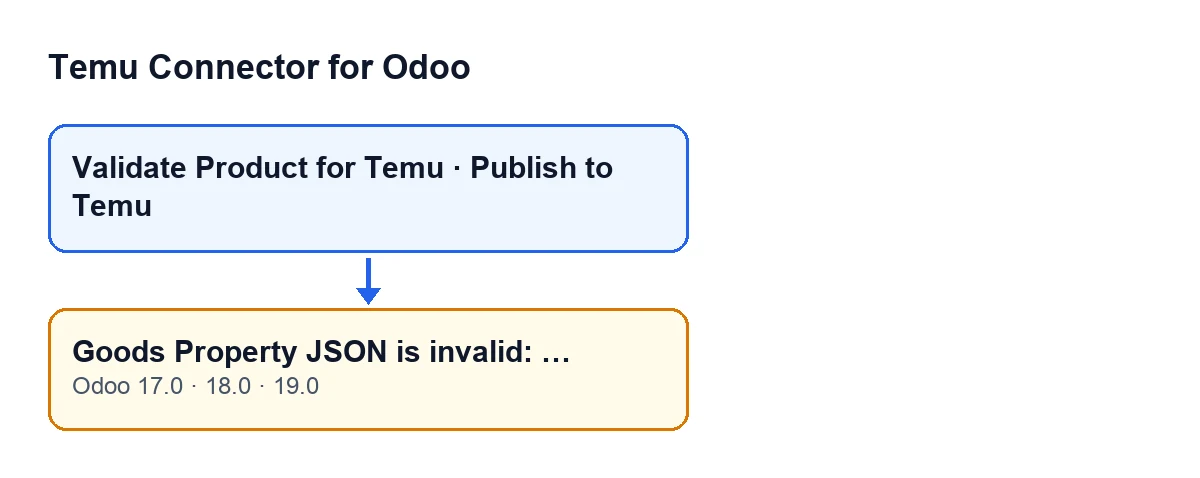
Validate Product for Temu and Publish to Temu. Both are always visible in Odoo 17, 18 and 19, with no condition in the view. Each one calls its own action, and both reach the step that saves the product's Temu data; if the condition is met there, the message appears.
Which versions have the message?
It is in the published code of the 17.0, 18.0 and 19.0 branches. The module is published on Odoo Apps for 17, 18, 19 and 20.

What it means and what happens to what you were saving
What comes after the colon?
It is the specific reason given by the JSON reader when it fails. The dots in the message are replaced by that reason, so it changes depending on what is wrong with the text. Read it in full before changing anything.
Is anything saved when the error appears?
No. This text is read before the link between the product and the Temu instance is created or updated, and before anything is written to the variants and to the product template. Because the error stops the action, what that step was going to save is not saved on that attempt.
What does the module do when the text reads correctly?
It stores that content in the link between the product and the Temu instance: if a link already exists for that instance and that product template, it updates it; otherwise it creates one. It then goes through the variant lines and saves values on each variant, and finally saves default values on the product template.
Does an empty text give this error?
No. If the text is empty, the code treats it as an empty list, which is valid JSON, and this message does not appear.
How to fix it
How do I correct it?
Read the reason shown after the colon, correct the Goods Property Json Text field (visible in the attributes step of Prepare Product Publish) until it is valid JSON, and press the button you were using again.
Can I find the fault before publishing?
Yes. Validate Product for Temu reaches the same step as Publish to Temu, so it can give you this same message without publishing anything. Bear in mind that, when the reading succeeds, that step carries on and saves the data described above: the link between the product and the instance, the variant values and the template values.
Why do I still see an error after correcting the text?
This message only concerns the product's Goods Property text. That step has other checks of its own, so correcting this text removes this message, but the action can still be stopped for another reason. If the warning you see is now different, it is not about this field.
How FlexigoTech can help
Temu Connector for Odoo is a one-off purchase per version and needs a FlexigoTech Cloud subscription, Connector plan: €49 a month or €490 a year, excluding VAT. The connection goes through FlexigoTech Cloud, which stores the credentials encrypted, monitors synchronisation and emails you if it fails. You will find the details on the module page. FlexigoTech implements Odoo 17, 18, 19 and 20 and develops custom connectors and integrations; if you would like help with an implementation or with an integration of your own, get in touch.
Keep reading
Checked in the connector's source code (version 19.0) and the linked sources
Sources
- Module source code: flexigobe_temu_connector 19.0 (455b3f0f): wizard/temu_product_publish_wizard.py
- Module source code: flexigobe_temu_connector 19.0 (455b3f0f): wizard/temu_product_publish_wizard_views.xml
- apps.odoo.com/apps/modules/19.0/flexigobe_temu_connector
- flexigotech.com/precios.html
- flexigotech.com/en/services.html