

 Español
The seven rules, with the text of the EN 16931 Schematron (validation-1.3.17). All of them are fatal:
| Rule | Category | Text |
|---|---|---|
| BR-E-10 | E, exempt | A VAT breakdown (BG-23) with VAT Category code (BT-118) "Exempt from VAT" shall have a VAT exemption reason code (BT-121) or a VAT exemption reason text (BT-120). |
| BR-AE-10 | AE, reverse charge | A VAT breakdown (BG-23) with VAT Category code (BT-118) "Reverse charge" shall have a VAT exemption reason code (BT-121), meaning "Reverse charge" or the VAT exemption reason text (BT-120) "Reverse charge" (or the equivalent standard text in another language). |
| BR-IC-10 | K, intra-community | A VAT breakdown (BG-23) with the VAT Category code (BT-118) "Intra-community supply" shall have a VAT exemption reason code (BT-121), meaning "Intra-community supply" or the VAT exemption reason text (BT-120) "Intra-community supply" (or the equivalent standard text in another language). |
| BR-G-10 | G, export | A VAT breakdown (BG-23) with the VAT Category code (BT-118) "Export outside the EU" shall have a VAT exemption reason code (BT-121), meaning "Export outside the EU" or the VAT exemption reason text (BT-120) "Export outside the EU" (or the equivalent standard text in another language). |
| BR-O-10 | O, outside scope | A VAT breakdown (BG-23) with VAT Category code (BT-118) " Not subject to VAT" shall have a VAT exemption reason code (BT-121), meaning " Not subject to VAT" or a VAT exemption reason text (BT-120) " Not subject to VAT" (or the equivalent standard text in another language). |
| BR-S-10 | S, standard | A VAT breakdown (BG-23) with VAT Category code (BT-118) "Standard rate" shall not have a VAT exemption reason code (BT-121) or VAT exemption reason text (BT-120). |
| BR-Z-10 | Z, zero rated | A VAT breakdown (BG-23) with VAT Category code (BT-118) "Zero rated" shall not have a VAT exemption reason code (BT-121) or VAT exemption reason text (BT-120). |
The reason can go as a code (BT-121, from the VATEX list) or as text (BT-120). For E either is enough; for AE, K, G and O, the code or the text must mean exactly that: “Reverse charge”, “Intra-community supply”… The other rules of each family (BR-E-08, BR-AE-08 and the rest) are about amounts; this page is only about the reason.
How Odoo decides the category
This is where versions part ways:
- Odoo 17 and 18: out of the box, the tax has no category field and Odoo infers it: for a Spanish customer whose postcode starts with 35 or 38 (Canary Islands), L, and with 51 or 52 (Ceuta and Melilla), M; E if the tax is 0% and seller and customer are in the same country; AE for the Belgian co-contractor reverse charge or on a self-billed invoice with a reverse-charge tax; with a seller VAT number and a 0% tax, K if both are in the EEA and G if only one is; otherwise, S if the tax has a rate and E if it is 0%. The standard module account_edi_ubl_cii_tax_extension (Tax extension for UBL/CII), which is not installed automatically, adds Tax Category Code and Tax Exemption Reason Code to the tax: once the category is set, Odoo uses it instead of inferring it.
- Odoo 19: each tax has Tax Category Code (AE, E, S, Z, G, O, K, L, M, B) and Tax Exemption Reason Code, with the VATEX list.
- Odoo 20: the same two fields plus Tax Exemption Reason, a free text.
- In all four versions: if an E category ends up with no reason, Odoo writes the text “Exempt from tax”, which meets BR-E-10.
The usual trap on Odoo 17 and 18 without that module is a 0% tax on a service outside the scope of VAT, which the inference never marks as O, or a domestic sale under reverse charge: the category differs from what your accountant expects.
With our XRechnung and ZUGFeRD module
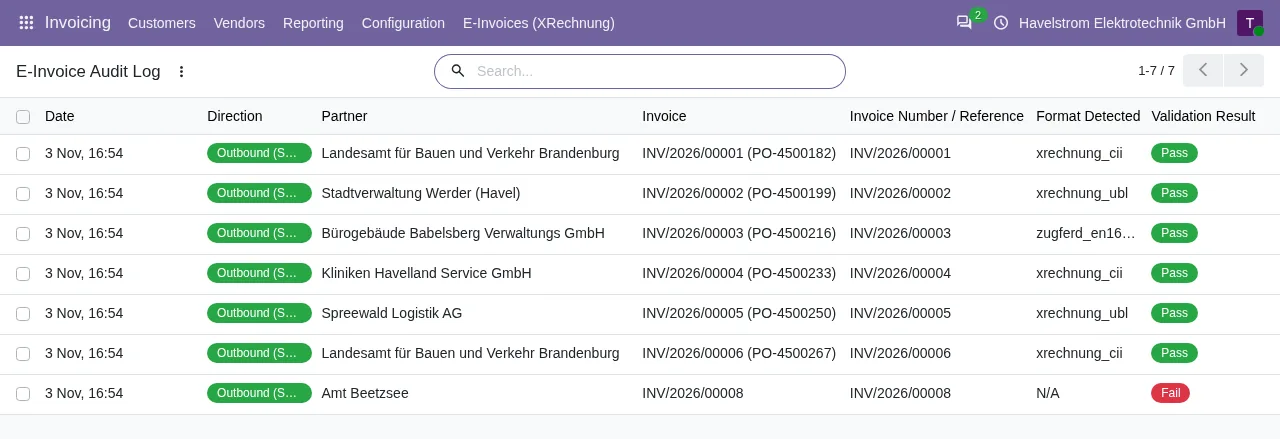
The generator of the published module only knows two categories, S and Z. In XRechnung UBL it writes S when the tax has a percentage and Z when it is 0%. In XRechnung CII, its default format, every line goes out as S, also with a 0% tax, and the KoSIT validator rejects it with BR-S-05 (we checked). A reverse-charge, intra-community, export or exempt invoice does not go out as AE, K, G or E. On Odoo 18, 19 and 20, with the FlexigoTech Cloud subscription, the module validates the result against the KoSIT rules and leaves any failing rule under Validation Errors. For those invoices, today, Odoo's own export is the one that knows the categories. On Odoo 17, the published version does not validate.
How to fix it
- Find the category in the XML VAT breakdown (BT-118) and compare it with the actual transaction.
- On Odoo 19 and 20, open the tax and set its Tax Category Code and, for E, AE, K, G or O, its Tax Exemption Reason Code.
- On Odoo 17 and 18, install account_edi_ubl_cii_tax_extension and set each tax's category and, when that category requires one, its reason. Without that module, check the customer's country, postcode, VAT number and fiscal position: they are what Odoo infers the category from.
- An exemption reason on a standard-rate line triggers BR-S-10: remove it from the tax.
- Generate the file again.
Keep reading
Checked in the module's source code (version 17.0 and 20.0) and the linked sources
Sources
- github.com/odoo/odoo/blob/6f00fdadb875342de2d14a179f25431f93cd63c9/addons/account_edi_ubl_
- github.com/odoo/odoo/blob/2982b5f44af03fae6a9888f20632c1cc19f623ba/addons/account_edi_ubl_
- github.com/odoo/odoo/blob/6f00fdadb875342de2d14a179f25431f93cd63c9/addons/account_edi_ubl_
- Module source code: flexigo_germany_xrechnung 20.0 (446f2f68): lib/generators/cii_generator.py
- Module source code: flexigo_germany_xrechnung 20.0 (446f2f68): models/res_company.py
- github.com/odoo/odoo/blob/6f00fdadb875342de2d14a179f25431f93cd63c9/addons/account_edi_ubl_
- github.com/odoo/odoo/blob/2982b5f44af03fae6a9888f20632c1cc19f623ba/addons/account_edi_ubl_
- github.com/odoo/odoo/blob/4d2d4b5895db70596863df941d9a1f0beeb117f8/addons/account_edi_ubl_
- github.com/odoo/odoo/blob/2fec20391a8a61ea3a3bf15e9f24d59dba910a8d/addons/account_edi_ubl_
- github.com/odoo/odoo/blob/2982b5f44af03fae6a9888f20632c1cc19f623ba/addons/account_edi_ubl_
- github.com/odoo/odoo/blob/4d2d4b5895db70596863df941d9a1f0beeb117f8/addons/account_edi_ubl_
- github.com/odoo/odoo/blob/2fec20391a8a61ea3a3bf15e9f24d59dba910a8d/addons/account_edi_ubl_
- Module source code: flexigo_germany_xrechnung 20.0 (446f2f68): lib/generators/ubl_generator.py
- Module source code: flexigo_germany_xrechnung 20.0 (446f2f68): models/xrechnung_cloud.py
- Module source code: flexigo_germany_xrechnung 17.0 (ad05de8f): __manifest__.py
- github.com/ConnectingEurope/eInvoicing-EN16931/releases/tag/validation-1.3.17