

 Español
 Català
 Deutsch
 Français
 Português
 Italiano
 Nederlands
 Polski
How Deel notifies
When something happens in the account, Deel sends a POST to the webhook's address with a JSON body that carries the event type in data.meta.event_type, the organization, the resource that changed and the time. Every delivery has three headers: x-deel-signature, with the signature; x-deel-hmac-label, which says which signing key was used; and x-deel-webhook-version. Webhooks are created through the API, with POST /webhooks, or on the Webhooks tab of the Developer Center, and you have to be an Org Admin or IT Developer Admin in Deel to do it. One created in the sandbox only gets sandbox events.
How the signature is checked
Deel computes an HMAC-SHA256 of the word POST followed by the raw body, keyed with the webhook's signing key, and asks you to verify it before processing anything. Deel returns that key (signing_key) when the webhook is created, and generates it if you do not supply one. Its code examples produce the signature in hex.
The connector's controller does the same calculation with the key stored on the connection, compares it with x-deel-signature in constant time and answers like this:
| What reaches Odoo | Answer |
|---|---|
| Good signature | 200, with the event recorded in the queue |
| No signature or a bad one | 401 |
| An unknown address token or a webhook switched off in Odoo | 404 |
| A body over 1 MB | 413 |
Unlike the API token, which FlexigoTech Cloud keeps, the signing key stays in Odoo, on the connection, in a field reserved for admins. The module's tests check the signature against the calculation in Deel's Python example, and registering and deleting the webhook were tested against the Deel demo organization.
Which events exist
Deel's events page talks about more than 100 ("100+ Events") and, for the full list, points to GET /webhooks/events/types, which needs the webhooks:read scope. The index of its API reference, copied on 18-11-2026, has 56 events with their own page. That list has no event for an issued invoice or for a gross-to-net report: for invoices there are only the adjustments (Invoice Adjustment Created, Pending For Approval and Reviewed); for payroll, the ones for Global Payroll and EOR payslips being available and the one for a deleted payslip document; and for payments, the statement initiated and the statement marked as paid.
The connector subscribes to 12 of them, and each one only tells it which part of the sync to run:
| Deel events | What the connector reads again |
|---|---|
payment.statement.initiated, payment.statement.mark-paid | Payments |
invoice-adjustment.created, invoice-adjustment.reviewed, eor.payslips.available | Invoices |
gp.payslips.available | Global Payroll |
contract.created, contract.status.updated, contract.terminated, worker.v2.created, worker.v2.updated, worker.v2.deleted | People and contracts |
An event the connector does not know is recorded and marked done without running anything.
Retries and disabling, according to Deel
If the address does not answer with a 2xx, or takes longer than 30 seconds, Deel counts a failure and retries after waits of 1, 2, 4, 8, 16 and 32 minutes, then 1, 2 and 4 hours, and a tenth attempt after 16 hours. After 10 failures in a row it disables the subscription, which then has to be re-enabled by hand, through the API or in the Developer Center. Deel asks for a 200 within 30 seconds, ideally under 5, and warns that the same event can arrive more than once.
The connector answers as soon as it has recorded the event; the sync comes afterwards, in the queue. In Odoo, Webhook Active is only cleared by Remove webhook or Disconnect, and the connector does not ask Deel what state the webhook is in. If Deel disables it after 10 failures, for example because Odoo was down, Odoo will still show it as active: you re-enable it in Deel's Developer Center, or remove it and register it again from Odoo. Meanwhile the sync every 30 minutes keeps bringing the same data. To see what happened to each delivery, every webhook has a Logs tab in the Developer Center with the code your Odoo returned; a 401 there points to the signature.
What the connector does when it rings
Deel calls your Odoo directly, at an https address that carries a random token for each connection, so FlexigoTech Cloud is not in the middle of the delivery. What does go through FlexigoTech Cloud is registering and removing the webhook and the reads that follow. With a good signature, Odoo records the event type in the queue, without taking the content as data, and wakes the Deel: webhook queue task, which also runs on its own every hour. That task looks at which parts rang for each connection and runs each one once, even when several notices arrived, reading from Deel again through the API.
How to register it from Odoo
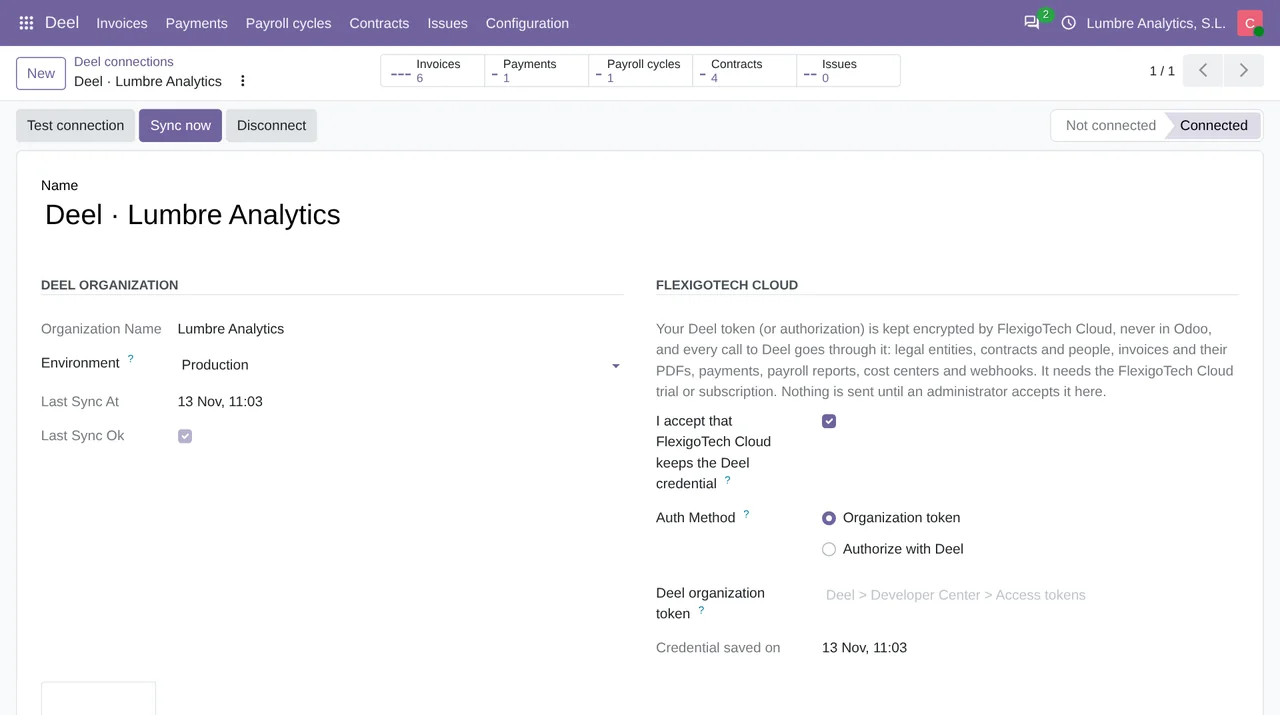
On the connection's Webhooks tab, an admin clicks Register webhook. The button only shows when the connection is no longer Not connected (the token is already saved) and the webhook is not active, and you also need:
- Odoo on https, because otherwise the connector stops and reminds you that "The scheduled sync keeps working without webhooks.";
- a token with
webhooks:write, the scope Deel asks for to create and to delete a webhook; with a read-only token, Deel answers 403 or 401, according to its authentication guide. On a 403, the connector shows the reason Deel gives; on a 401, it says Deel refused the token and asks for a new one, even when the only thing the token lacks is that scope.
The connector sends Deel a name that starts with Odoo, the address, the 12 events in the table and version v2 of the API, and stores the ID and the signing key Deel returns. If it works, it says: "Deel will call Odoo when a payment, a payslip or a contract changes." Remove webhook deletes it in Deel, and so does Disconnect while the FlexigoTech Cloud service is active.
Why it also resyncs every 30 minutes
Deel recommends not relying on webhooks alone and reconciling from time to time. The connector does that with the Deel: sync contracts, invoices, payments, payroll and cost centers task, which runs every 30 minutes whether webhooks are on or not. There are reasons on Deel's side to keep it: its list has no invoice-issued event, so new invoices arrive with that pass; a webhook Deel disables does not tell Odoo; and an Odoo without https cannot receive them. With webhooks, a payment, a payslip or a contract arrives as soon as Deel sends the notice; without them, on the next run.
What was tested
Against a Deel demo organization (demo.deel.com), through FlexigoTech Cloud, the tests covered the connection, legal entities, a contract with its person and vendor, webhooks and a second sync without duplicates. Invoices, payments and payroll cycles were tested with answers modelled on Deel's API reference, because that organization had none yet. The connector works on Odoo 17, 18, 19 and 20, on your own server or on Odoo.sh, and not on Odoo Online. The token and its scopes are in the Deel API token guide, and what comes in as a vendor bill, in Deel invoice. The connector is explained in full on its page and published on Odoo Apps.
Keep reading
Checked in the connector's source code (version 20.0) and the linked sources
Sources
- developer.deel.com/api/webhooks/introduction
- developer.deel.com/api/webhooks/quickstart
- help.letsdeel.com/hc/en-gb/articles/10660690287761-How-To-Create-And-Manage-Webhooks-Notif
- developer.deel.com/api/webhooks/no-code
- developer.deel.com/api/endpoints/webhooks/create-webhook
- developer.deel.com/api/endpoints/webhooks/delete-webhook
- developer.deel.com/api/webhooks/events
- developer.deel.com/api/stable/llms.txt
- developer.deel.com/api/endpoints/webhooks/get-webhook-events
- Module source code: flexigo_deel_connector 20.0 (18442307): models/deel_account.py
- Module source code: flexigo_deel_connector 20.0 (18442307): controllers/main.py
- Module source code: flexigo_deel_connector 20.0 (18442307): data/deel_cron.xml
- Module source code: flexigo_deel_connector 20.0 (18442307): static/description/index.html
- Module source code: flexigo_deel_connector 20.0 (18442307): tests/test_webhook.py
- developer.deel.com/api/authentication
- apps.odoo.com/apps/modules/20.0/flexigo_deel_connector
- Module source code: flexigo_deel_connector 20.0 (18442307): views/deel_account_views.xml