

 Español
 Català
 Deutsch
 Français
 Português
 Italiano
 Nederlands
 Polski
Once a day, this scheduled action asks Amazon for the restock recommendations report of each account that has it switched on, then imports its lines into Odoo. The terms below follow the order in which you will meet them.
The action, its frequency and its versions
- Scheduled action
- It is called
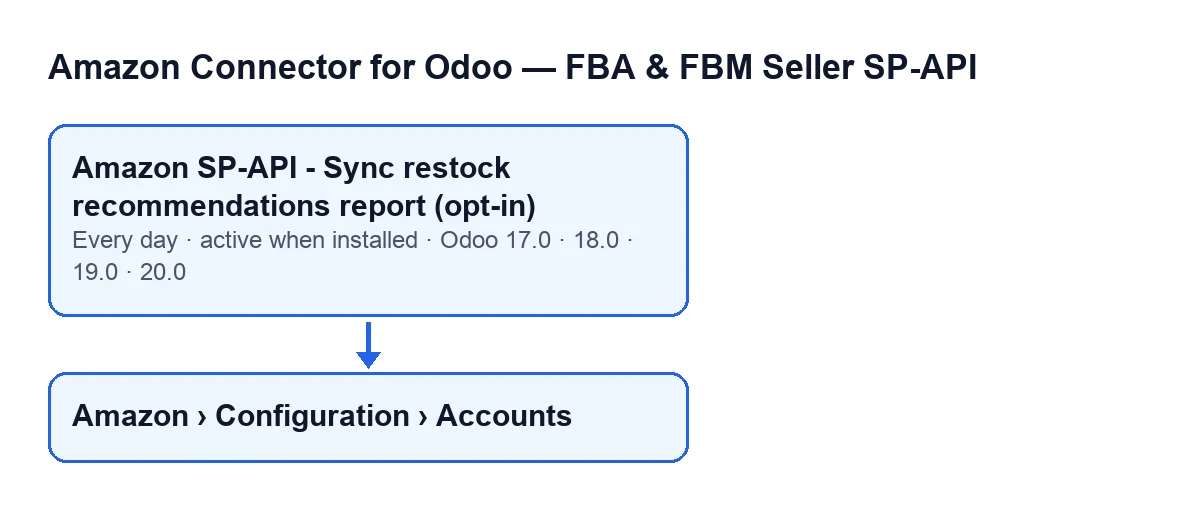
Amazon SP-API - Sync restock recommendations report (opt-in). When it runs, it goes through the module's Amazon accounts and starts the sync on those that meet the conditions explained further down.
- Once a day
- The action runs once a day. On each run the code asks Amazon for a new report for every account that qualifies.
- Active on install
- It is active as soon as the module is installed and exists on every published branch: 17.0, 18.0, 19.0 and 20.0. In Odoo 17.0 the action repeats indefinitely.

Which accounts it goes through
- Opt-in and active account
- The action only picks accounts that are active and have the restock recommendations sync switched on. The name of the action ends in
(opt-in). An account that does not meet both conditions is left out of the run.
- Accounts
- The menu
Amazon › Configuration › Accounts, where the account forms open. Each level asks for a permission:Amazonasks forViewer;ConfigurationandAccountsask forManager. If you lack the permission for a level, you do not see it.
- Name
- The account's
Namefield. It appears on theAccountsform, in theIdentitytab,Accountgroup, and also in the accounts list. It is the name the action uses to identify the account when it records a failure.
What it does on each run
- Source
- The result text of each run has a
Source: …line. It saysCRONif the scheduled action started the run andManualotherwise. It also records the account (Account: …) and, once Amazon has created the report, its identifier.
- Status polling
- After requesting the report, the code checks its status several times. The number of attempts and the wait between them come from the account's values; if they are empty or zero, it uses 12 attempts with 10 seconds between them. It stops polling as soon as the status is
DONE,CANCELLEDorFATAL.
- Report status
- With
DONE, the run carries on. WithCANCELLEDorFATAL, the result text says Amazon did not generate a usable report. With any other status once the attempts run out, it notes that polling timed out. In those last two cases the action saves the date and the result and the run for that account ends there.
- Report document
- With the report at
DONE, the code needs its document. If Amazon marks the report as finished but gives no document, it notes that, saves the result and ends. If there is one, it downloads the text and imports it into the restock recommendation lines, up to a per-run maximum taken from the account's values (if empty or zero, it uses 10000 lines).
- Rows
- While importing, the result text counts the report rows, the processed rows, and those created, updated, skipped and with an error:
Report rows,Processed rows,Created,Updated,SkippedandWith error.
- Saved result
- When a run ends with the report imported, without a document, cancelled, failed or with the polling time exhausted, the code writes the date and time of the last run and the result text (cut to 5000 characters) on the account. In those cases, if the scheduled action started the run, no message is posted to the account's chatter, so do not expect to find that result there.
If the action seems to do nothing
- Failure on one account
- If the sync for an account raises an exception, the action catches it, records a warning in the server log with the account name and carries on with the others. A failure on one account does not stop the run for the rest.
So the order for checking is:
- The action is still active. It is active when the module is installed.
- The account meets both conditions: it is active and has the restock recommendations sync switched on. Find it in
Amazon › Configuration › Accountsby itsName. - Amazon may have returned
CANCELLEDorFATAL, or may not have finished the report within the polling attempts. The run ends for that account and the next one requests a new report. - A
DONEreport without a document also ends the run for that account before anything is imported. - An empty chatter does not prove the action did not run: when a run started by the scheduled action ends with the report imported, without a document, cancelled, failed or with the polling time exhausted, nothing is posted there.
- The subscription: the module needs FlexigoTech Cloud. Without a subscription, or with the service suspended, what the subscription provides stops; your data stays in your Odoo.
Cost and help with setup
The module is a one-off purchase per Odoo version (published for 17.0, 18.0, 19.0 and 20.0) and needs the FlexigoTech Cloud subscription, Connector plan: €49 a month or €490 a year excluding VAT, up to 3 accounts on the platform. The connection goes through FlexigoTech Cloud, which stores the credentials encrypted, watches the sync and emails you if it fails. Prices per version are on the Odoo Apps page and the module page.
FlexigoTech implements Odoo 17, 18, 19 and 20 and builds custom connectors and integrations. If you would like us to review how this sync is set up in your installation, get in touch.
Keep reading
Checked in the connector's source code (version 17.0 and 20.0) and the linked sources
Sources
- Module source code: flexigobe_amazon_seller_connector 20.0 (8576afa5): data/ir_cron_data.xml
- Module source code: flexigobe_amazon_seller_connector 17.0 (165f66af): data/ir_cron_data.xml
- Module source code: flexigobe_amazon_seller_connector 20.0 (8576afa5): models/amazon_spapi_account.py
- apps.odoo.com/apps/modules/20.0/flexigobe_amazon_seller_connector
- flexigotech.com/en/services.html
- flexigotech.com/precios.html