

 Español
 Català
 Deutsch
 Français
 Português
 Italiano
 Nederlands
 Polski
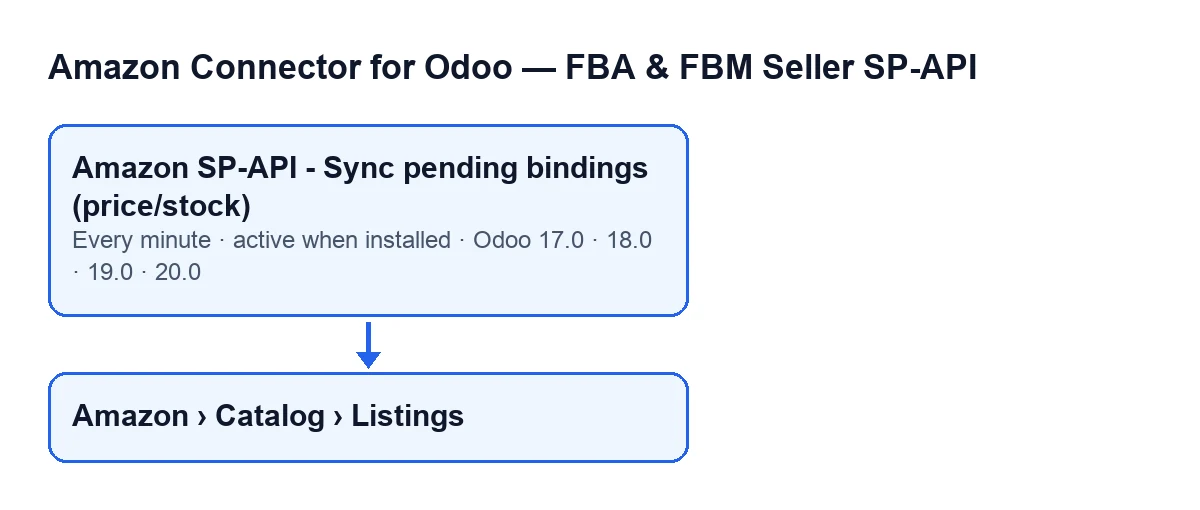
Each Amazon listing you hold in Odoo can be flagged as pending for its price, its stock or both. This action is the one that works through those pending flags. Listings open from the menu Amazon › Catalog › Listings; each level of the menu asks for the Viewer permission, and without it you do not see that level.
What follows is one run in order, as the code published for Odoo 20.0 does it.
One run, start to finish
- On install The action
Amazon SP-API - Sync pending bindings (price/stock)is active from the start. It exists in every published branch (17, 18, 19 and 20); in Odoo 17 it is set to repeat without end. - Every minute Odoo launches it and it runs the pending sync with a cap of 100 listings per run.
- Before searching If it is not running with system privileges, the code first checks that whoever launches it may write to listings.
- The search It takes active listings that have a pending price or a pending stock and whose account is not paused. The cap of 100 applies here, when searching, before it decides which ones to skip.
- Paused accounts If the database has no FlexigoTech Cloud service for the connector, the accounts of this version connected through FlexigoTech Cloud are left out of the search and keep their pending flags until the service is back.
- First filter, per listing If the listing's account does not have automatic offer sync switched on, the listing is skipped.
- Second filter If the listing's offer sync mode is manual, it is skipped. A value that is not one of the recognised ones is also treated as manual.
- Manual price or stock Once the listing has passed the filters above: if it uses a manual price and has a pending price, the code clears that pending flag without sending the price. The same goes for manual stock and a pending stock.
- Nothing pending If neither price nor stock is still pending after that, it moves on to the next listing. If one of the two is still pending, that one is sent.
- The push With both price and stock pending it runs
Push Offer; with price only,Push Price; with stock only,Push Stock. Each action leaves the listing untouched if the matching sync is not enabled on it (the offer action stops only when neither price sync nor stock sync is enabled). - If the push works The code records the result as successful.
- If the offer or price push fails The listing is left in an error state with the error text saved, and the result is recorded as an error. The error reaches the scheduled action, which writes a warning to the server log with the listing's identifier and carries on with the next listing.
- If the stock-only push fails If the listing's issues include a unit count issue or a compliance media issue, the module tries to repair it and sends the stock again. If the unit count repair is left waiting for Amazon to validate it, the stock is flagged as pending again. If it does not get repaired, the listing is left in an error state with the error text saved.
- At the end The run finishes and, a minute later, starts again.

What to check if it does nothing
The order follows the code; each point rules out one cause.
- The action is still active. It is active on install, so check that nobody has switched it off.
- The account's service. Without the FlexigoTech Cloud service for the connector, accounts connected through FlexigoTech Cloud are paused and their pending flags wait. On the listing form, group
Overview, theAccountfield tells you which account it belongs to; it also appears in theListingslist. - The listing is active and flagged as pending. The action only looks at active listings with a pending price or stock.
- The account has automatic offer sync switched on. If not, all its listings are skipped.
- The listing's offer sync mode is not manual. In manual mode the action skips it.
- Manual price or stock. If the listing uses a manual price, the action does not send it the price, it only clears the pending flag; with manual stock, the same for stock. If the other item is still pending, that one is sent.
- The listing has price sync or stock sync enabled. If it has neither, the actions do nothing with it.
- An earlier push failed. If the offer or price push failed, the listing is left in an error state with the error text saved, and the server log also carries a warning with its identifier. If the stock-only push failed and was not repaired, the listing is also left in an error state with the error text saved.
- There are more than 100 pending. Each run takes 100 listings at most, and those later skipped by the filters still take up room in that cap because the limit applies when searching.
Manual price and manual stock
On the listing form, Offer tab, Sync Strategy group, there are two checkboxes:
Use Manual Price. Its help says:If enabled, Push Price and Push Offer use the listing price defined here instead of the Odoo product sale price.It is unticked by default.Use Manual Stock. Its help says:If enabled, Push Stock and Push Offer use the listing stock defined here instead of Odoo stock.It is unticked by default.
What you see here and what the action does go together: if a box is ticked and the matching pending flag exists, the action (once the listing has passed the filters above) clears that flag without sending that item; if the other one is still pending, it sends it.
What it costs and which versions
The module is published on Odoo Apps for Odoo 17, 18, 19 and 20 (its one-off payment per version is on the listing) and needs the FlexigoTech Cloud subscription, Connector plan: €49/month or €490/year excl. VAT, with up to 3 accounts on the platform. The connection goes through FlexigoTech Cloud, which stores the credentials encrypted, watches the sync and emails you if it fails. Without a subscription, or with the service suspended, whatever the subscription provides stops; your data stays in your Odoo.
If you want help with this
If you are implementing Odoo and want to review which listings and accounts should sync on their own, FlexigoTech implements Odoo 17, 18, 19 and 20 and builds custom connectors and integrations. The module page has the purchase and the connector's details.
Keep reading
Checked in the connector's source code (version 17.0 and 20.0) and the linked sources
Sources
- Module source code: flexigobe_amazon_seller_connector 20.0 (8576afa5): data/ir_cron_data.xml
- Module source code: flexigobe_amazon_seller_connector 17.0 (165f66af): data/ir_cron_data.xml
- Module source code: flexigobe_amazon_seller_connector 20.0 (8576afa5): models/amazon_spapi_product_binding.py
- Module source code: flexigobe_amazon_seller_connector 20.0 (8576afa5): models/amazon_spapi_new_product.py
- apps.odoo.com/apps/modules/20.0/flexigobe_amazon_seller_connector
- flexigotech.com/precios.html
- flexigotech.com/en/services.html