

 Español
 Català
 Deutsch
 Français
 Português
 Italiano
 Nederlands
 Polski
What changes between branches, at a glance
The module is published on Odoo Apps for 17.0, 18.0, 19.0 and 20.0. Between the branches there are changes in Amazon-issued invoices (VCS) and in LWA credentials: the elements below are in 19.0 and 20.0 and not in 17.0 or 18.0, with one caveat about Open Amazon Order that you will see in the table.
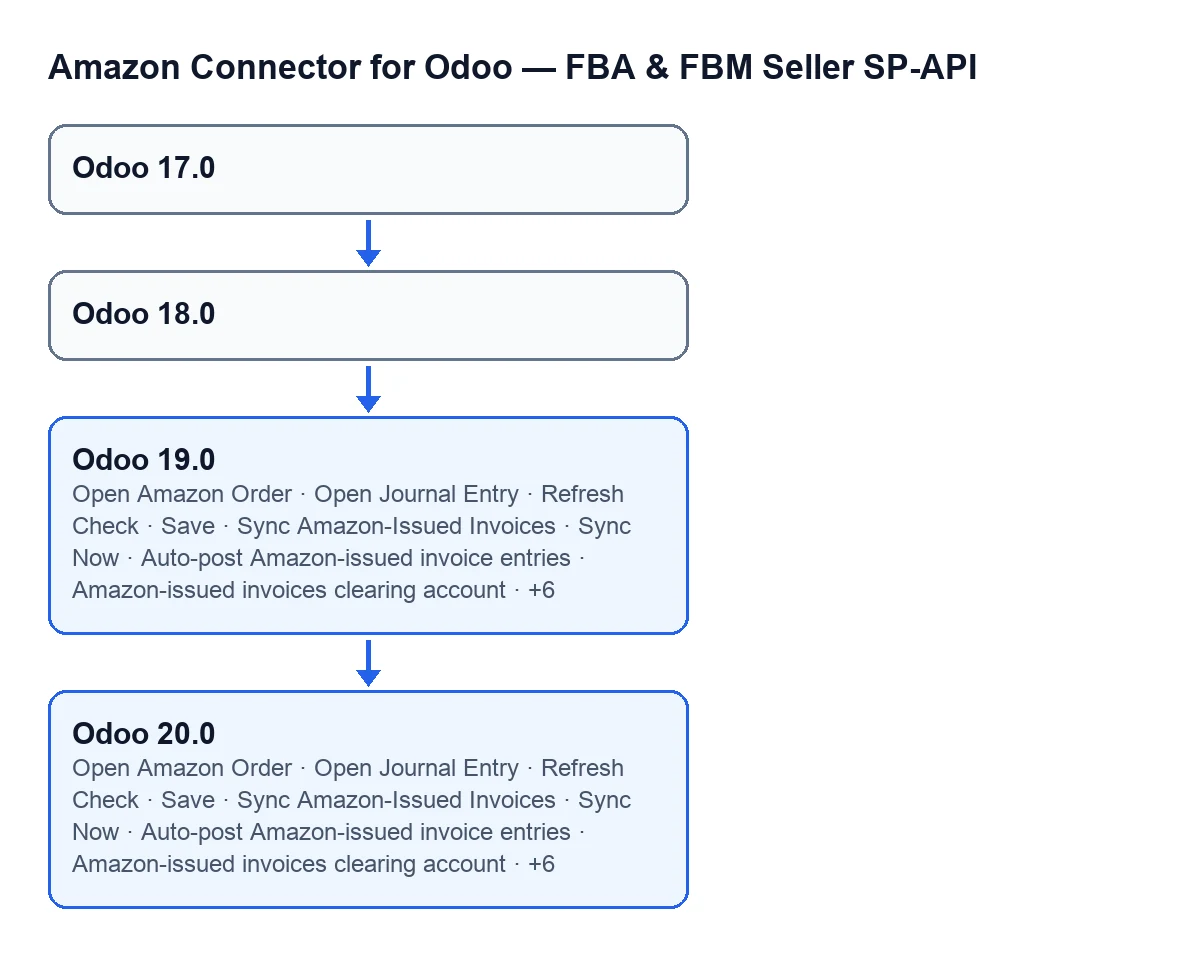

Each element, its screen and when it shows
The table lists the elements that are in 19.0 and 20.0 and the screen where each one is; the Accounts screen appears in several rows. Every element in the table is in both 19.0 and 20.0.
| Element | Screen | In 17.0 and 18.0 | In 19.0 and 20.0: when it shows |
|---|---|---|---|
Button Open Amazon Order | Amazon-Issued Invoices (VCS) | Not on this screen (the same label is on VAT Calculation and VAT Transactions) | Hidden while the record has no Amazon order; not shown by default |
Button Open Journal Entry | Amazon-Issued Invoices (VCS) | No | Hidden while the record has no journal entry; not shown by default |
Button Refresh Check | Configure Automatic Amazon Invoicing | No | Always shown |
Button Save | Configure Automatic Amazon Invoicing | No | Always shown |
Button Sync Now | Configure Automatic Amazon Invoicing | No | Always shown |
Button Sync Amazon-Issued Invoices | Accounts | No | Hidden while Reconcile Amazon-issued invoices (VCS) is not switched on; not shown by default |
Field Reconcile Amazon-issued invoices (VCS) | Accounts | No | Always shown |
Field Auto-post Amazon-issued invoice entries | Accounts | No | Hidden while Reconcile Amazon-issued invoices (VCS) is not switched on; not shown by default |
Field Amazon-issued invoices clearing account | Accounts | No | Hidden while Reconcile Amazon-issued invoices (VCS) is not switched on; not shown by default |
Field Amazon-issued invoices journal | Accounts | No | Hidden while Reconcile Amazon-issued invoices (VCS) is not switched on; not shown by default |
Field Amazon Issued Invoices Last Result | Accounts | No | Hidden while Reconcile Amazon-issued invoices (VCS) is not switched on; not shown by default |
Field Amazon Issued Invoices Last Run At | Accounts | No | Hidden while Reconcile Amazon-issued invoices (VCS) is not switched on; not shown by default |
Field Credentials last checked | Accounts | No | Shown only when the account uses the own-app connection mode; not shown with the account's default mode |
Field LWA credential status | Accounts | No | Shown only when the account uses the own-app connection mode; not shown with the account's default mode |
What changes on the Accounts screen
The field that reveals the rest
Reconcile Amazon-issued invoices (VCS) is always shown in 19.0 and 20.0. While it is not switched on, which is the default, the Sync Amazon-Issued Invoices button and these fields are hidden: Auto-post Amazon-issued invoice entries, Amazon-issued invoices clearing account, Amazon-issued invoices journal, Amazon Issued Invoices Last Result and Amazon Issued Invoices Last Run At. If you open an account in 19.0 or 20.0 and see none of them, look at that field first.
LWA credentials
Credentials last checked and LWA credential status are also 19.0 and 20.0 only, but their condition is different: they only show when the account uses the own-app connection mode, not the mode it has by default. With the default values those two fields are not shown. They are not missing; the condition hides them. For the other account fields, see the article on the SP-API account fields.
Buttons on the other two screens
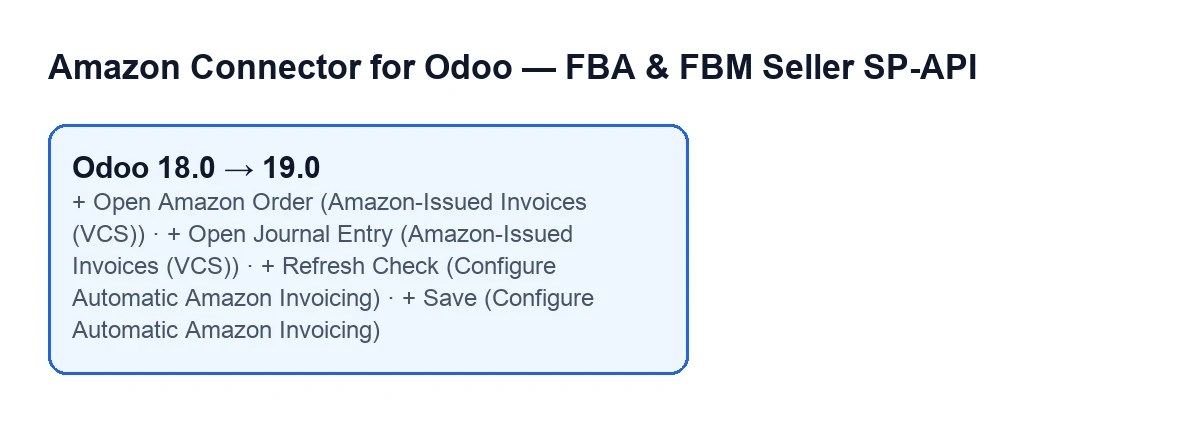
On Amazon-Issued Invoices (VCS), the Open Amazon Order and Open Journal Entry buttons are in 19.0 and 20.0 and not in 17.0 or 18.0. Each one is hidden while its data is missing: the first when the record has no Amazon order, the second when it has no journal entry. Mind the label: in 17.0 and 18.0 a button called Open Amazon Order exists on other screens, VAT Calculation and VAT Transactions, so do not treat it as new just because of the name.
On Configure Automatic Amazon Invoicing, the Refresh Check, Save and Sync Now buttons are in 19.0 and 20.0, not in 17.0 or 18.0, and are always shown.
How to check which branch you have
Open the Accounts screen and look for the Reconcile Amazon-issued invoices (VCS) field. It is always shown in 19.0 and 20.0 and is not in 17.0 or 18.0, so it is a direct test. Do not use the LWA credential fields for this: with the default values they are hidden in 19.0 and 20.0, so not seeing them says nothing about your version.
What you need beforehand
The module is a one-off payment per Odoo version (the price of each is on the Odoo Apps listing) and it needs a FlexigoTech Cloud subscription, Connector plan: €49 a month or €490 a year excluding VAT, for up to 3 marketplace accounts (the Pro plan, €98 a month or €980 a year, up to 10). The connection goes through FlexigoTech Cloud, which stores the credentials encrypted, watches the synchronisation and emails you if it fails. Without a subscription, or with the service suspended, whatever the subscription provides stops; your data stays in your Odoo. If you buy on flexigotech.com, the subscription includes the module for newer Odoo versions; on the Odoo App Store, each version is bought there. Details are on the module page.
Deciding by your version
- You are on Odoo 17 or 18: the screens in this table do not have those buttons or fields. If you need what
Reconcile Amazon-issued invoices (VCS)and its related fields offer, the published code has them only from 19.0. - You are on Odoo 19 or 20: you have everything in the table. Start by switching on
Reconcile Amazon-issued invoices (VCS)on the account so the other fields and theSync Amazon-Issued Invoicesbutton appear. - Your account uses the own-app connection mode: in 19.0 and 20.0 you will also see the LWA credential status and when the credentials were last checked.
- You are thinking of upgrading: compare the table with the screens you use today; the step from 18.0 to 19.0 is where these elements appear.
How FlexigoTech can help
FlexigoTech implements Odoo 17, 18, 19 and 20 and builds custom connectors and integrations. If you are weighing staying on your version against upgrading to use these elements, or you need something the module does not cover, tell us about your case.
Keep reading
Checked in the connector's source code (version 20.0) and the linked sources
Sources
- Module source code: flexigobe_amazon_seller_connector 20.0 (8c5900d9): __manifest__.py
- apps.odoo.com/apps/modules/20.0/flexigobe_amazon_seller_connector
- flexigotech.com/en/services.html
- flexigotech.com/precios.html