

 Español
 Català
 Deutsch
 Français
 Português
 Italiano
 Nederlands
 Polski
When it runs and which accounts it looks at
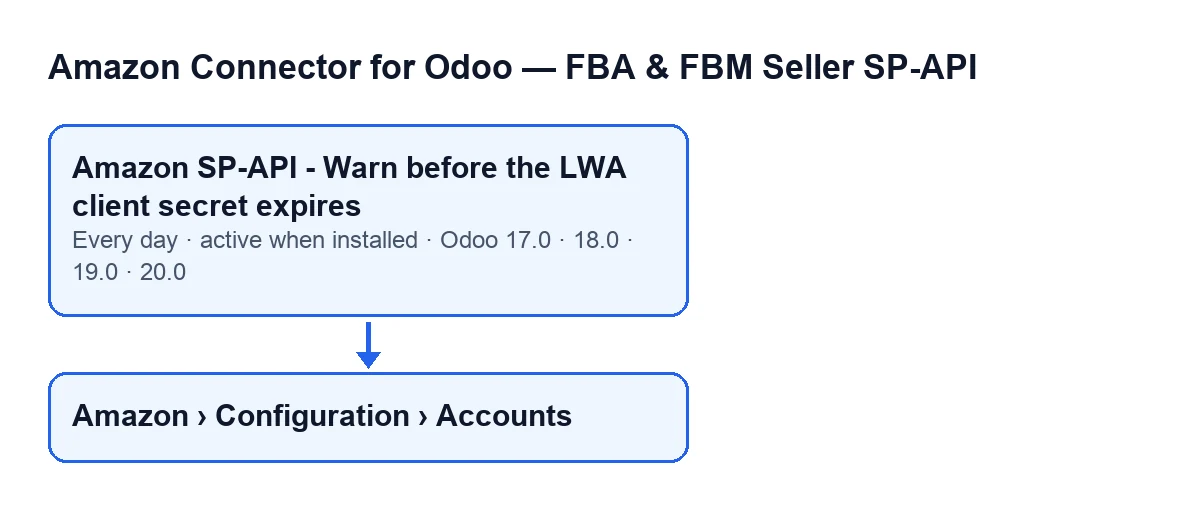
How often does it run, and in which versions is it available?
The scheduled action Amazon SP-API - Warn before the LWA client secret expires runs once a day and is active as soon as the module is installed. It exists in Odoo 19.0 and 20.0, not in 17.0 or 18.0, although the module is published on Odoo Apps for 17.0, 18.0, 19.0 and 20.0. What follows describes the Odoo 20.0 code.
Which accounts does it look at on each run?
It searches for active accounts that are in own-application mode and have not yet been warned. An account that has already been warned does not come back into the search. With the default values the connection mode is a different one and the LWA Credentials group on the form is not shown; it only appears in own-application mode.
What happens the first time for an account that has a secret but no date?
If Client secret set on is empty and a client secret is stored (not just blank spaces), the module sets today's date as the starting point, writes a warning to the server log and moves on to the next account. No warning is posted on the account that day, and because the account is not marked as warned, it is evaluated again on the next day's run. The code allows for accounts whose date was left empty after a module upgrade, so the account counts from today. The field is read-only: the code writes it, not the user.

What the action leaves behind when it warns
What does it do when an account is due for a secret rotation?
It works out the days left (never below zero) and posts a notification message on the account that begins Amazon LWA client secret is … days old., with the age in place of the dots. The second paragraph says after how many days Amazon expires it and in how many days that point arrives, warns that the connector goes fully dark when it happens, and asks you to generate a new client secret in Seller Central (Apps & Services → Develop Apps → your app → LWA credentials) and paste it into that account. If an account is not due for rotation, the action leaves it as it is and moves on to the next one.
Who gets the activity?
As well as the message, the action schedules a pending activity with the summary Amazon: rotate the LWA client secret and the same text as the message in its note. The person is chosen like this: if the module's Amazon SP-API managers group exists, it prefers an active member who is not a system administrator; if there is none, it takes any active member of the group, and if the group has no active members, the user the action is running as. If the group does not exist, it uses the user running the action when that user is active and the base administrator otherwise.
Amazon SP-API - Warn before the LWA client secret expires.What happens if something fails while the warning is being posted?
The message and the activity are created inside a protected block: if something fails, the action writes a warning to the server log and carries on with the next account. The account is still treated as warned, though, and since the action only searches for accounts that have not yet been warned, it does not try again on the following days. So if you expected a warning and cannot see it on the account, look at the server log.
What to check if it does nothing
Where can I see the state of an account's secret?
Open Amazon › Configuration › Accounts and go into the form. To see that path you need the Manager permission for the Configuration and Accounts sections; the Amazon section asks for Viewer. In the Credentials tab, LWA Credentials group, you will find Client secret set on and Client secret age (days), both read-only and hidden if the account is not in own-application mode. The age also appears at another point on the form, with no label (only the number is shown), and there it is hidden when the account is not due for rotation or when the LWA credentials are marked as invalid.
If no warning has been posted, what should I check?
Go through the conditions in this order. First, the version: the action only exists in Odoo 19.0 and 20.0. Second, that the action is still active, since it was active on installation. Third, that the account is active and in own-application mode. Fourth, that it has not already been warned: a warned account is not processed again, even if the warning never got created. Fifth, that it is not the first day of an account with no date, because that run only stores today's date. And sixth, that the account is already due for rotation; if it is not, the action posts nothing.
How this fits with the subscription and FlexigoTech
The module is a one-off purchase per version and needs the FlexigoTech Cloud subscription (Connector plan: €49 a month or €490 a year, excluding VAT). The Odoo Apps listing and the module page have the purchase details. If you would like us to review how you rotate credentials or how to connect Amazon to your Odoo, FlexigoTech implements Odoo 17, 18, 19 and 20 and builds custom connectors and integrations.
Keep reading
Checked in the connector's source code (version 20.0) and the linked sources
Sources
- Module source code: flexigobe_amazon_seller_connector 20.0 (8576afa5): data/ir_cron_data.xml
- Module source code: flexigobe_amazon_seller_connector 20.0 (8576afa5): models/amazon_spapi_account.py
- apps.odoo.com/apps/modules/20.0/flexigobe_amazon_seller_connector
- flexigotech.com/precios.html
- flexigotech.com/en/services.html