

 Español
 Català
 Deutsch
 Français
 Português
 Italiano
 Nederlands
 Polski
The task exists, with the same name, in branches 17, 18, 19 and 20 of Amazon Connector for Odoo, FBA & FBM Seller SP-API.
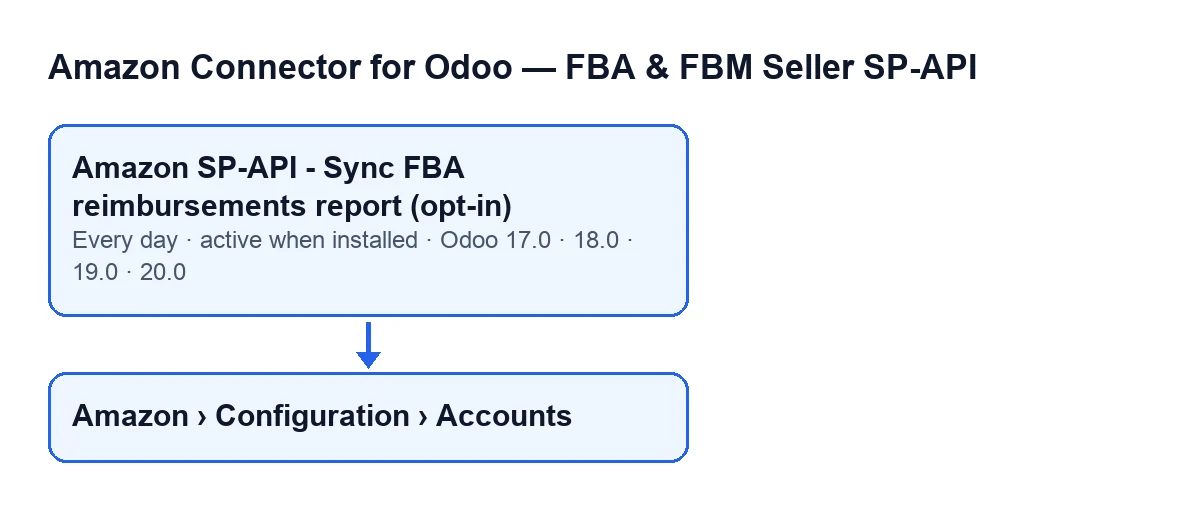
The task and its schedule
- Scheduled task
- The
Amazon SP-API - Sync FBA reimbursements report (opt-in)task works on the module's Amazon accounts and runs a method that goes through them. The name carries(opt-in): in the code, the task only goes through accounts that have the FBA reimbursements sync enabled.
- Frequency
- It runs once a day, every day, and is active when you install the module. In Odoo 17 the task is defined to repeat without end.
- Included account
- On each run the task looks for accounts that are active and have the FBA reimbursements sync enabled. If an account does not meet both conditions, the task leaves it alone; if none does, there is nothing to go through.
With Odoo in English the task is called Amazon SP-API - Sync FBA reimbursements report (opt-in). The diagram shows what it is called with Odoo in other languages.
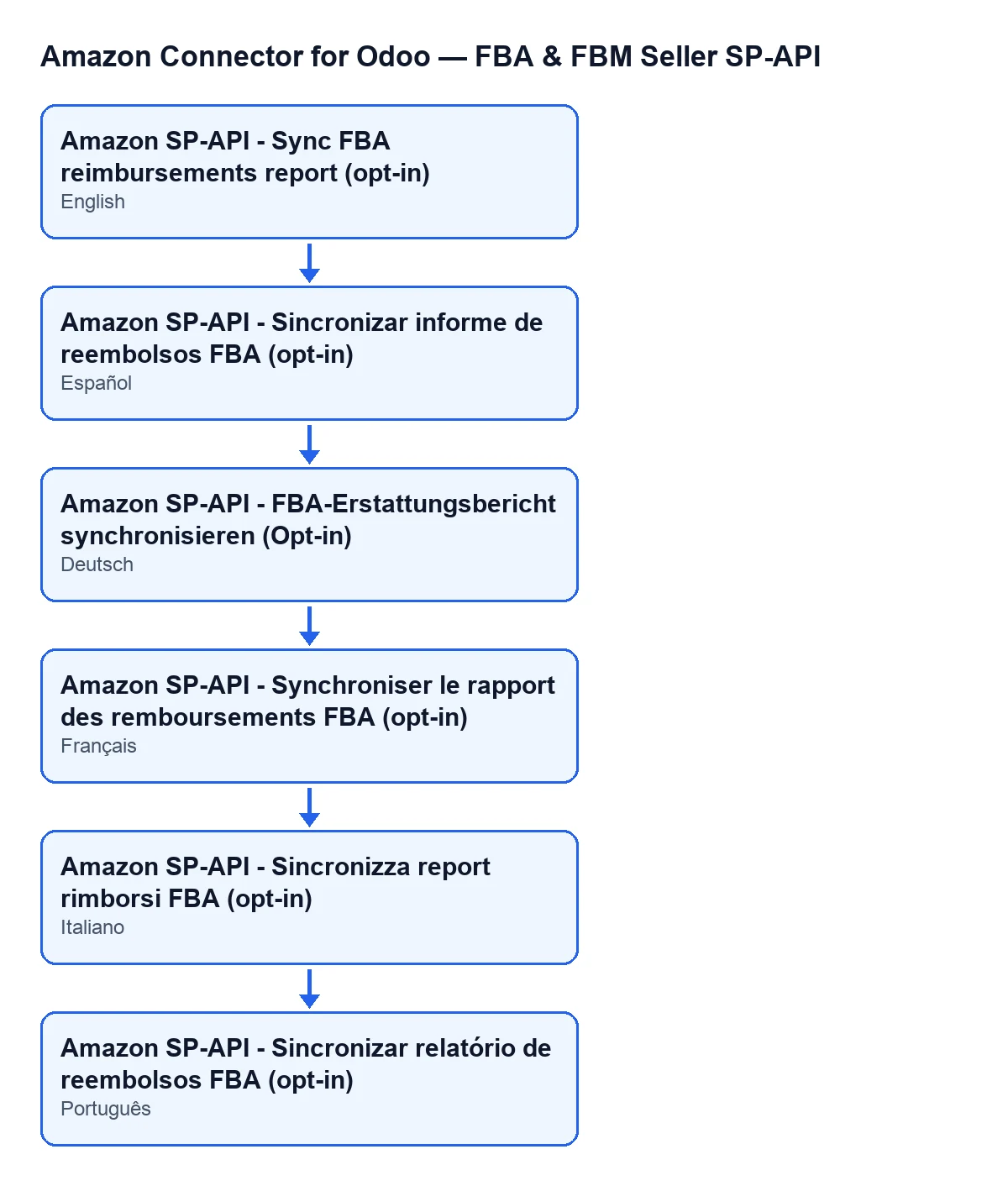
Amazon SP-API - Sync FBA reimbursements report (opt-in). German: Amazon SP-API - FBA-Erstattungsbericht synchronisieren (Opt-in). French: Amazon SP-API - Synchroniser le rapport des remboursements FBA (opt-in). Italian: Amazon SP-API - Sincronizza report rimborsi FBA (opt-in). Portuguese: Amazon SP-API - Sincronizar relatório de reembolsos FBA (opt-in).
What it does with each account on a run
- Report request
- For each account, the run asks Amazon to create a reimbursements report. It carries on with the identifier Amazon returns; the
Report ID: …line records it in the result.
- Status polling
- The run asks Amazon about the report until its status is
DONE,CANCELLEDorFATAL, or until it runs out of attempts. Between one attempt and the next it waits a few seconds. If the account's number of attempts or its wait is empty or zero, it uses twelve attempts and a ten-second wait; at minimum it makes one attempt and waits one second.
- Report status
- The
Report status: …line shows the last status Amazon gave, orUNKNOWNif none arrived. If it is notDONE, the run stops there and imports nothing. WithCANCELLEDorFATALit addsAmazon did not generate a usable reimbursements report.. In any other status it addsReport polling timed out. Try again in a few minutes..
- Report document
- With the report at
DONE, the run needs the identifier of its document. If it is missing, it addsDONE report without reportDocumentId.and stops. If it is there, it obtains the document's content and passes it to the importer.
- Import
- The content obtained from the document goes to the module's FBA reimbursement lines importer, together with the account, the report identifier, the document identifier, the account's marketplace and the account's per-run line limit. If that limit is empty or zero, the run hands over 10000.
- Counters
- After importing, the result adds these lines:
Report rows,Processed rows,Created,Updated,SkippedandWith error, each with its figure.
- Reimbursement audit
- If the account has the reimbursement audit enabled, right after importing the run refreshes that account's reimbursement claims.
- Saved result
- At the end, whether it imported or stopped earlier, the run writes on the account the date and time of the run and the result text, cut to five thousand characters. The text starts with
Amazon FBA reimbursements sync finished.,Account: …andSource: …; the source isCRONif the task launched it andManualotherwise. When the task launches it, the text is not posted to the account's chatter.
What to check if it does nothing
- Log warning
- If the run for one account raises an error, the task catches it, writes a warning in the server log with the account name and moves on to the next. That is why one account failing does not stop the others. The name is the
Namefield, which you see on theAccountsform, in theIdentitytab,Accountgroup, and also in theAccountslist.
- Menu and permissions
- The accounts open from
Amazon › Configuration › Accounts. TheAmazonlevel asks for theViewerpermission;ConfigurationandAccountsask forManager. If you do not have the permission for a level, you do not see it.
With that in mind, an orderly check when the task seems to do nothing:
- The task is active on install: check that it still is.
- The account must be active and have the FBA reimbursements sync enabled; otherwise the task does not go through it.
- The result text is saved on the account: if the
Report statusline is notDONE, the run stopped before importing; the next line of the result says whether Amazon did not generate a usable report or the wait for the report timed out. - If the report reached
DONE, look at theSkippedandWith errorcounters in the result. - Look in the server log for the warning carrying the account name.
Subscription and help from FlexigoTech
The module is a one-off payment per Odoo version (published for 17, 18, 19 and 20) and needs the FlexigoTech Cloud subscription, Connector plan: €49 a month or €490 a year, excluding VAT, up to three platform accounts. The connection goes through FlexigoTech Cloud, which stores the credentials encrypted, monitors the sync and emails you if it fails. Without a subscription, or with the service suspended, whatever the subscription provides stops; your data stays in your Odoo. You can see the module on the FlexigoTech page.
If you are implementing Odoo and want to review how the reimbursements sync fits your Amazon accounts, FlexigoTech implements Odoo 17, 18, 19 and 20 and builds custom connectors and integrations.
Keep reading
Checked in the connector's source code (version 17.0 and 20.0) and the linked sources
Sources
- Module source code: flexigobe_amazon_seller_connector 20.0 (8576afa5): data/ir_cron_data.xml
- Module source code: flexigobe_amazon_seller_connector 17.0 (165f66af): data/ir_cron_data.xml
- Module source code: flexigobe_amazon_seller_connector 20.0 (8576afa5): models/amazon_spapi_account.py
- apps.odoo.com/apps/modules/20.0/flexigobe_amazon_seller_connector
- flexigotech.com/precios.html
- flexigotech.com/en/services.html