
 Español
 Català
 Deutsch
 Français
 Português
 Italiano
 Nederlands
 Polski

Factur-X & PA France connector for Odoo
Your Odoo invoices go to the Plateforme Agréée (PA) you have signed up with, as Factur-X, UBL or CII, and your vendor bills and the status of each invoice come back to Odoo.
€49/month14 days free, no card
Yearly and Pro
- Standard€49/month · €490/year
- Pro€98/month · €980/year
Reply within 1 working day; with Pro, 4 hours. FlexigoTech Cloud pricing
After you buy
- You pay for the license (€9 + VAT) and get an email with the link to download the module.
- You install it in your Odoo, on Odoo.sh or your own server.
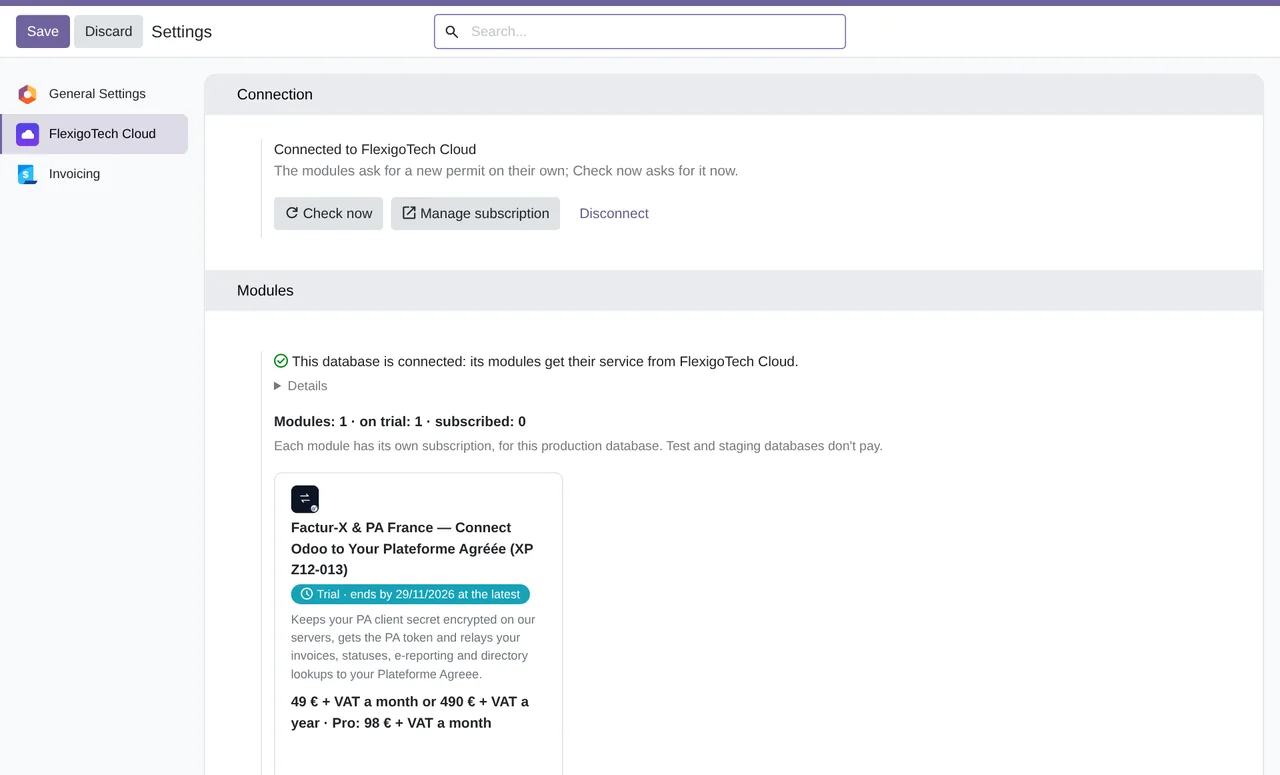
- In Settings → FlexigoTech Cloud you accept the data list and press «Try free for 14 days». The trial doesn't ask for a card.
- To continue, you press «Subscribe», create your account on app.flexigotech.com and pay for the plan by card.
Every purchase includes 2 months of support: we help you install it, set it up and get it working, by email and video call.
- Tested on Odoo 17, 18, 19 and 20
- Odoo Learning Partner
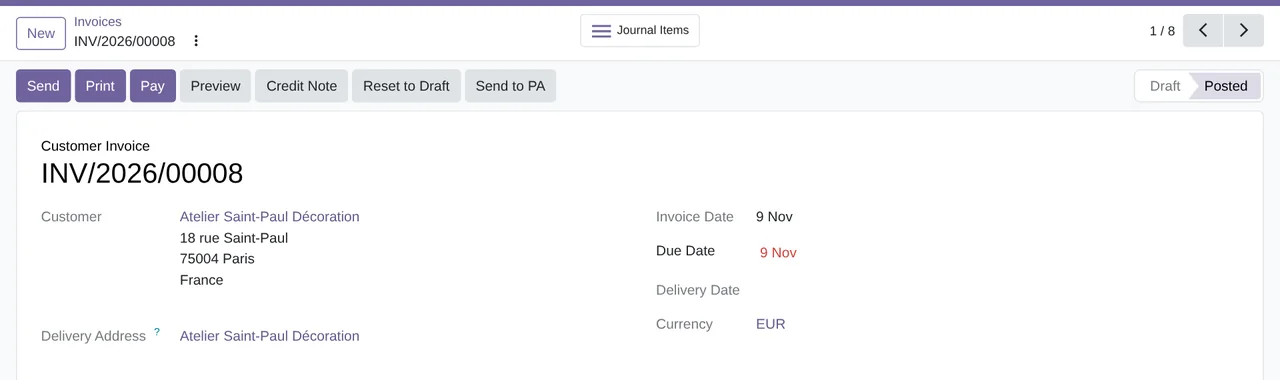
 Every invoice in and out, in OdooReal Odoo screenshot
Get started in 3 steps
- Install the moduleFrom Odoo Apps, on Odoo.sh or your own server.
- Start the trialIn Settings › FlexigoTech Cloud, an administrator accepts the data list and starts the 14-day trial, no card needed.
- Connect your PAIn Invoicing › Configuration › PA Connections: your PA, its URLs, the OAuth2 access and its registration number. The secret is stored in FlexigoTech Cloud.
Send the first invoice On a posted invoice for a French customer with a SIREN, click “Send to PA”.
What you need A contract with a Plateforme Agréée (PA) that offers the AFNOR XP Z12-013 API, with its URLs, its OAuth2 access and its registration number. The SIREN or SIRET of your company and of your French customers. Odoo 17, 18, 19 or 20 on Odoo.sh or your own server, not Odoo Online. The module's screens are in English.
What it does
- Factur-X, UBL or CIIWith Odoo's XML; Factur-X as PDF/A-3.
- To your PAThrough the AFNOR XP Z12-013 API.
- Every status, in OdooFrom 200 to 213, every 15 minutes.
- Purchases that come in on their ownAs draft vendor bills.
How it works
Goes out from Odoo
- Customer invoices and credit notes
- The statuses you send
- The e-reporting Odoo prepares
FlexigoTech Cloud
Comes in from your PA
- Vendor bills
- The status of each invoice
- The e-reporting responses

FlexigoTech Cloud keeps your PA client secret encrypted, so it never stays in your Odoo, and passes each Odoo call to your PA with its token. It only allows calls to domains of the PAs on the DGFiP's official list.
Where you see it in Odoo
- Invoicing › E-Invoicing (PA)the flows with your PA, the API log and the evidence export
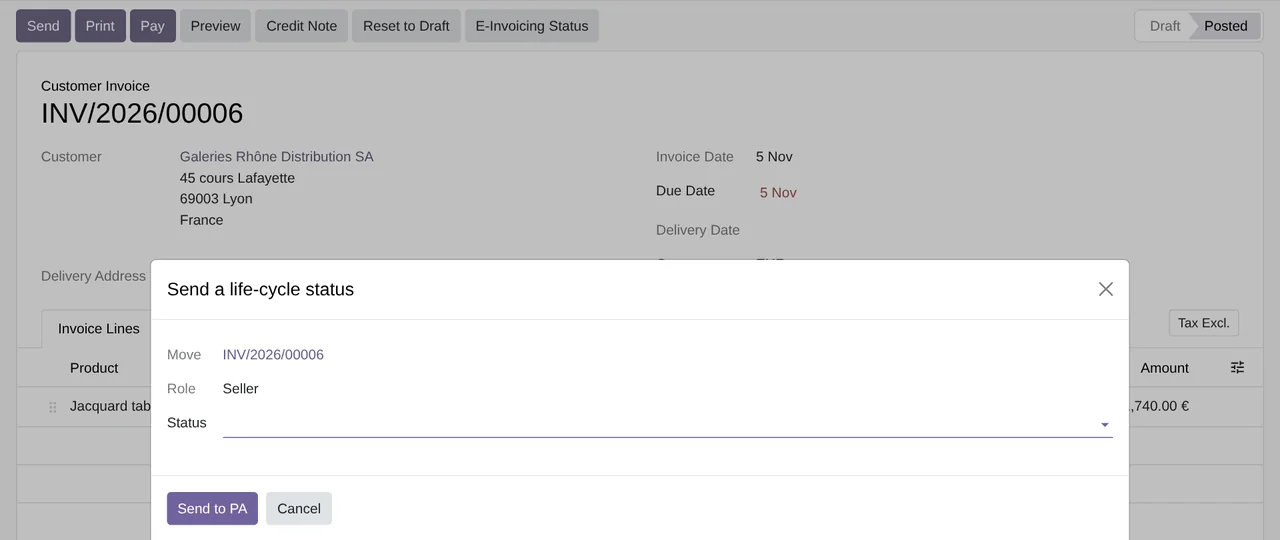
- Each invoicethe Send to PA and E-Invoicing Status buttons, and its status
 ContactsSIREN, SIRET, the e-invoicing address and the directory lookup
- Invoicing › ConfigurationPA Connections and the list of Plateformes Agréées
Inside Odoo
Real Odoo screenshots.
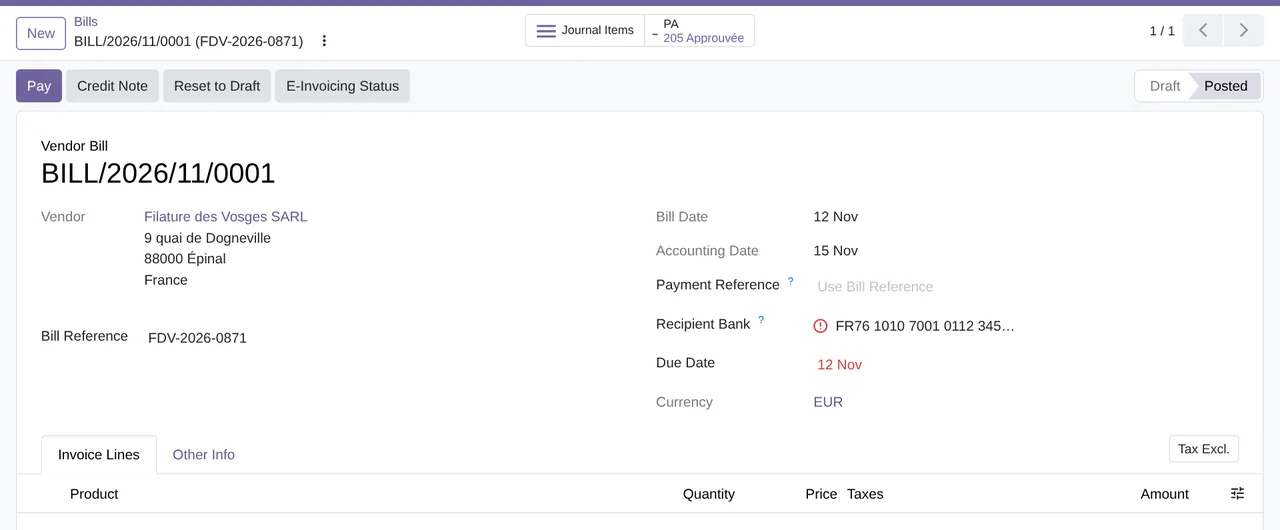
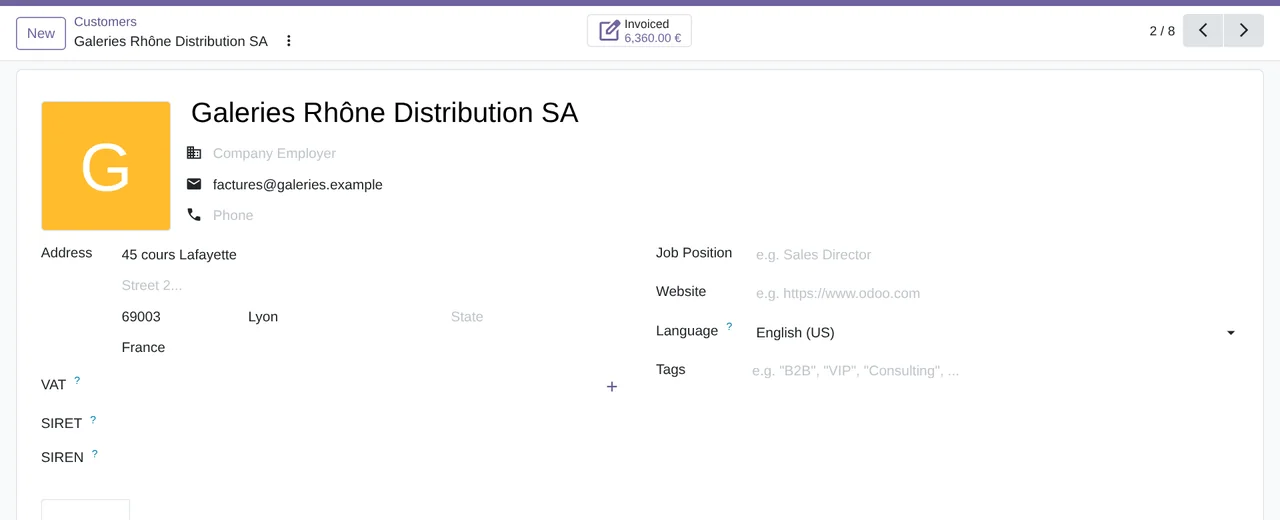
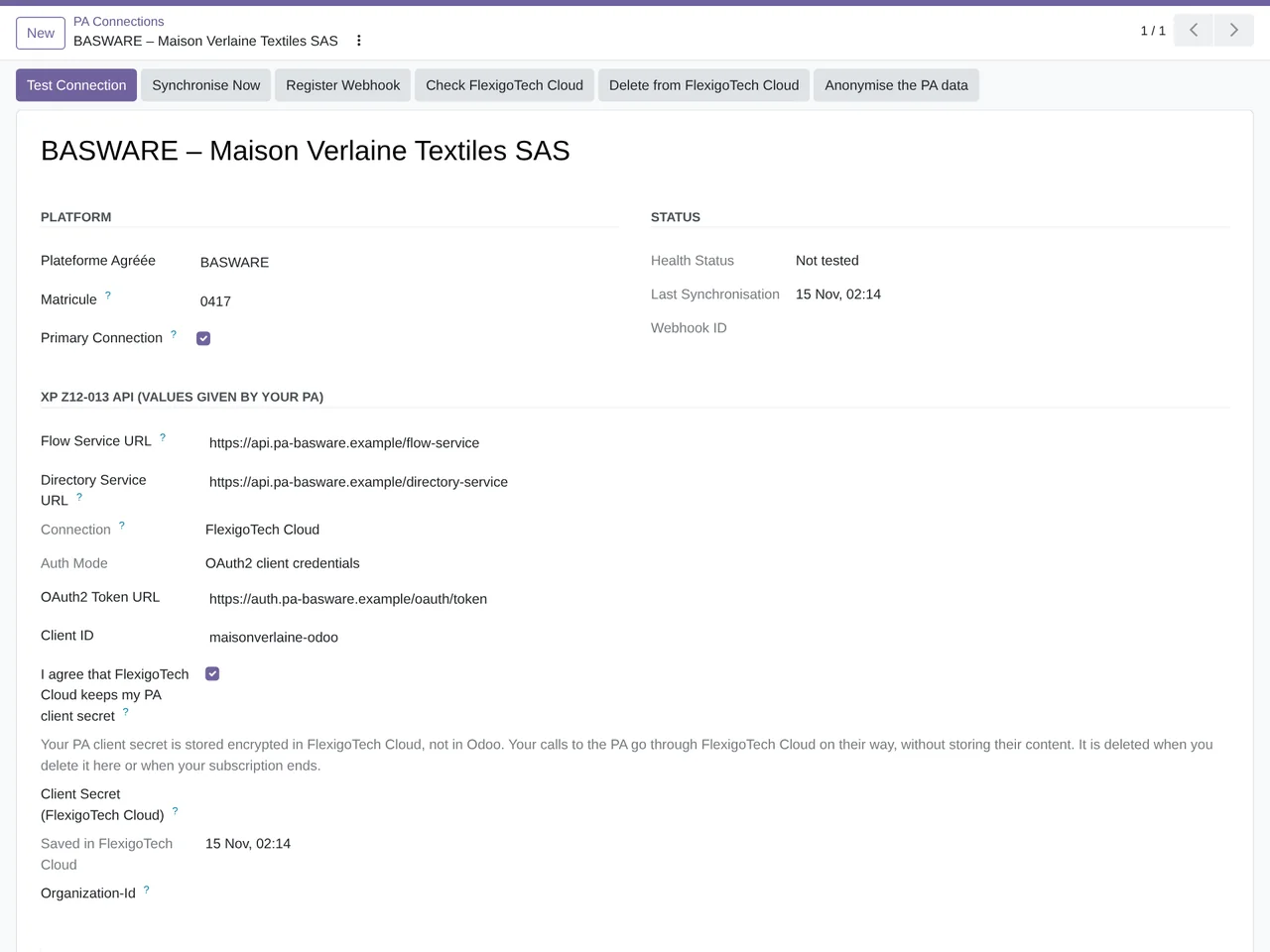
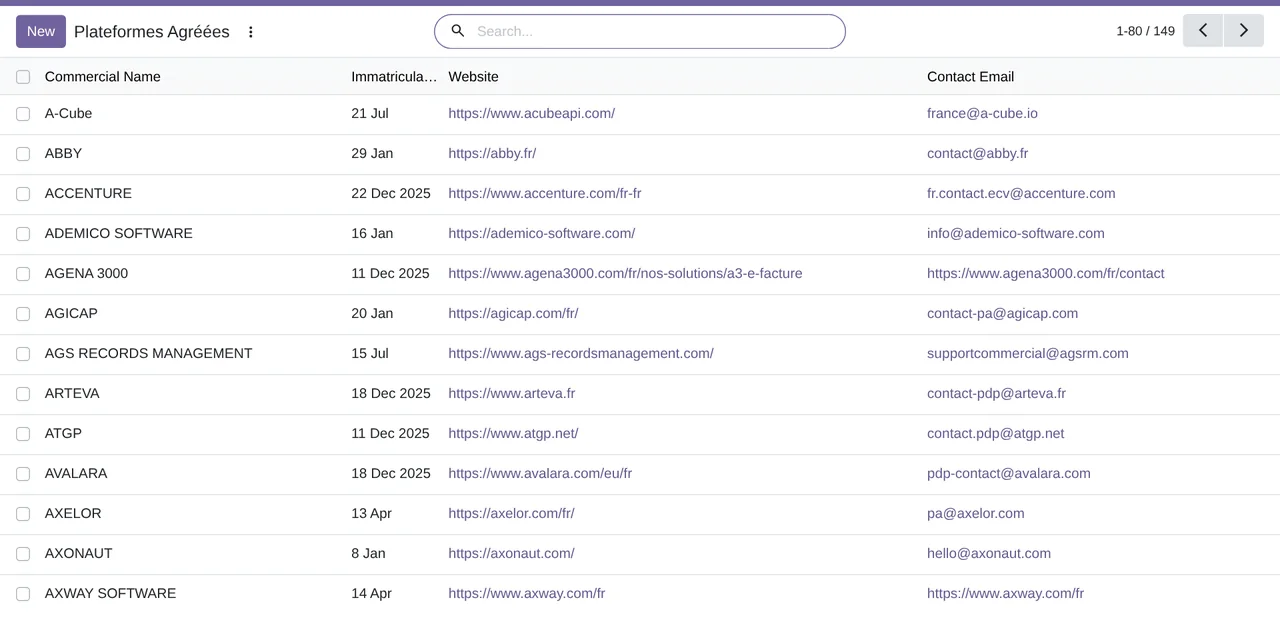
Price
Standard
€49a month + VAT
€490 a year + VAT 2 months free
- The connection runs on our servers
- We alert you if sync fails
- First response 1 working day
- Video call included for the first 2 months
- Accounts per connector Up to 3
Pro
€98a month + VAT
€980 a year + VAT 2 months free
- Everything in Standard
- First response 4 working hours
- Video call if needed
- Accounts per connector Up to 10
- + €9 for the module license, per Odoo version
- 14 days free, no card
- Cancel in two clicks
- Every purchase includes 2 months of support: we help you install it, set it up and get it working, by email and video call. While you're subscribed, support for the service stays included. Still integrating or testing? Extend your free trial.
If you cancel What the subscription gives stops. Your data stays in your Odoo.
- Support with response timesMonday to Friday, 9:00 to 18:00 (Barcelona), except public holidays.
- Maintenance and improvementsOdoo 17-20, on Odoo.sh or your own server
- We handle changes to their APIIf the platform changes its API, we adapt the module and the service.
- Servers in GermanyWe store your credentials encrypted
- Tested On Odoo 17, 18, 19 and 20. Against a simulator of the AFNOR XP Z12-013 API, in its automated tests and in the screenshots on this page. Not yet with a real PA.
- 4,899 lines of code · 15-11-2026
- 111 automated tests, with a simulator of the XP Z12-013 API · 15-11-2026
- No reviews yet · leave yours
Frequently asked questions
Do I need to sign up with a PA?
Yes. You sign up with the PA yourself, at its own rates, and it has to offer the AFNOR XP Z12-013 API. The module comes with the DGFiP's official list to choose it from.
Does it work without FlexigoTech Cloud?
No. Every call to your PA goes through FlexigoTech Cloud.
Have you tested it with my PA?
Not yet with any real PA: it is tested against a simulator of the XP Z12-013 API. If your PA offers that API, write to us before you buy.
Does it validate my invoices?
No. Odoo builds the XML and its warnings stop the sending; your PA answers whether it accepts or rejects each deposit. The module only validates against the XSD the life-cycle messages (CDAR) it sends.
Does it send to the PPF or to Chorus Pro?
Not to the PPF: everything goes to your PA. If the customer is a public body, tick “Public Entity (B2G)” on its contact and the invoice goes to your PA, which takes it to Chorus Pro.
What about sales to consumers or abroad?
They go through e-reporting, which Odoo prepares. The module deposits it with your PA if you switch on “Send E-Reporting Through This PA” and set the start date.
How often do statuses come in?
Every 15 minutes, with a scheduled action. Vendor bills come in the same way, as draft vendor bills.
Are the screens translated?
The module's screens are in English in every language. Odoo's own screens stay in your language.
What happens after you press «Buy now»?
1. You pay for the license (€9 + VAT) and get an email with the link to download the module. 2. You install it in your Odoo, on Odoo.sh or your own server. 3. In Settings → FlexigoTech Cloud you accept the data list and press «Try free for 14 days». The trial doesn't ask for a card. 4. To continue, you press «Subscribe», create your account on app.flexigotech.com and pay for the plan by card.
Does it work on Odoo Online?
No: Odoo Online does not allow third-party modules. It is for Odoo 17, 18, 19 and 20, on Odoo.sh or on your own server.
Who installs it?
You do: you buy it on flexigotech.com or on Odoo Apps and install it in your Odoo. We help you install it and set it up, by email and video call, during the 2 months of included support. Custom development and data migration are quoted separately.
What support is included?
Every purchase includes 2 months of support: we help you install it, set it up and get it working, by email and video call. While you're subscribed, support for the service stays included.
What if something fails?
We monitor the connection and email you if something fails. And support has response times: first response within 1 working day; with Pro, within 4 working hours.
What about my data? And if I cancel?
The connection goes through FlexigoTech Cloud, on our servers in Germany, with your credentials encrypted. You cancel in two clicks: if you don't subscribe when the trial ends, the service stops and nothing is charged. Your data stays in your Odoo, and you can always view and export it.
Invoicing in France but not on Odoo yet?
We set up Odoo, connect it to your PA and stay on.
From €2,450 + VAT
Start with OdooMore about the Factur-X & PA France connector
What it does
French e-invoicing connector for Odoo 17, 18, 19 and 20, Community and Enterprise. It sends your invoices to the Plateforme Agréée (PA) you have signed up with through the AFNOR XP Z12-013 API, and brings your vendor bills and the status of each invoice back to Odoo. Every call to your PA goes through FlexigoTech Cloud, which keeps your PA secret encrypted: it never stays in your Odoo.
- Factur-X, UBL or CII, with Odoo's XMLEach connection picks its syntax: UBL (CIUS FR), the default, CII or Factur-X. Odoo builds the XML (EN 16931). For Factur-X, the module puts Odoo's CII inside the invoice PDF and turns it into PDF/A-3, as Odoo does.
- To your PA, through the XP Z12-013 APIPosted customer invoices and credit notes go to your PA with the “Send to PA” button, for French customers with a SIREN or SIRET. If the customer is a public body, you tick “Public Entity (B2G)” on its contact and your PA takes the invoice to Chorus Pro.
- The acknowledgement and the statuses, in OdooEach sending stays in PA Flows with your PA's acknowledgement (pending, accepted or with an error) and its life-cycle status, from 200 to 213. A scheduled action brings them in every 15 minutes.
- The statuses you sendWith “E-Invoicing Status” you send from the invoice the statuses that are yours to send: as the buyer, 204 to 208, 210 and 211; as the seller, 209 and 212, the paid one, with the amount per VAT rate. 208 and 210 ask for a reason and a comment. Each life-cycle message (CDAR) is validated against its XSD before it goes out.
- Vendor bills that come in on their ownWhat your suppliers send you through your PA comes in every 15 minutes, and Odoo turns it into a draft vendor bill with its importer.
- E-reporting, with your PAOdoo prepares the e-reporting of sales to consumers, cross-border transactions and payments. If you switch on “Send E-Reporting Through This PA”, the module deposits it with your PA and brings back its responses.
- The directory and Sirene, on each contactSIREN, SIRET and e-invoicing address on the customer's contact. “Look up in the national directory” looks it up in the directory through your PA, and “Complete from Sirene” fills in the company's details from INSEE with your Sirene API key.
- Every call, in the logPA API Log keeps every call to your PA with its response, and “Export Evidence” packs the evidence for the dates you choose into a ZIP.
What it does not do
- It is not a PAYou need your own contract with a Plateforme Agréée that offers the XP Z12-013 API. The module sends nothing to the PPF: everything goes to your PA.
- It does not validate your invoicesOdoo builds the XML and its warnings stop the sending; your PA answers whether it accepts or rejects each deposit. The module only validates the life-cycle messages it sends.
- It does not write the XML or the e-reportingBoth are prepared by Odoo's French e-invoicing. The module sends them to your PA and follows their status.
- Not yet tested with a real PAIt is tested against a simulator of the XP Z12-013 API. If your PA offers that API, write to us before you buy.
- It does not run on Odoo OnlineOdoo Online does not allow third-party modules. It runs on Odoo.sh or your own server.
- It has no translationsThe module's screens are in English in every language. Odoo's own screens stay in yours.
What it looks like inside Odoo
Real screens of the module installed on Odoo 20, with the invoices of a made-up textile company. The PA is answered by a simulator of the XP Z12-013 API, with no network: “BASWARE” is the example PA of that demo.
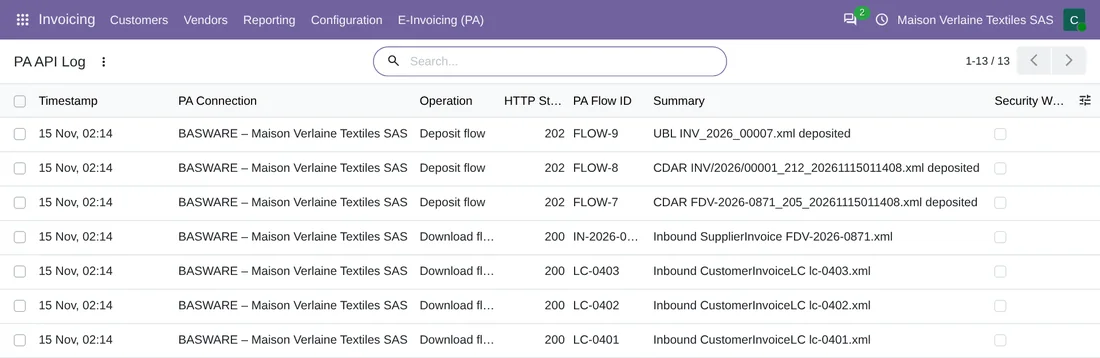
Every call to your PA, in the log
PA API Log: the operation, the HTTP response and the summary of each call. In this simulator demo, “BASWARE” is an example PA.

Vendor bills, with their status
The PA Life-Cycle Status column on vendor bills: here, one that came in through the PA and is approved (205).
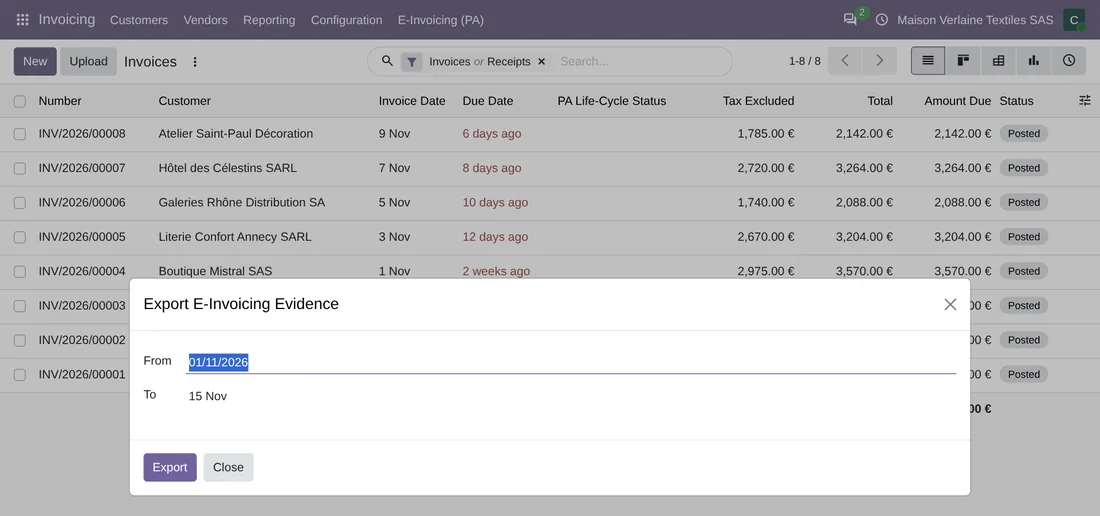
The evidence for a period, in a ZIP
Export E-Invoicing Evidence: you pick the dates and download the ZIP.
At a glance
Questions before buying? Talk to the engineer.
We tell you whether the connector fits your Odoo and your PA before you pay anything. No middlemen.
Related
FlexigoTech publishes this connector on its own, with no endorsement or sponsorship from any Plateforme Agréée or from the French administration.
Factur-X & PA France guides
3 practical guides on this module: FAQs, comparisons and glossaries.