

 Español
 Català
 Deutsch
 Français
 Português
 Italiano
 Nederlands
 Polski
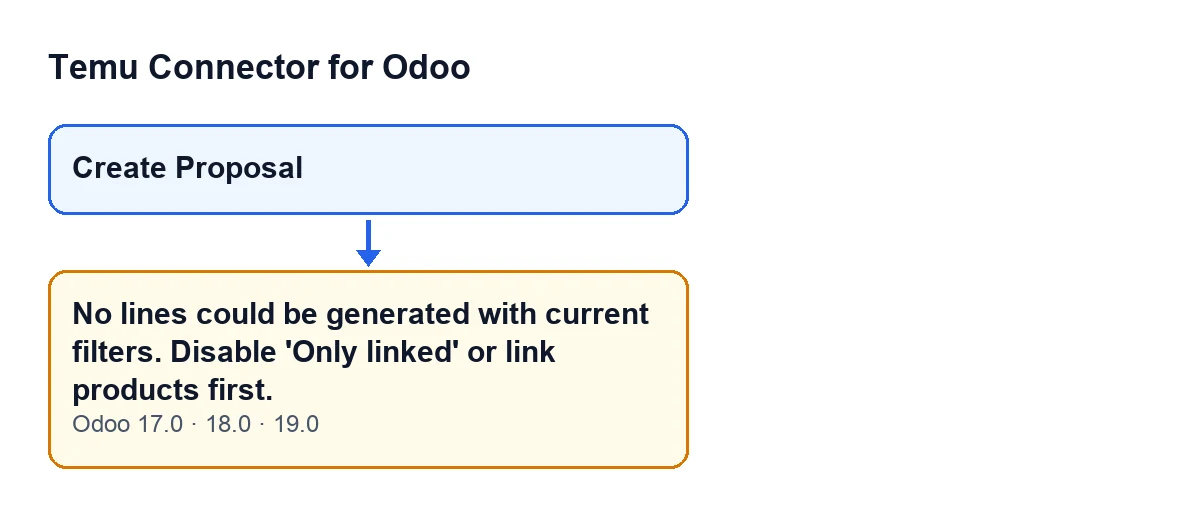
This message appears when you press Create Proposal, the button that creates a Temu base price update from the products you have chosen. Here is when the module's code triggers it, what it is telling you and the order in which to fix it.
Details the message does not tell you
The button is always visible, but the error depends on a condition
In Odoo 17.0, 18.0 and 19.0, Create Proposal is shown with no conditions, and the message No lines could be generated with current filters. Disable 'Only linked' or link products first. is in the published code of those branches. Seeing the button says nothing about the state of your products: the warning appears only if, when the proposal is built, no line is left. When it appears, the action stops.
The exact condition: the list of lines ends up empty
When you press the button, the module gathers the products. It takes the variants you have set in the wizard, as they are. If there are none, it takes the active variants of the chosen template. And if there is no template either, it takes what you had selected on the screen from which you launched the action: the active variants, or the active variants of the active templates selected. This message can only appear once products have been gathered.
With those products, the module creates the price update and goes through them one by one, preparing a line for each. When it reaches the end, if no line has been prepared, it raises the message. In other words, the error is not about the connection: it says that every product has been left out.
A line is only dropped when Only Linked is ticked
For each product, the module prepares the line data and checks whether the product has a Temu goods ID and an SKU ID. Only when the Only Linked box (group Scope of the Propose Temu Base Price wizard) is ticked and either identifier is missing is that line left out. There is no other reason for dropping a line in this pass.
The text of the message writes 'Only linked', but the box on screen is called Only Linked. The consequence is straightforward: if you see this message, that box was ticked. With it unticked, every product gathered produces its line and the message cannot appear.
One linked product is enough to avoid it
The message appears only when all the gathered products are left out. If at least one of them has both identifiers, the proposal is created with the lines of those products and the module omits the rest. So when you work with the box ticked and several products, it is worth checking in the form that opens that every line you expected is there.
The check is made per variant
The pass is per product, that is, per variant. If you choose a template with some variants linked and others not, then with the box ticked only the linked ones produce a line. And if you start from a template without having set variants in the wizard, the module takes its active variants: archived ones do not go into the proposal.
Getting past this point is not the end
Once the lines are created, depending on what you have in Source Mode, the same press of Create Proposal also launches another step, with its own warnings, before the form of the proposal opens. One of those steps only takes into account the lines that have a goods ID and an SKU ID. When everything goes well, the form of the base price proposal that has just been created opens.

What to do when you get it
- Check which products you had chosen: those in the wizard, the template or the selection from which you launched the action.
- If it is fine for products not linked to Temu to be included, untick
Only Linkedin theScopegroup of thePropose Temu Base Pricewizard and pressCreate Proposalagain. Bear in mind that those lines may end up without a Temu goods ID or SKU ID. - If you want to keep to linked products only, link them first, as the message asks, and repeat the action.
- When the form of the new proposal opens, review the lines it generated.
How FlexigoTech can help
If you are implementing Odoo and want to connect Temu, FlexigoTech implements Odoo 17, 18, 19 and 20 and builds custom connectors and integrations. The module is published on Odoo Apps for 17.0, 18.0, 19.0 and 20.0; details are on the module page and its Odoo Apps listing.
Keep reading
Checked in the connector's source code (version 19.0) and the linked sources
Sources
- Module source code: flexigobe_temu_connector 19.0 (455b3f0f): wizard/temu_price_update_wizard.py
- Module source code: flexigobe_temu_connector 19.0 (455b3f0f): wizard/temu_price_update_wizard_views.xml
- apps.odoo.com/apps/modules/19.0/flexigobe_temu_connector
- flexigotech.com/en/services.html