

 Español
 Català
 Deutsch
 Français
 Português
 Italiano
 Nederlands
 Polski
What the module checks before raising the message
The message Request Override JSON must be an object/dict payload. is raised by the step of the module that builds what will be sent to Temu from a Fulfillment record. That step is reached when you click the Execute button on the record. In Odoo 17, 18 and 19 the button is always visible, and the message is in the published code of those three branches.
The logic in the code is short:
- If the
Request Override Jsonfield has content, the module checks what type of data it is. - If that content is not an object (a dictionary of keys and values), the action stops with the message.
- If it is an object, the module returns a copy of it as it is and does not go on to read the other fields of the record to build what is sent.
- If the field is empty, the code does not enter that check. For most operations it goes on to build what is sent from the record's operation type and its fields. For the cooperative warehouse operations it builds nothing: the field has to be filled in and, when empty, the action stops with a different message.
In other words, this message is not about a missing value: it is about a value written in the wrong shape. A list instead of an object, for instance, already meets the condition for the error.
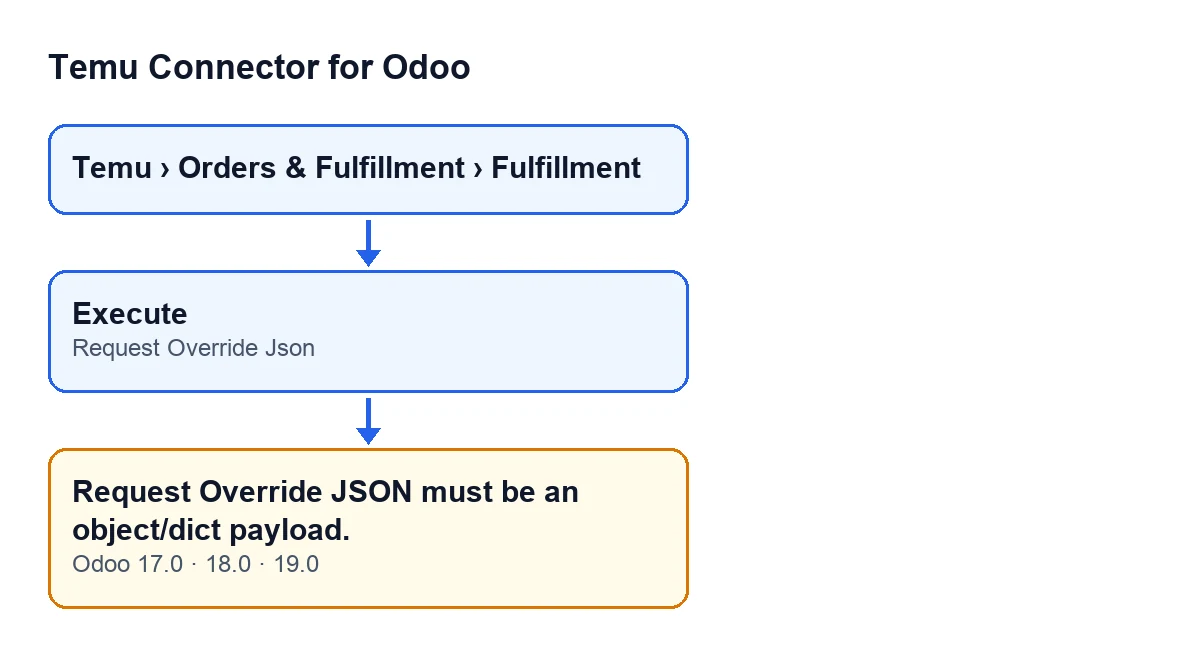

Before you click Execute
A quick check on the record avoids the error. Fulfillment records open from the menu Temu › Orders & Fulfillment › Fulfillment.
- Open the Fulfillment record from
Temu › Orders & Fulfillment › Fulfillment. - Go to the
Payload Overridetab. - Look at the
Request Override Jsonfield. Its help text reads: «Optional payload override. If set, it is sent as-is.». - Decide whether you really want to replace what the module builds. If you fill the field in, what you write is what gets sent, as it is.
- If you do not want to replace anything, leave the field empty, unless the record's operation is a cooperative warehouse one: for those the field has to be filled in.
- If you fill it in, write a single JSON object: one block of keys and values, not a list of items, nor a bare text or number.
The Request Override Json field is in the Payload Override tab of the Fulfillment record.
If the message has already appeared
The error has a single condition in the code: the Request Override Json field is filled in and its content is not an object. Here are the steps, in order.
- Close the warning and do not click
Executeagain yet: with the same content, the same message will come back. - Open the
Payload Overridetab on that same record. - Read what is in
Request Override Jsonand work out whether it is an object (a block of keys and values) or something else, such as a list. - If it was a list, rewrite the content as a single JSON object, or empty the field. Emptying it only works if the operation is not a cooperative warehouse one; for those, the field must keep an object.
- If you did not mean to replace what the module builds, empty the field (again, except for cooperative warehouse operations).
- Save the record with the corrected field.
- Click
Executeagain.
If you empty the field, the code no longer enters the check behind this message. For most operations it goes on to build what is sent from the operation type and its fields, a different path with its own checks, covered in the Execute button step by step. For cooperative warehouse operations the field has to be filled in: when empty, the action stops with a different message.
Execute in English, alongside its published Spanish translation.After fixing it
Once you have saved and clicked the button again, check the following.
- The message
Request Override JSON must be an object/dict payload.no longer appears. - If you left the field filled in, its content is an object and is exactly what you want to send, because the module copies it as it is and does not complete it with other fields of the record.
- If you emptied it on an operation that is not a cooperative warehouse one, check that the record has the data for the chosen operation filled in properly, because the module now reads those fields instead of using your content.
- If the operation is a cooperative warehouse one and you emptied the field, the action will stop with a different message: there the field must hold an object.
- If a different message appears, it is no longer this error: it is another check in the module and you will need to read its own text.
Questions you will ask yourself
Can it appear when the field is empty?
Not with this condition: the code only looks at the type of the content if the field has something in it. With an empty field it goes on with the record's operation, except for cooperative warehouse operations, where it stops with a different message because the field must be filled in.
Where does the message appear?
When you click the Execute button on the Fulfillment record: that is where the method reaches the check.
What happens to the action when it appears?
The message stops the action: the Execute button does not go ahead with what was about to be sent.
Is it the same in every version?
The message is in the published code of branches 17.0, 18.0 and 19.0. The module is also published on Odoo Apps for 20.0.
If you need help with your integration
If your case involves sending Temu custom content and you would like someone to go through it with you, you can look at the module page. FlexigoTech implements Odoo 17, 18, 19 and 20 and builds connectors and bespoke integrations, in case your needs go beyond this one field.
Keep reading
Checked in the connector's source code (version 19.0) and the linked sources
Sources
- Module source code: flexigobe_temu_connector 19.0 (455b3f0f): models/temu_fulfillment.py
- Module source code: flexigobe_temu_connector 19.0 (455b3f0f): views/temu_fulfillment_views.xml
- apps.odoo.com/apps/modules/19.0/flexigobe_temu_connector
- flexigotech.com/en/services.html