

 Español
 Català
 Deutsch
 Français
 Português
 Italiano
 Nederlands
 Polski
What the module adds to Products at a glance
The module extends Odoo's standard Products model with its own fields and two buttons. The fields appear on the Temu tab of the Temu Products list; the buttons, Accept Recommended and Propose new base, each have their own condition.
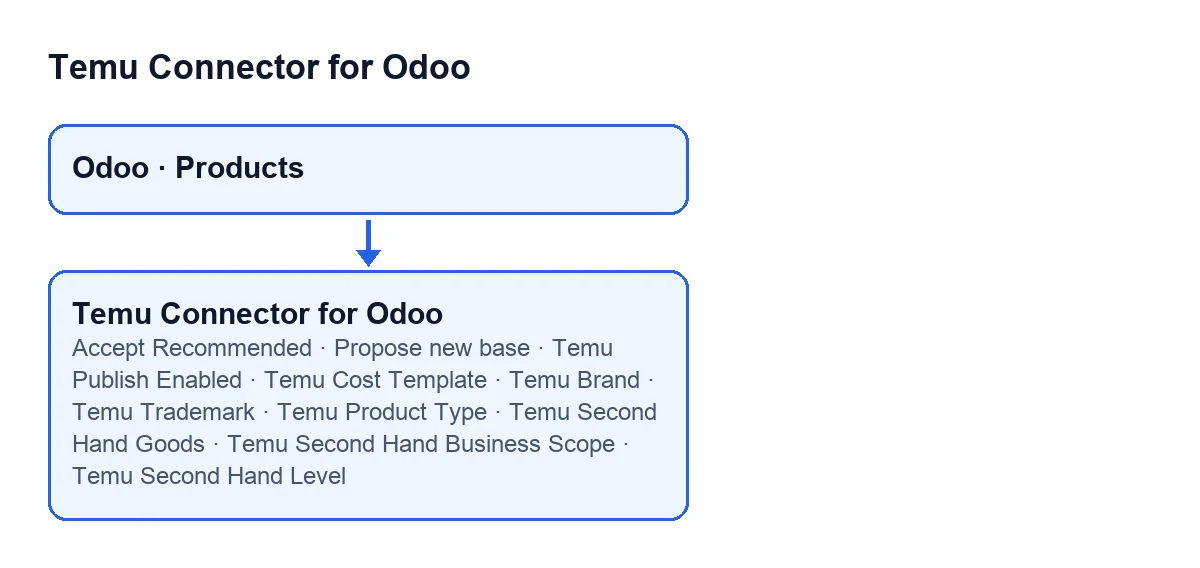

The Temu tab fields, compared
They all share one condition: they are hidden when the screen has not been opened with the Temu context (explained below). Within that frame, they differ by type and by whether they depend on another checkbox.
| Field | Type | When it is visible |
|---|---|---|
Temu Publish Enabled | Checkbox | With the Temu context |
Temu Cost Template | Short text | With the Temu context |
Temu Brand | Short text | With the Temu context |
Temu Trademark | Short text | With the Temu context |
Temu Product Type | Selection | With the Temu context |
Temu Second Hand Goods | Checkbox | With the Temu context |
Temu Second Hand Business Scope | Selection | With the Temu context and only if Temu Second Hand Goods is ticked |
Temu Second Hand Level | Whole number | With the Temu context and only if Temu Second Hand Goods is ticked |
Temu Second Hand Ins Name | Short text | With the Temu context and only if Temu Second Hand Goods is ticked |
Temu Second Hand Grade | Short text | With the Temu context and only if Temu Second Hand Goods is ticked |
Temu External Url Refs | Long text | With the Temu context |
Temu Publish Note | Long text | With the Temu context |
What is worth knowing about values and help texts:
- Publishing.
Temu Publish Enabledstarts unticked. - The product type starts at
Standard. The other possible values ofTemu Product TypeareCustomandMade-to-order. - Second hand is a conditional block. With the default values,
Temu Second Hand Business Scope,Temu Second Hand Level,Temu Second Hand Ins NameandTemu Second Hand Gradeare not visible, becauseTemu Second Hand Goodsstarts unticked. Tick it and they appear.Temu Second Hand Business ScopeoffersRegular items,CollectiblesandLuxury items, and starts atRegular items. - URLs go one per line. The help of
Temu External Url Refsreads:One URL per line. These external media URLs are used for Temu publication.
When it acts: what decides whether you see the fields
The module's code calculates a visibility flag from a single piece of data: the context the screen is opened with. If that context carries the Temu value switched on, the flag is on for every form; if not, it is off and every field in the table above is hidden. The calculation does not look at the individual product, so it does not depend on the product's data.
The module also does two supporting things in its published code:
- It counts the Temu links on each form: the counter is simply the number of links attached to that product.
- It includes a helper that formats a price: it writes the value with two decimals and strips trailing zeros and a leftover decimal point.
The two buttons, compared
Both buttons sit in the Products view and share one idea: they are hidden when a condition is missing. What changes is which one.
| Button | When it is visible | Odoo versions |
|---|---|---|
Accept Recommended | Hidden when the flag saying the recommended base price can be accepted is not on | 17, 18 and 19 |
Propose new base | Hidden if any of these three things is missing: the link to a Temu instance, the goods identifier or the SKU identifier | 17, 18 and 19 |
The practical difference: Propose new base needs three Temu link details, while Accept Recommended depends on a single flag. If you cannot see a button, check its condition in the table.
Accept Recommended; with Odoo in English it reads Accept Recommended.What to check on your installation
- Open the
Temu Productslist and enter a form: the fields should be on theTemutab. - If they do not appear, remember that they stay hidden while the Temu context is not active on the screen.
- Tick
Temu Second Hand Goodsand check thatTemu Second Hand Business Scope,Temu Second Hand Level,Temu Second Hand Ins NameandTemu Second Hand Gradeappear. - Check that
Temu Product Typestarts atStandardon a new form. - If
Propose new baseis missing, the product lacks one of the Temu link details the button requires.
Price and subscription
The module is a one-off purchase per version and is published for Odoo 17, 18, 19 and 20 on the Odoo Apps page. It also needs the FlexigoTech Cloud subscription, Connector plan: €49 a month or €490 a year, excluding VAT, with up to 3 accounts on the platform. With the subscription, the module for newer Odoo versions is included if you bought it at flexigotech.com; on the Odoo App Store, each version is bought there.
How FlexigoTech can help
If you are implementing Odoo and want to decide which Temu fields to fill in on your products, or you need a bespoke integration, FlexigoTech implements Odoo 17, 18, 19 and 20 and develops connectors and integrations. You will find the module's details on its page at flexigotech.com.
Keep reading
Checked in the connector's source code (version 19.0) and the linked sources
Sources
- Module source code: flexigobe_temu_connector 19.0 (455b3f0f): models/product_template.py
- Module source code: flexigobe_temu_connector 19.0 (455b3f0f): views/product_template_views.xml
- apps.odoo.com/apps/modules/19.0/flexigobe_temu_connector
- flexigotech.com/en/services.html
- flexigotech.com/precios.html