

 Español
 Català
 Deutsch
 Français
 Português
 Italiano
 Nederlands
 Polski
Which Storecove API the connector uses and what you need
The connector works against https://api.storecove.com/api/v2. According to its listing, it sends invoices and credit notes on Peppol, SDI, KSeF, FACeB2B and more than 30 networks. It also brings vendor bills and orders into Odoo.
You need:
- A Storecove account. The listing says a free 30-day sandbox is available.
- The FlexigoTech Cloud subscription (Connector plan). The account you create keeps its key there, never in Odoo.
Legal entities, each contact's identifier and sending invoices are covered in Storecove Peppol from Odoo.
The Storecove API key and consent
You create the Storecove account in Odoo, and the key goes in the API key (FlexigoTech Cloud) field. Its help text says: Sent once, encrypted, to FlexigoTech Cloud. It is never stored in Odoo.
Before saving it, an administrator has to accept that the key and the calls to Storecove go through FlexigoTech Cloud. If they have not, the connector stops with this message:
Before saving the API key, an administrator has to accept that the key and the calls to Storecove go through FlexigoTech Cloud. Nothing was sent.
Deleting the key from FlexigoTech Cloud is also down to an administrator. Another user sees Only an administrator can delete the Storecove API key from FlexigoTech Cloud.
Sandbox and production on the Storecove API
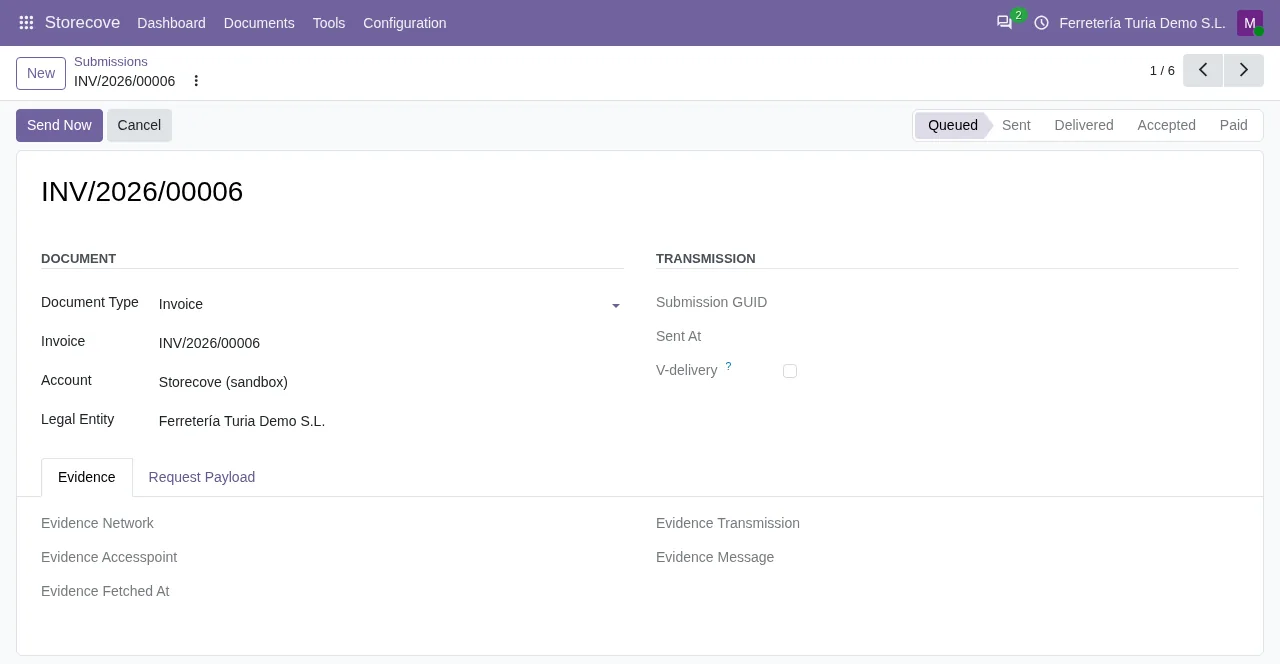
A Storecove account in Odoo is Not Connected, Connected or Connection Error. The connector's quick start begins by creating the account with its key and using Test Connection.
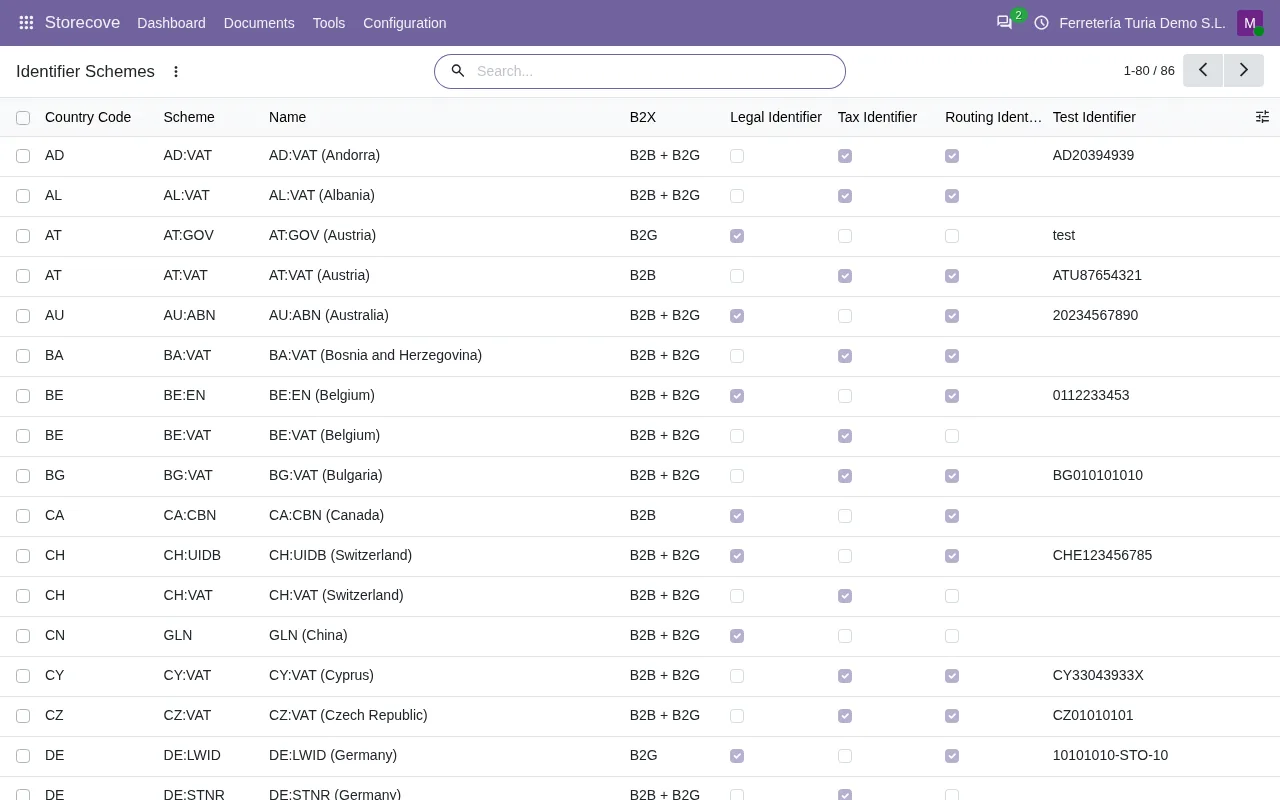
The connector ships a catalogue of identifier schemes covering more than 50 countries, with sandbox test identifiers. To send a test invoice you have Storecove › Tools › Send Test Invoice.
The Storecove webhook queue, raw documents and the log
| What | Where | When it acts |
|---|---|---|
Storecove: send queued e-invoices | Scheduled action, active on install | Every 5 minutes |
Storecove: poll webhook queue (pull mode) | Scheduled action, active on install | Every 5 minutes |
Send Test Invoice | Menu Storecove › Tools | When you open it |
Send Raw Document (UBL/CII/IDOC) | Menu Storecove › Tools | When you open it |
Sync Log | Menu Storecove › Configuration | When you open it |
With the raw document menu you send Storecove a UBL, CII or IDOC document.
Storecove API errors and what to do
| Message | When it appears | What to do |
|---|---|---|
Save the API key of … in FlexigoTech Cloud first: nothing was sent. | The key for that account has not been saved in FlexigoTech Cloud yet | Save the key in the FlexigoTech Cloud section of the account |
The API key of … is not saved in FlexigoTech Cloud: type it again. | FlexigoTech Cloud has no stored key for that account | Type the key again |
This Storecove account goes through FlexigoTech Cloud: its API key is kept there, never in Odoo. Save it in the FlexigoTech Cloud section. | When trying to save the key in Odoo | Save the key in the FlexigoTech Cloud section |
One tax per line
According to the connector's warning, each line of the e-invoice needs exactly one percentage VAT/GST tax. The warning appears when a line does not have exactly one tax or when that tax is not a percentage. It names the line, how many taxes it has and of which type. Fixed fees, such as eco-taxes or DEEE, go as separate lines or as a discount or allowance.
Redirects
If Storecove answers a call made through FlexigoTech Cloud with an HTTP status code of 300 or more and below 400, the connector gives Storecove answered … … with an unexpected HTTP redirect (…) through FlexigoTech Cloud. The warning gives the method, the path and the HTTP status code.
Malformed notifications
The connector checks that each Storecove notification is a JSON object and that document_submission ones carry a guid. If not, it gives Webhook body is not a JSON object. or document_submission webhook without guid.
Questions about the Storecove API with Odoo
Does Odoo store the Storecove API key?
No. It is sent once, encrypted, to FlexigoTech Cloud, and it is never stored in Odoo. Only an administrator can delete it from there.
How often does Odoo check the Storecove webhook queue?
Every 5 minutes, through the Storecove: poll webhook queue (pull mode) scheduled action, active once the connector is installed.
Can I send a UBL, CII or IDOC document myself?
Yes, from Storecove › Tools › Send Raw Document (UBL/CII/IDOC).
Do I need the FlexigoTech Cloud subscription to use the Storecove API?
Yes. The connector needs the FlexigoTech Cloud subscription (Connector plan), because the key and the calls to Storecove go through it. You can find it on Odoo Apps and on the connector page at flexigotech.com.
Keep reading
Checked in the connector's source code (version 20.0)
Sources
- Module source code: flexigobe_storecove_connector 20.0 (a76bb9d4): __manifest__.py
- Module source code: flexigobe_storecove_connector 20.0 (a76bb9d4): models/storecove_api_client.py
- Module source code: flexigobe_storecove_connector 20.0 (a76bb9d4): models/fgt_cloud.py
- Module source code: flexigobe_storecove_connector 20.0 (a76bb9d4): data/storecove_cron_data.xml
- Module source code: flexigobe_storecove_connector 20.0 (a76bb9d4): views/menu.xml
- Module source code: flexigobe_storecove_connector 20.0 (a76bb9d4): models/storecove_account.py
- Module source code: flexigobe_storecove_connector 20.0 (a76bb9d4): README.md
- Module source code: flexigobe_storecove_connector 20.0 (a76bb9d4): models/storecove_document_submission.py
- Module source code: flexigobe_storecove_connector 20.0 (a76bb9d4): models/storecove_invoice_builder.py