

 Español
 Català
 Deutsch
 Français
 Português
 Italiano
 Nederlands
 Polski
What the message says and when the module raises it
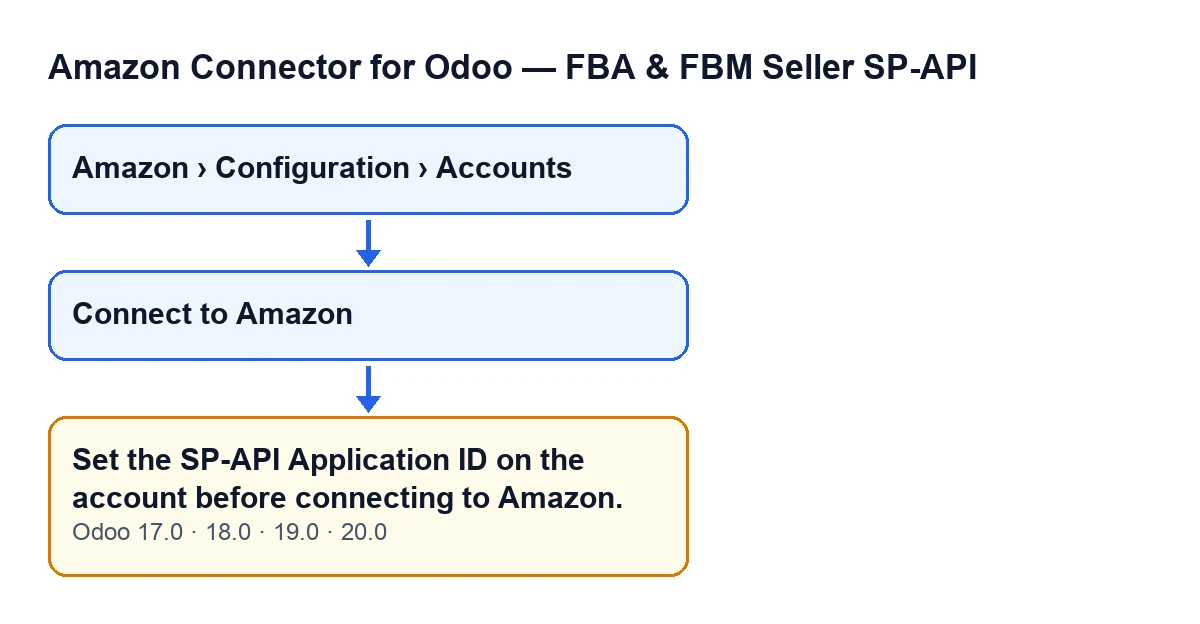
You see Set the SP-API Application ID on the account before connecting to Amazon. when Amazon Connector for Odoo is asked to connect an Amazon account that has no Application ID.
What does this message mean?
The Amazon account you are working with in Odoo has no SP-API Application ID. The module checks this when preparing the connection to Amazon: if it is missing, the action stops and you are shown the text instead of carrying on. The message itself says what is missing: that ID, on the account.
When exactly does it appear?
It can appear when you press Connect to Amazon on the account record: that button ends up in the module's method that prepares the connection address, and that method reads the Application ID and trims any spaces from the start and end. If nothing is left, it raises the message. In plain terms: the condition is that the ID is empty, and a value made only of spaces counts as empty, because the module trims both ends before checking.
Does it mean Amazon has rejected something?
No. The module itself raises the message, before it builds the Amazon address. While the ID stays empty, that address is not generated.
What happens to the action when it appears?
It stops at that point: the code cuts out before building the Amazon address, so that address is not generated while the ID stays empty.
Which Odoo versions have it?
The message is in the published code of all four versions of the module: Odoo 17, 18, 19 and 20. The condition is the one in the Odoo 20 code.

What to do when it appears
What do I do when it appears?
The message tells you what is missing: the SP-API Application ID on the account. Open the account record from the Amazon › Configuration › Accounts menu and, if you are not sure where that value is entered in your setup, go through it with whoever is implementing Odoo for you, or with us. While the ID stays empty or holds only spaces, the condition that raises the message keeps being met.
What happens when the ID is set?
The method carries on and builds the address of Amazon's consent page, using your Application ID and a state value. It picks the Amazon server according to the account's region and, if it finds none for that region, uses sellercentral-europe.amazon.com. If the account uses a draft application, it adds the beta version to the address. It then returns that address.
If you cannot see the button or the menu
Why can't I see the Connect to Amazon button?
Because the view hides it in two cases: when Connection Mode is not at its default value, and when Hub Connection has a value. With the default values the button is visible. The condition is the same in Odoo 17, 18, 19 and 20.
Why can't I find the Accounts menu?
Each part of the menu asks for a permission, and without it you do not see that part. Amazon asks for Viewer; Configuration and Accounts ask for Manager. Without Manager you cannot reach Accounts: ask whoever manages access in your Odoo for that permission.
What you need to connect to Amazon
Amazon Connector for Odoo is a one-off payment per version and needs the FlexigoTech Cloud subscription, Connector plan: €49/month or €490/year excluding VAT, with up to 3 accounts on the platform. It is published for Odoo 17, 18, 19 and 20. With the subscription, the module for newer Odoo versions is included if you bought it on flexigotech.com; on the Odoo App Store, each Odoo version is bought there. You can see the Odoo Apps listing and the module page.
The connection goes through FlexigoTech Cloud: it stores the credentials encrypted, watches the synchronisation and emails you if it fails. Without a subscription, or with the service suspended, whatever the subscription provides stops; your data stays in your Odoo.
If you are implementing Odoo and want someone to review the account setup with you, FlexigoTech implements Odoo 17, 18, 19 and 20 and builds custom connectors and integrations.
Keep reading
Checked in the connector's source code (version 20.0) and the linked sources
Sources
- Module source code: flexigobe_amazon_seller_connector 20.0 (8576afa5): models/amazon_spapi_account.py
- Module source code: flexigobe_amazon_seller_connector 20.0 (8576afa5): views/amazon_spapi_account_views.xml
- apps.odoo.com/apps/modules/20.0/flexigobe_amazon_seller_connector
- flexigotech.com/en/services.html
- flexigotech.com/precios.html