

 Español
 Català
 Deutsch
 Français
 Português
 Italiano
 Nederlands
 Polski
What you see and when it appears
You are on an FBA Routing record, you fill in Account and Marketplace, you save, and Odoo stops with a warning. The text is Marketplace … is not active on account ….: in place of the ellipses, Odoo puts the name of the marketplace and the name of the account, as they are displayed in Odoo.
It is an error that stops the action: the record is not saved. It appears on saving because the module carries a check tied to those two fields, Account and Marketplace. Both are visible on the FBA Routing record and also in its list.
The records are opened from the FBA Routing menu. That part of the menu requires a specific user permission; if you do not have it, you do not see that part.
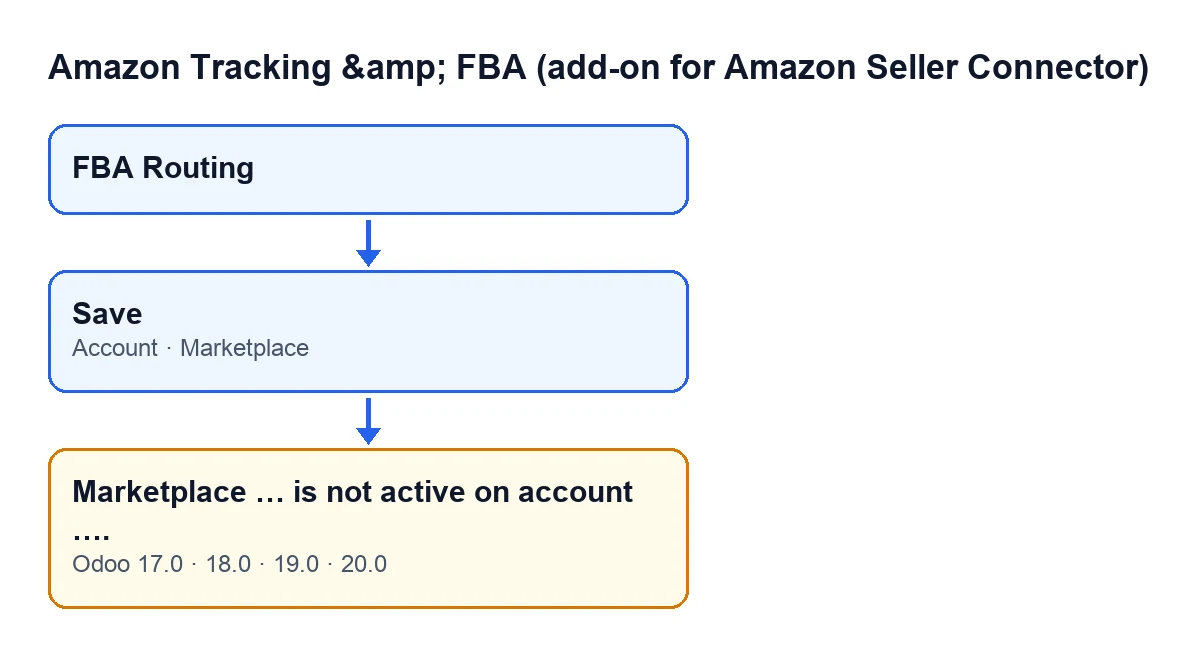
Account and Marketplace, and the message. The labels are in English, as in the code.
The exact condition, read from the code
This is the condition in the Odoo 20.0 code. On saving, the module goes through the records involved and raises the error as soon as one of them meets all four of these at once:
Accounthas an account chosen.Marketplacehas a marketplace chosen.- The account has active marketplaces, that is, its list of active marketplaces is not empty.
- The chosen marketplace is not among the active marketplaces of that account.
Read carefully, the condition has two practical consequences. First, the check only acts when both fields have a value, so with one of them empty it is not this check that speaks. Second, if the account has no active marketplace at all, it does not fire either, because the condition requires the list of active ones not to be empty.
So what the message means: on that record you have combined an account and a marketplace that, according to the check, do not match. The account has active marketplaces and the one you chose is not among them. The message gives you both names, but it does not tell you which one would be right: that is for you to decide.
The check only compares and, if they do not match, stops the save.
How to fix it, step by step
- Read the message and note the two names it contains: the marketplace and the account.
- Go to the
FBA Routingrecord where the error appeared. If you need to, open theFBA Routingmenu (if you do not see that part of it, your user does not have the permission that menu requires). - Look at the
AccountandMarketplacefields and check which combination you wanted for that route. - If the marketplace is the wrong one, change
Marketplaceto one that is active on that account. - If the marketplace is right and the account is the wrong one, change
Accountto an account on which that marketplace is active. - Save again. The check runs once more and, if the condition above no longer holds, this warning does not come back.
If the warning comes back, read it again: the names it carries are those of the combination being evaluated at that moment. The FBA Routing list also shows Account and Marketplace, so you can scan the combinations you have at a glance.
Marketplace … is not active on account ….Specific cases of the condition
The account has active marketplaces and yours is not among them
This is the case that gives the error. You have two ways out: another marketplace on the record or another account. If you need exactly that marketplace on that account, the check will keep warning you until the account's list of active marketplaces changes or until you choose a different combination.
The account or the marketplace is missing
With one of the two fields empty, the condition is not met and this message does not appear.
The account has no active marketplaces
The message does not appear either: the condition needs the account to have at least one active marketplace to compare against.
What happens by Odoo version
The message is in the published code of Odoo 17, 18, 19 and 20. The condition described above is the one in the Odoo 20.0 code.
Cost and requirements
The module is a free add-on to Amazon Connector, on which it depends. The Odoo Apps listing shows €9, which is the price of Amazon Connector: one-off payment per Odoo version, excluding VAT, for 17, 18, 19 and 20. It also needs the FlexigoTech Cloud subscription: the Connector plan costs €49 a month or €490 a year, excluding VAT, with up to 3 accounts on the platform. In all four versions it depends on Odoo Enterprise's Amazon module, so it cannot be installed on Odoo Community. There is more on the module page.
How FlexigoTech can help
FlexigoTech implements Odoo 17, 18, 19 and 20 and builds custom connectors and integrations. If you would like someone to review your FBA routes and the Amazon accounts you have in Odoo with you, get in touch.
Keep reading
Checked in the module's source code (version 20.0) and the linked sources
Sources
- Module source code: flexigobe_amazon_tracking_connector 20.0 (38c49efa): models/amazon_fba_marketplace_route.py
- apps.odoo.com/apps/modules/20.0/flexigobe_amazon_tracking_connector
- apps.odoo.com/apps/modules/17.0/flexigobe_amazon_tracking_connector
- apps.odoo.com/apps/modules/18.0/flexigobe_amazon_tracking_connector
- apps.odoo.com/apps/modules/19.0/flexigobe_amazon_tracking_connector
- flexigotech.com/precios.html
- flexigotech.com/en/services.html