

 Español
 Català
 Deutsch
 Français
 Português
 Italiano
 Nederlands
 Polski
What the task does and when it runs
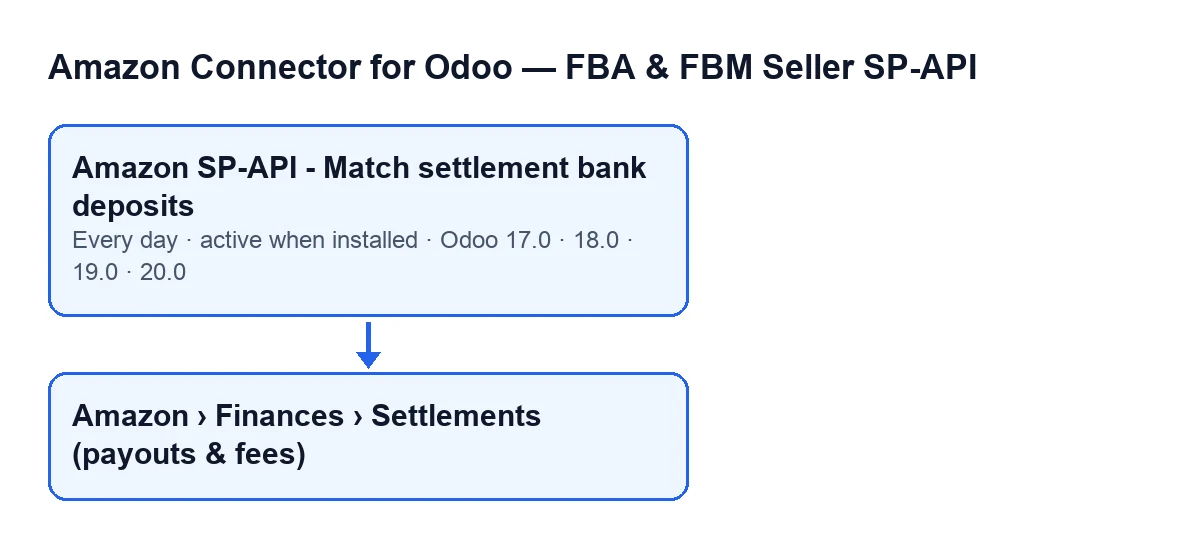
What exactly does the task do on each pass?
It goes through the Amazon settlements that do not yet have a bank statement line linked and, for each one, tries to identify the bank line that matches the payout. If it can identify it without ambiguity, it links it to the settlement, records when it did so and posts a message on that settlement. It only links and leaves a note: with this task the module does not reconcile or create accounting entries, and it makes no call to Amazon, because it works on records already in your Odoo.
How often does it run, and is it active out of the box?
It runs once a day, every day, and is active as soon as the module is installed. It exists in every published branch (Odoo 17, 18, 19 and 20), and in Odoo 17 the task is configured to repeat without end.
Where do I see the settlements it works on, and what does it leave behind?
The records open from the menu Amazon › Finances › Settlements (payouts & fees). Each stretch of the menu asks for the Viewer permission: if you do not have one, you do not see that stretch. The form shows the field Amazon Settlement and the list shows it as Amazon Settlement ID. It is read-only: the code writes it, not you, and among other routes it is filled in by the Amazon SP-API - Sync settlements task, which also runs once a day and is active on install. When the matching task links a deposit, it posts this message on the settlement: Bank deposit matched: statement line "…" of … (…) identified as this settlement's payout. The dots stand for the line's reference, its date and its amount.
Amazon SP-API - Match settlement bank deposits.
What it checks on each pass
Which accounts and settlements are included on each pass?
The ones that meet all of this at once:
- The settlement belongs to an Amazon account that has bank deposit matching switched on. If no account has it on, the task ends without checking anything.
- The settlement does not yet have a bank statement line linked.
- Its deposit date falls within the last 60 days, counted from today.
What if a settlement's deposit is older than that?
If its deposit date falls outside those 60 days, the task does not look at it. It does not look at it either if it already has a line linked.
Is there a limit per pass?
Yes: up to 200 settlements per pass, ordered by deposit date from the most recent to the oldest. Any that fall outside those first 200 are left untouched on that pass.
What happens to settlements that already have a line linked?
They are left out of the search, and the linking method also stops without doing anything if the settlement already has a line. The task does not overwrite an existing link.
When it links and what to check if it does nothing
How does it decide which bank line to link?
If it finds no candidate line for that settlement, it does nothing with it. If it finds just one, it links it. If several have the same amount, it prefers the one that mentions Amazon in its reference or in its contact's name, but only if exactly one does. If doubt remains, it links none: with money, the module does not guess. In that case, deciding which line is the right one is up to you.
What should I check if the task links nothing?
Go through these conditions:
- The task is still active (it is active on install).
- There are settlements in the menu
Amazon › Finances › Settlements (payouts & fees): the task only works on those that already exist. - Some accounts have bank deposit matching switched on: with none, the task ends without checking anything.
- The settlement does not already have a line linked.
- Its deposit date is within the last 60 days.
- There are not more than 200 settlements with a more recent deposit ahead of it.
- There are not several bank lines with the same amount without exactly one of them mentioning Amazon.
What happens if one settlement raises an error?
Each settlement is processed separately and its errors are caught: if one fails, the module writes a warning in the server log with its Amazon ID and carries on with the rest. The code describes the task as one that never raises errors.
How FlexigoTech can help
FlexigoTech implements Odoo 17, 18, 19 and 20 and builds custom connectors and integrations. The module is published on Odoo Apps for 17, 18, 19 and 20 (listing, module page). The connection goes through FlexigoTech Cloud, which stores the credentials encrypted and emails you if synchronisation fails; the Connector plan costs €49 a month or €490 a year, excluding VAT.
Keep reading
Checked in the connector's source code (version 17.0 and 20.0) and the linked sources
Sources
- Module source code: flexigobe_amazon_seller_connector 20.0 (8576afa5): data/ir_cron_data.xml
- Module source code: flexigobe_amazon_seller_connector 17.0 (165f66af): data/ir_cron_data.xml
- Module source code: flexigobe_amazon_seller_connector 20.0 (8576afa5): models/amazon_spapi_settlement.py
- apps.odoo.com/apps/modules/20.0/flexigobe_amazon_seller_connector
- flexigotech.com/en/services.html
- flexigotech.com/precios.html