

 Español
 Català
 Deutsch
 Français
 Português
 Italiano
 Nederlands
 Polski
What it is called and where it lives
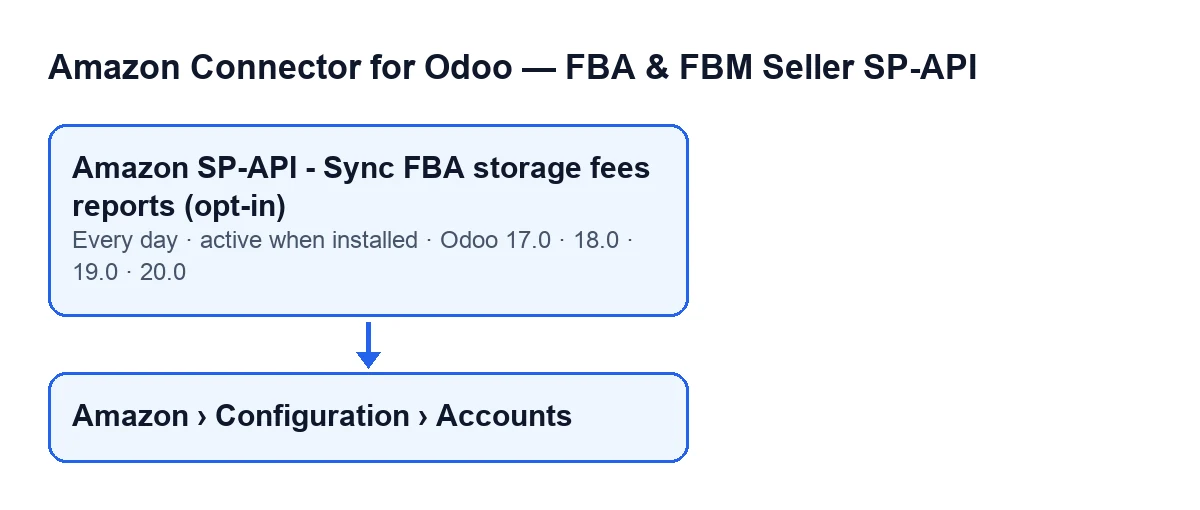
The task is called Amazon SP-API - Sync FBA storage fees reports (opt-in). It is in all four published branches of the module: Odoo 17.0, 18.0, 19.0 and 20.0. It runs once a day and is active on install.
The "opt-in" in the name is reflected in the code: the task only works on Amazon accounts that are active and have the storage fees sync switched on. Accounts open from the menu Amazon › Configuration › Accounts. To get there you need the Viewer permission on the Amazon level and Manager on the Configuration and Accounts levels; if one is missing, that level does not appear.
Amazon SP-API - Sync FBA storage fees reports (opt-in).
Timeline of one run
- When the module is installed The task is created and active. In Odoo 17.0 it is also set to repeat without end.
- Every day The task runs once and starts the pass.
- First step of the pass It looks for Amazon accounts that are active and have the storage fees sync switched on. Accounts that do not meet both conditions are left alone.
- For each account found It starts the sync flagged as run by the scheduled task and with error raising switched off, so a failure in one report does not interrupt the task. In this mode the result message is not posted in the account's chatter.
- First block of the account It syncs
Monthly storage fee.
- Second block of the account It syncs
Long-term storage surcharge. It is handled apart from the first: if the first one failed, this one is still attempted.
- If a block fails The result text records the error under the name of that block and the account carries on.
- When each account is finished It saves on the account the date and time of the last run and the result text, cut to 5000 characters. The text starts with
Amazon FBA storage fees sync finished., continues withAccount: …andSource: …(on runs by the task,Source: CRON) and adds whatever each block returned.
- If a whole account fails A warning with the account name is written to the log and the task moves on to the next account.
- At the end The task finishes normally after going through the accounts.
What to check if it does nothing
Start with what decides whether an account is picked up, then look at what leaves a trace.
- The task is still active. It is active on install and runs once a day, that is, one pass each day.
- The account is active and has the storage fees sync switched on. Without both conditions, the search in the first step does not find it. Find the account in
Amazon › Configuration › Accounts: its name is in theNamefield, on theIdentitytab,Accountgroup, and also in the accounts list. - An empty chatter is not a failure. The task explicitly asks not to post the result message in the chatter; the result is saved on the account together with the date and time of the last run.
- An error in one block does not stop the run. It is written into the result text under
Monthly storage feeorLong-term storage surcharge, and the other block is still attempted. - A whole account that fails leaves a warning in the log, with its name. That is the place to look when one particular account is stuck and the others are not.
- The subscription. The connection goes through FlexigoTech Cloud, which stores the credentials encrypted, watches the sync and emails you if it fails. Without a subscription, or with the service suspended, whatever the subscription provides stops; your data stays in your Odoo.
If you want to see what the task did for a specific account, the account's result text is the reference: it carries the source of the run and, block by block, what each one returned or the error it hit.
Price and how we can help
The module is a one-off purchase per version and needs the FlexigoTech Cloud subscription: the Connector plan costs €49/month or €490/year excluding VAT (Pro: €98/month or €980/year), with up to 3 accounts on the platform (Pro: 10). It is published on Odoo Apps for 17.0, 18.0, 19.0 and 20.0; purchase details are on the Odoo Apps page and the module page.
If you are implementing Odoo and want to review how your Amazon accounts are set up, or you need a custom integration, FlexigoTech implements Odoo 17, 18, 19 and 20 and builds connectors and custom integrations.
Keep reading
Checked in the connector's source code (version 17.0 and 20.0) and the linked sources
Sources
- Module source code: flexigobe_amazon_seller_connector 20.0 (8576afa5): data/ir_cron_data.xml
- Module source code: flexigobe_amazon_seller_connector 17.0 (165f66af): data/ir_cron_data.xml
- Module source code: flexigobe_amazon_seller_connector 20.0 (8576afa5): models/amazon_spapi_account.py
- apps.odoo.com/apps/modules/20.0/flexigobe_amazon_seller_connector
- flexigotech.com/en/services.html
- flexigotech.com/precios.html