

 Español
What you need from the Pipedrive API and where the token is kept
CRM Sync runs a two-way sync of contacts and companies between Odoo and Pipedrive (or HubSpot). It works through a sync queue, conflict handling and an audit log. The module calls the Pipedrive API at https://api.pipedrive.com/v1. To get started, what you need from Pipedrive is your API token.
- In Odoo, open Settings and go to the CRM Sync section. This is where the HubSpot and Pipedrive connections are configured.
- Enter the token in the
Pipedrive API tokenfield, which is visible with the FlexigoTech Cloud connection, and save.
- On saving, the token is sent once to FlexigoTech Cloud. The field help puts it this way:
Sent once to FlexigoTech Cloud when you save; Odoo does not keep it.
- Next to the token you have the Check button.
Pipedrive webhooks with HTTP username and password
If you use webhook sync, every webhook arriving from Pipedrive has to carry HTTP authentication. Any webhook without the username and password from the CRM Sync settings is refused with a 401. Here is how to set it up:
- In Settings, CRM Sync section, fill in
Pipedrive Webhook UsernameandPipedrive Webhook Password.
- Choose a password of 16 characters or more. If you enter a shorter one, the module shows
The Pipedrive webhook password needs at least 16 characters.
- In Pipedrive, go to Tools and apps, then Webhooks, and set the same username and password on the webhook as in Odoo.
In Settings, under Pipedrive Connection, there is also the Register Webhooks button.
A Pipedrive webhook without that username and password is refused with a 401. Make sure Odoo and Pipedrive hold the same credentials.
Sync direction with Pipedrive, the queue and reconciliation
CRM Sync keeps one direction for Pipedrive, Pipedrive Direction, and another for HubSpot, HubSpot Direction. The options are:
- Bidirectional, the default: changes in any system are synced to all the others.
- Odoo to Pipedrive only.
- Pipedrive to Odoo only.
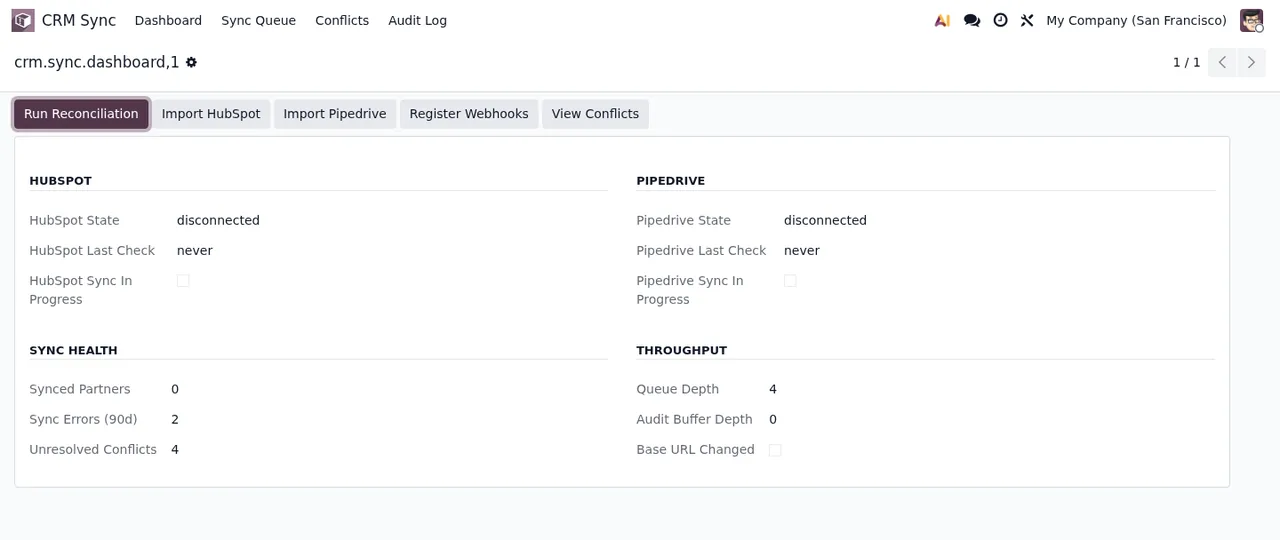
Records waiting to be processed are listed under CRM Sync › Sync Queue. The scheduled task CRM Sync: Process Queue runs every minute. Periodic reconciliation is a separate task, CRM Sync: Reconciliation Sweep, which runs every 60 minutes. Both are disabled when the module is installed, so check their status. There are also two clean-up tasks that run every day, CRM Sync: Purge Done Queue Items and CRM Sync: Purge Resolved Conflicts, also disabled on install.
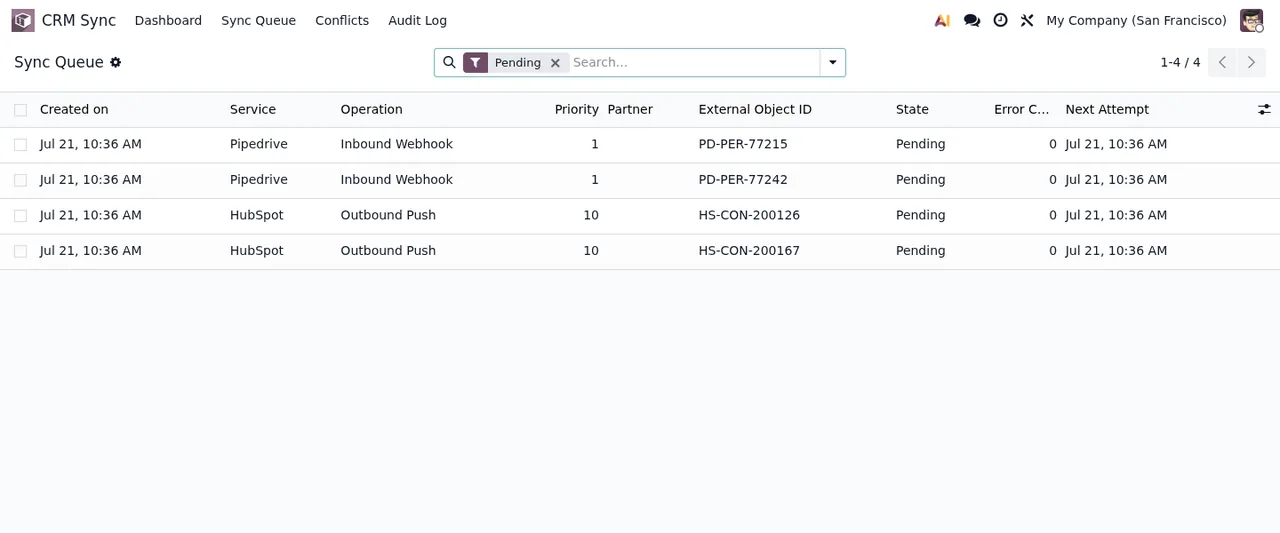
Every sync action is logged with its direction, source, timestamp and result, and you can search the log in Odoo.
Consent before data is sent to FlexigoTech Cloud
The connection to Pipedrive goes through FlexigoTech Cloud. The Pipedrive API token field is visible with the FlexigoTech Cloud connection. The Check button next to the token appears after you accept the FlexigoTech Cloud consent.
The webhook password has its own help text in Settings: At least 16 characters. Stored encrypted; never echoed back. In other words, it is stored encrypted and never shown again.
Questions about the Pipedrive API and CRM Sync
Where do I see conflicts between Odoo and Pipedrive?
Conflicts are reviewed under CRM Sync › Conflicts, and only CRM Sync administrators can resolve them.
How do I know a contact is already linked to Pipedrive?
Links to the Pipedrive records appear once the record has been synced.
What should I do if the webhook password message appears?
That message appears when the password has fewer than 16 characters. Enter a longer one and set the same password on the Pipedrive webhook.
Do I need the FlexigoTech Cloud subscription?
Yes. CRM Sync is licensed per Odoo version that needs the FlexigoTech Cloud subscription (Connector plan). The subscription comes with a free trial, no card required. You will find the listing on Odoo Apps and the full details on the CRM Sync connector page.
Keep reading
Checked in the connector's source code (version 20.0)
Sources
- Module source code: flexigo_hubspot_pipedrive_two_way_crm_sync_lite 20.0 (ad585998): __manifest__.py
- Module source code: flexigo_hubspot_pipedrive_two_way_crm_sync_lite 20.0 (ad585998): README.rst
- Module source code: flexigo_hubspot_pipedrive_two_way_crm_sync_lite 20.0 (ad585998): views/res_config_settings_views.xml
- Module source code: flexigo_hubspot_pipedrive_two_way_crm_sync_lite 20.0 (ad585998): models/res_config_settings.py
- Module source code: flexigo_hubspot_pipedrive_two_way_crm_sync_lite 20.0 (ad585998): lib/pipedrive_client.py
- Module source code: flexigo_hubspot_pipedrive_two_way_crm_sync_lite 20.0 (ad585998): views/crm_sync_menus.xml
- Module source code: flexigo_hubspot_pipedrive_two_way_crm_sync_lite 20.0 (ad585998): data/crm_sync_crons.xml
- Module source code: flexigo_hubspot_pipedrive_two_way_crm_sync_lite 20.0 (ad585998): wizards/crm_sync_conflict_resolve_wizard.py