

 Español
 Català
 Deutsch
 Français
 Português
 Italiano
 Nederlands
 Polski
Odoo vs HubSpot: how each one charges
HubSpot charges per seat and per plan. Its pricing page for the customer platform (Sales, Marketing, Service), viewed on 13-11-2026 from Spain in euros with annual billing, shows a Free plan (“No credit card required … €0/mo”) and three paid plans. Starter carries the label “Limited-time · 65% off”.
Odoo charges per user. According to its page for Spain, read the same day, the Standard (Estándar) and Custom (Personalizado) plans include every app at a single price. Custom costs €22.90 per user a month, and the free one-app plan gives you one app with unlimited users. The page notes that the discount is valid for 12 months and applies to the user licences bought initially.
The sum for a five-person team:
| Plan | Published price (annual billing) | Five people |
|---|---|---|
| HubSpot Starter | €7 a month per seat | 5 × €7 = €35 a month |
| HubSpot Professional | €90 a month per seat | 5 × €90 = €450 a month |
| HubSpot Enterprise | €175 a month per seat | 5 × €175 = €875 a month |
| Odoo free one-app plan | one app, unlimited users | 0 |
| Odoo Standard | €11.90 per user a month | 5 × €11.90 = €59.50 a month |
When comparing, bear in mind that the Starter price is a limited-time offer and that the Odoo discount lasts 12 months.
What Odoo and HubSpot each cover, according to their pages
On HubSpot, the Free plan already includes “Get a unified view of your contacts”, “Organize and manage your companies”, “Manage and organize your deals” and “Two-way data sync with dozens of apps”.
On Odoo, the apps in Standard and Custom include CRM and Accounting. What changes between the two plans is hosting. Standard runs on Odoo Online, which the page describes as Odoo's cloud infrastructure hosting databases without custom modules. With Custom you can use Odoo Online at no extra cost or host on Odoo.sh, which the page says lets you develop or use custom modules. Custom also adds Odoo Studio, agentic AI, multiple companies and an external API, and the page states that Odoo.sh hosting costs are not included.
If you use Odoo and HubSpot together: what the connector syncs and in which direction
If the sales team stays in HubSpot and the rest of the business works in Odoo, the HubSpot/Pipedrive Two-Way CRM Sync Lite connector syncs contacts and companies between the two, with a sync queue, conflict handling and an audit log.
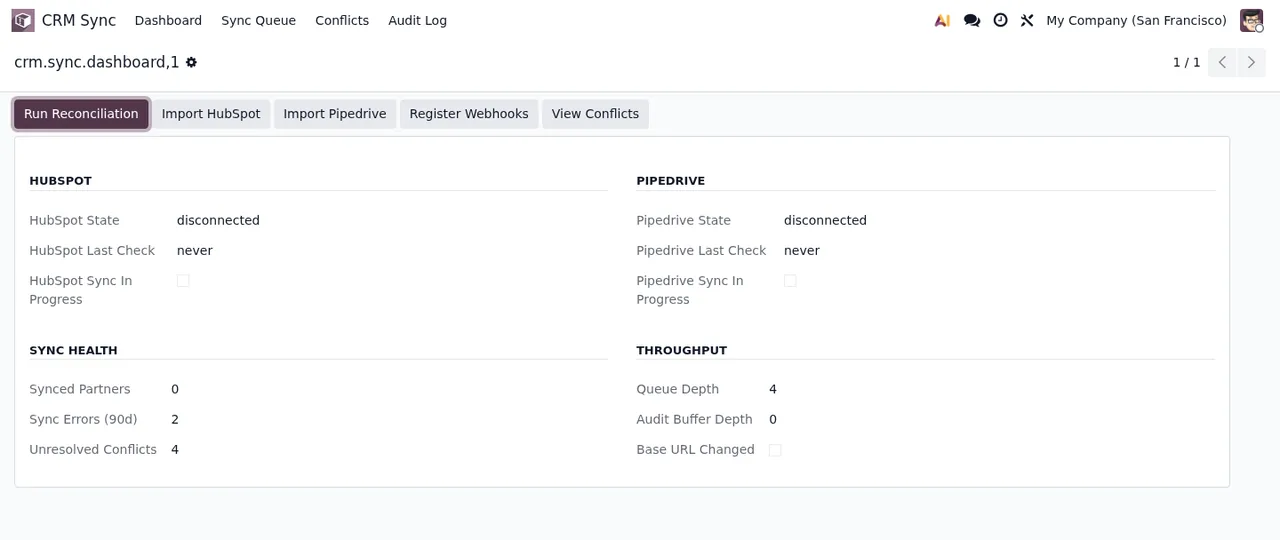
To get started:
- Connect FlexigoTech Cloud in Settings (it needs the subscription).
- Go to Settings ›
CRM Syncand readBefore you connect: it says what is sent, where, what for and how long it is kept.
That screen holds the HubSpot private app token field, with the help text “Sent once to FlexigoTech Cloud when you save; Odoo does not keep it.” The HubSpot Direction and Pipedrive Direction settings set the direction for each CRM: both ways by default, or only from Odoo to HubSpot, or only from HubSpot to Odoo.
If the same field changes at the same time in both, the most recent timestamp wins. Every sync action (direction, source, timestamp and result) is logged and searchable in Odoo. Two scheduled actions are active on install: CRM Sync: Process Queue, every minute, and CRM Sync: Reconciliation Sweep, every 60 minutes.
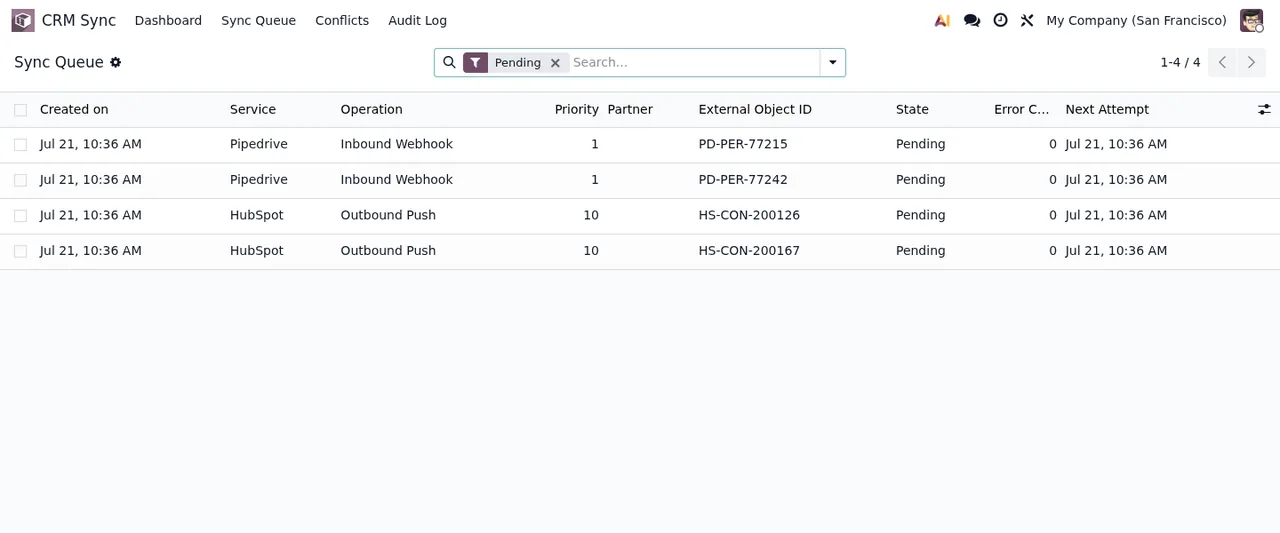
What the connector does not sync between Odoo and HubSpot
The documentation puts it like this: “The Lite version syncs contacts and companies only”. Out of scope:
- Deals and pipelines.
- Activities and notes.
- Attachments.
- Custom fields: it only maps standard fields.
- Email validation or enrichment, and loading the history.
If you keep deals in HubSpot, they do not reach Odoo through this connector. Nor do notes or attachments.
Webhooks are set up by hand in HubSpot: the Register Webhooks buttons in Settings › CRM Sync create nothing.
Questions about Odoo vs HubSpot with the connector
If I change the same field in Odoo and in HubSpot, which one stays?
The change with the most recent timestamp wins, and the action goes into the Odoo audit log.
Can I make data flow only from Odoo to HubSpot?
Yes. In Settings › CRM Sync, the HubSpot Direction setting lets you sync only from Odoo to HubSpot. By default it syncs both ways.
What do I need from HubSpot to connect it to Odoo?
A private app token, which goes into the HubSpot private app token field. What each HubSpot plan gives a private app is covered in HubSpot pricing by plan.
Do I need the FlexigoTech Cloud subscription?
Yes. The connector needs the FlexigoTech Cloud subscription on the Connector plan, and the connection is made in Settings. You can find the module on Odoo Apps and buy it on the connector page.
To install and use it step by step, the connector page has the Connector guide and the User manual in PDF.
Keep reading
Checked in the connector's source code (version 20.0) and the linked sources
Sources
- Module source code: flexigo_hubspot_pipedrive_two_way_crm_sync_lite 20.0 (bd216f04): __manifest__.py
- Module source code: flexigo_hubspot_pipedrive_two_way_crm_sync_lite 20.0 (bd216f04): README.rst
- Module source code: flexigo_hubspot_pipedrive_two_way_crm_sync_lite 20.0 (bd216f04): data/crm_sync_crons.xml
- Module source code: flexigo_hubspot_pipedrive_two_way_crm_sync_lite 20.0 (bd216f04): views/res_config_settings_views.xml
- Module source code: flexigo_hubspot_pipedrive_two_way_crm_sync_lite 20.0 (bd216f04): models/res_config_settings.py
- www.hubspot.com/pricing/crm
- www.odoo.com/es_ES/pricing
- FlexigoTech calculation with the figures cited
- Connector guide (PDF)
- User manual (PDF)