

 Español
 Català
 Deutsch
 Français
 Português
 Italiano
 Nederlands
 Polski
How an Amazon order from Channable gets into Odoo
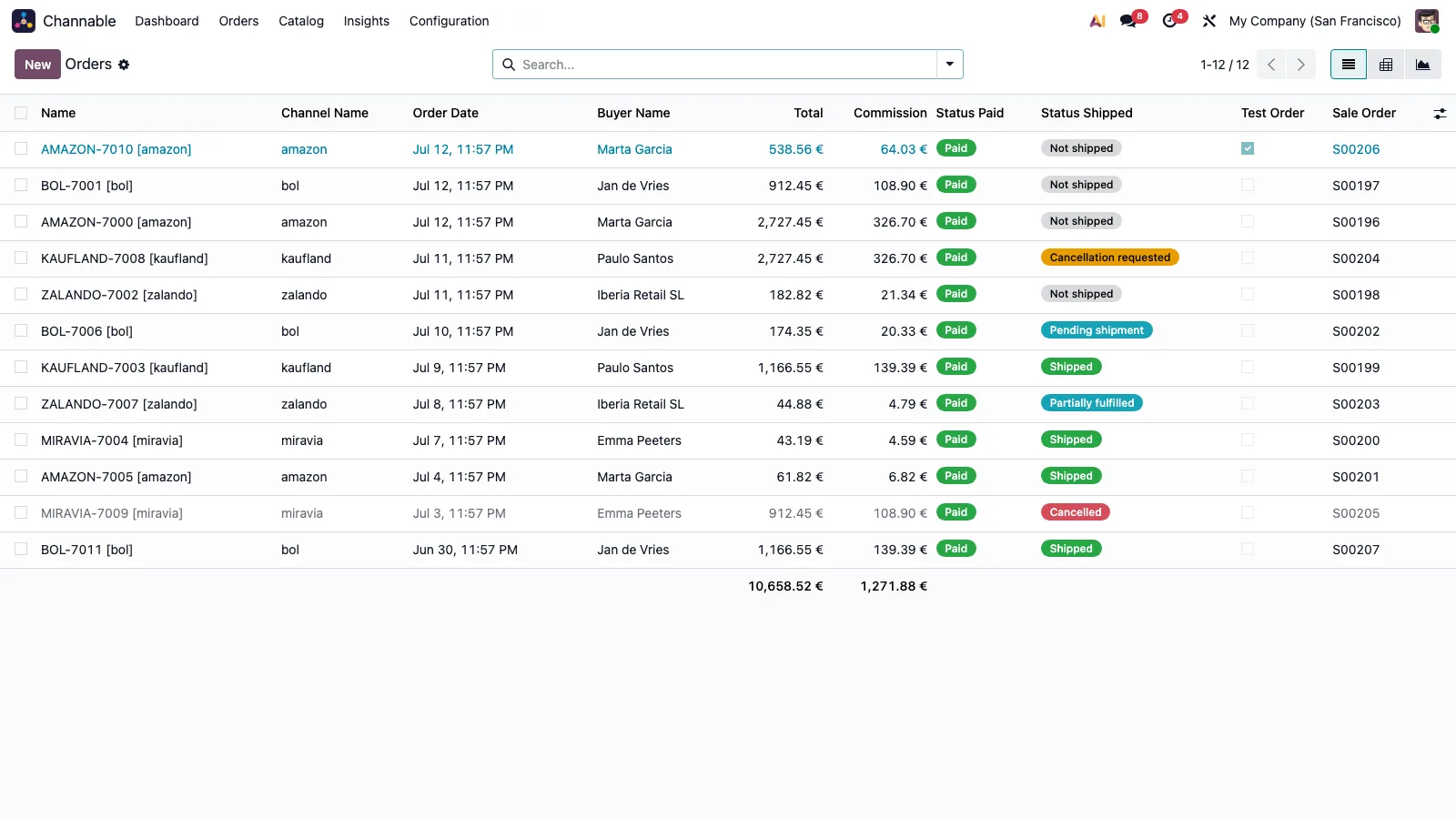
The scheduled task Channable: import orders is active on installation and runs every 15 minutes. According to the connector's listing, it reads Channable incrementally and creates sales orders with the channel's tax-included prices, shipping and discount lines, B2B VAT handling, and the commission and transaction fees for each order. The Channable order stores the marketplace it came from (amazon, bol, zalando...).
- Check that
Channable: import ordersis still active.
- Open
Channable › Orders › Ordersand look for the Amazon orders.
- Before selling for real, create one from
Channable › Configuration › Create Test Order. Test orders are flagged as such.
The invoice Amazon asks the seller for through Channable
Channable forwards INVOICE attachments to the marketplaces that require merchant invoices: Amazon, Kaufland, bol.com and the Mirakl family. With the project option Auto-upload invoice PDF, when the customer invoice of a Channable order is posted, the module uploads its PDF to Channable as the order's INVOICE attachment. Amazon keeps only the latest upload, and the module uploads the whole-order invoice.
- Switch the option on in the project: it is off on installation.
- Post the order's customer invoice.
- Follow the upload status:
Not uploaded,Waiting for FlexigoTech Cloud,Uploaded, or the state that marks a failed upload.
- The invoices have their own menu under
Channable › Orders › Invoices.
Amazon EasyShip labels and shipment tracking
The project option Auto-fetch shipping labels is off on installation. Once you switch it on, it acts after importing an order that carries channel documents, such as Amazon EasyShip labels: it downloads them and attaches them to the Channable order.
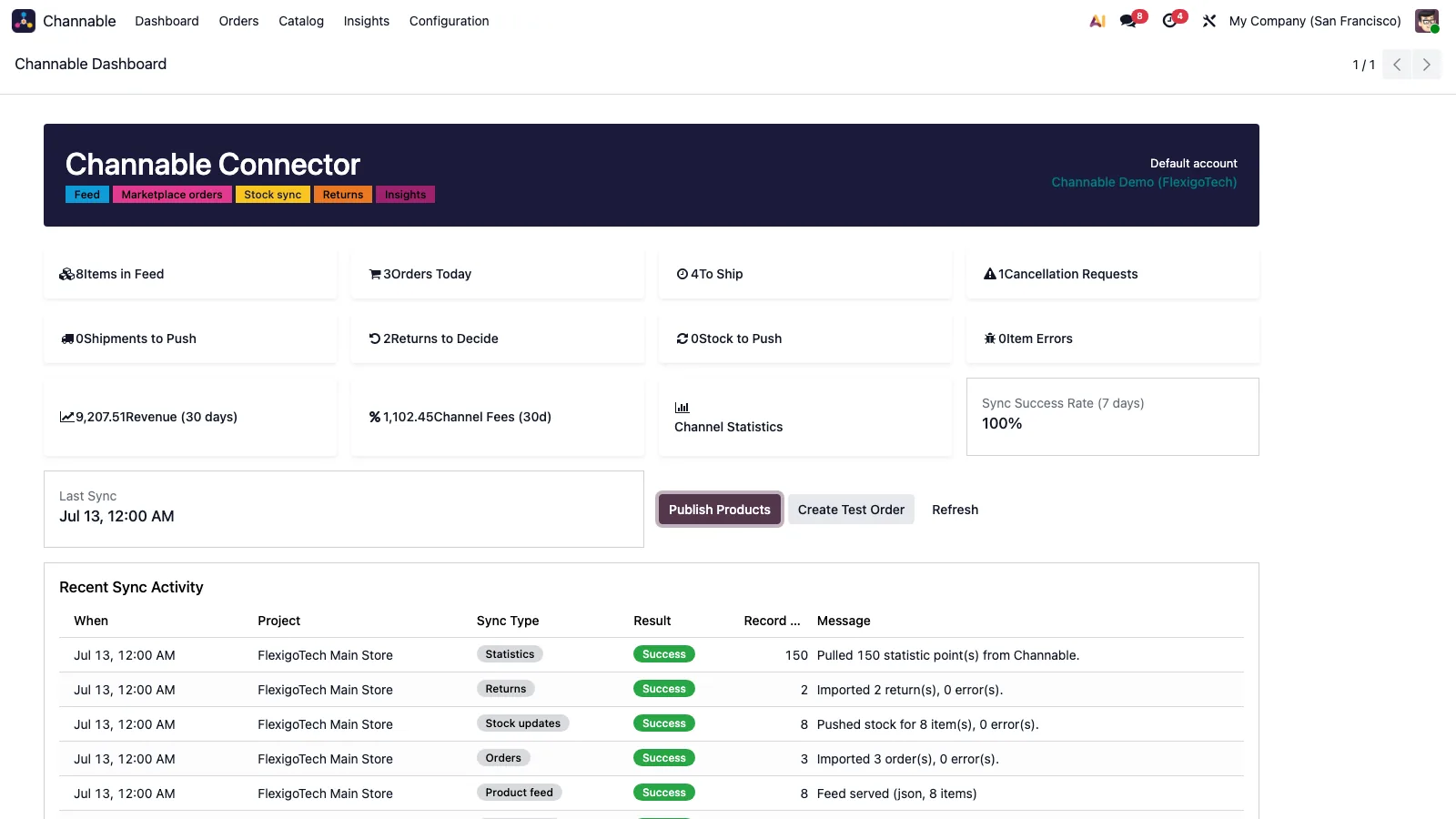
According to the listing, validated deliveries in Odoo queue tracking pushes to Channable with its unified transporter codes, and partial deliveries are handled per order line. The task Channable: push pending shipments is active on installation and runs every 15 minutes.
- Switch the labels option on in the project.
- Open a Channable order with EasyShip imported after switching it on and check the label is attached.
- Validate the delivery and check
Channable › Orders › Shipments.
Cancellations and returns on Amazon orders
According to the listing, buyer cancellation requests become activities in Odoo. If you try to cancel an order that no longer allows it, the module stops with messages such as these:
Channable order … is … and can no longer be cancelled. Register a return instead.if it is shipped or partly shipped.
Channable order … has a refunded return and can no longer be cancelled.if it has a return that was accepted or where the customer keeps the item.
Channable order … is already cancelled.if it already was.
The task Channable: import returns is active on installation and runs every 30 minutes. The listing explains that decisions (accept, customer keeps, reject, repaired, exchanged, cancel) go back to Channable and create credit notes following Channable's refund logic.
- Review the activities created by cancellation requests.
- Open returns under
Channable › Orders › Returns.
- Test the flow with
Channable › Configuration › Create Test Return.
Questions about Channable and Amazon in Odoo
Can I delete an Amazon order in Odoo while it is still open in Channable?
Not while it is live in Channable: the next import would create it again as a new order and confirm it. The module says to cancel it in Channable first with Cancel on Channel, or to delete or cancel its sales order instead, which the connector remembers.
What does the Channable API need to connect?
We cover it on the Channable API page.
Do I need the FlexigoTech Cloud subscription?
Yes, the connector needs the FlexigoTech Cloud subscription (Connector plan). The API token is sent once, with the administrator's consent, to the FlexigoTech Cloud relay, which keeps it encrypted and adds it to every call; Odoo keeps no copy. You will find the connector on Odoo Apps and on its flexigotech.com page.
Keep reading
Checked in the connector's source code (version 20.0)
Sources
- Module source code: flexigobe_channable_connector 20.0 (6156c3b8): __manifest__.py
- Module source code: flexigobe_channable_connector 20.0 (6156c3b8): README.md
- Module source code: flexigobe_channable_connector 20.0 (6156c3b8): models/channable_project.py
- Module source code: flexigobe_channable_connector 20.0 (6156c3b8): models/account_move.py
- Module source code: flexigobe_channable_connector 20.0 (6156c3b8): models/channable_order.py
- Module source code: flexigobe_channable_connector 20.0 (6156c3b8): views/menu.xml
- Module source code: flexigobe_channable_connector 20.0 (6156c3b8): data/channable_cron_data.xml