

 Español
 Català
 Deutsch
 Français
 Português
 Italiano
 Nederlands
 Polski
When the message appears and what triggers it
Where does the message appear, and when is the button visible?
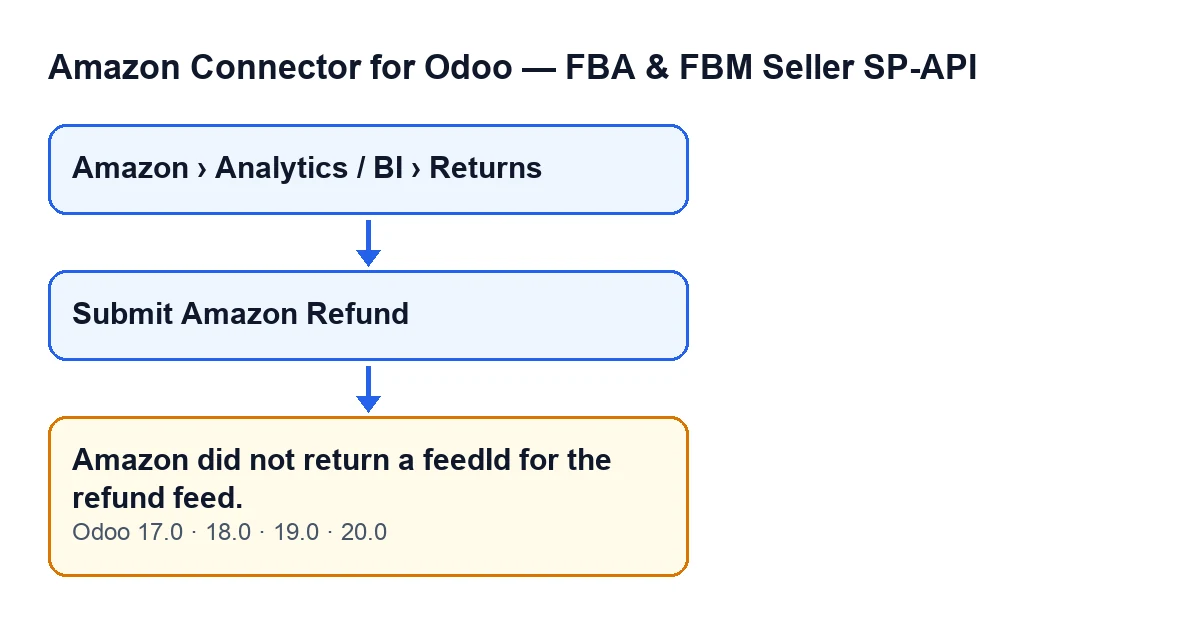
It appears when you press the Submit Amazon Refund button on a return. Return records open from the menu Amazon › Analytics / BI › Returns, and each part of that menu requires the Viewer permission: without it, you do not see that part. The button is hidden when the condition Amazon Refund Submission Ready is not met. That field does not appear in any view. If you cannot see the button on a return, that condition is not met for it.
What exact condition raises the error, and what does it mean?
When the module asks Amazon to create the refund feed, it reads the feedId from the reply and trims surrounding spaces. If the result is empty (the reply does not include it, or it holds only spaces), the module raises Amazon did not return a feedId for the refund feed. and the action stops. In one sentence: Amazon answered the request to create the feed but did not give the module the identifier used to follow that feed, so the module stops instead of recording the submission.
What does the module do before it gets to that point?
When you press the button, in this order:
- It checks that you have operator permissions for the connector.
- It validates each return, one at a time. If something blocks the submission, the action stops with the reason.
- It builds a tab-separated text file, with a header row and one row holding the refund data.
- It asks Amazon for a feed document and sends the file content to the address Amazon gave for that document.
- It asks for the feed to be created with that document and with the marketplace of the return or, if the return has none, the marketplace of the Amazon account.
- It reads the
feedIdfrom the reply. This is where the message fires if it is empty.
If you see the message, the earlier validation had already passed, the file had already been sent to Amazon and the module had already asked for the feed to be created.
How do I tell this message apart from other submission failures?
This one can only appear at the last step of the list, after the feed creation has been requested. If the validation of the return finds something that blocks the submission, the action stops earlier, with the specific reason for that block and not with this text.

What is saved and what to do
Is anything saved when the error appears?
On the return that fails, the module does not record the submission. The error fires before the step that records it, so the feed identifier and the submission date are not saved, Amazon is not asked for the feed status and no data is copied to related lines. Because the module works return by return, the action stops at the one that fails.
Does that mean Amazon received nothing?
No. The fact that Odoo does not record the submission does not show that Amazon did not create the feed: before the error, the module had already sent the file and asked for the feed to be created. All you know is that the reply came back without a feedId.
What should I do when it appears?
Do not press the button again blindly. Note the order of the return and the time of the attempt, and write to us with those details so we can check it with you before you retry. You can go back to the return from Amazon › Analytics / BI › Returns to see whether the Submit Amazon Refund button is still visible.
What happens if I press the button again?
Each press repeats the whole path: it validates the return, builds the file, sends it and asks for a feed to be created. That is why it is worth checking what happened with the failed attempt first.
Is it a problem with my return data?
Validation had already passed when this message fires: the module found no blocking reason before asking for the feed. The message is about something else, Amazon's reply to the feed creation, which arrived without a feedId.
What happens when Amazon does return the feedId?
The module carries on: it saves the submission on the return, copies that data to related lines, if there are any, and asks Amazon for the feed status. None of those steps run if the feedId comes back empty.
Versions and help
Does it appear in every Odoo version?
The message is in the published code of the Odoo 17, 18, 19 and 20 branches, and the module is published on Odoo Apps for those versions. The path described here is the Odoo 20 code, and the condition that hides the button is the same in all four versions.
How does the message look in other languages?
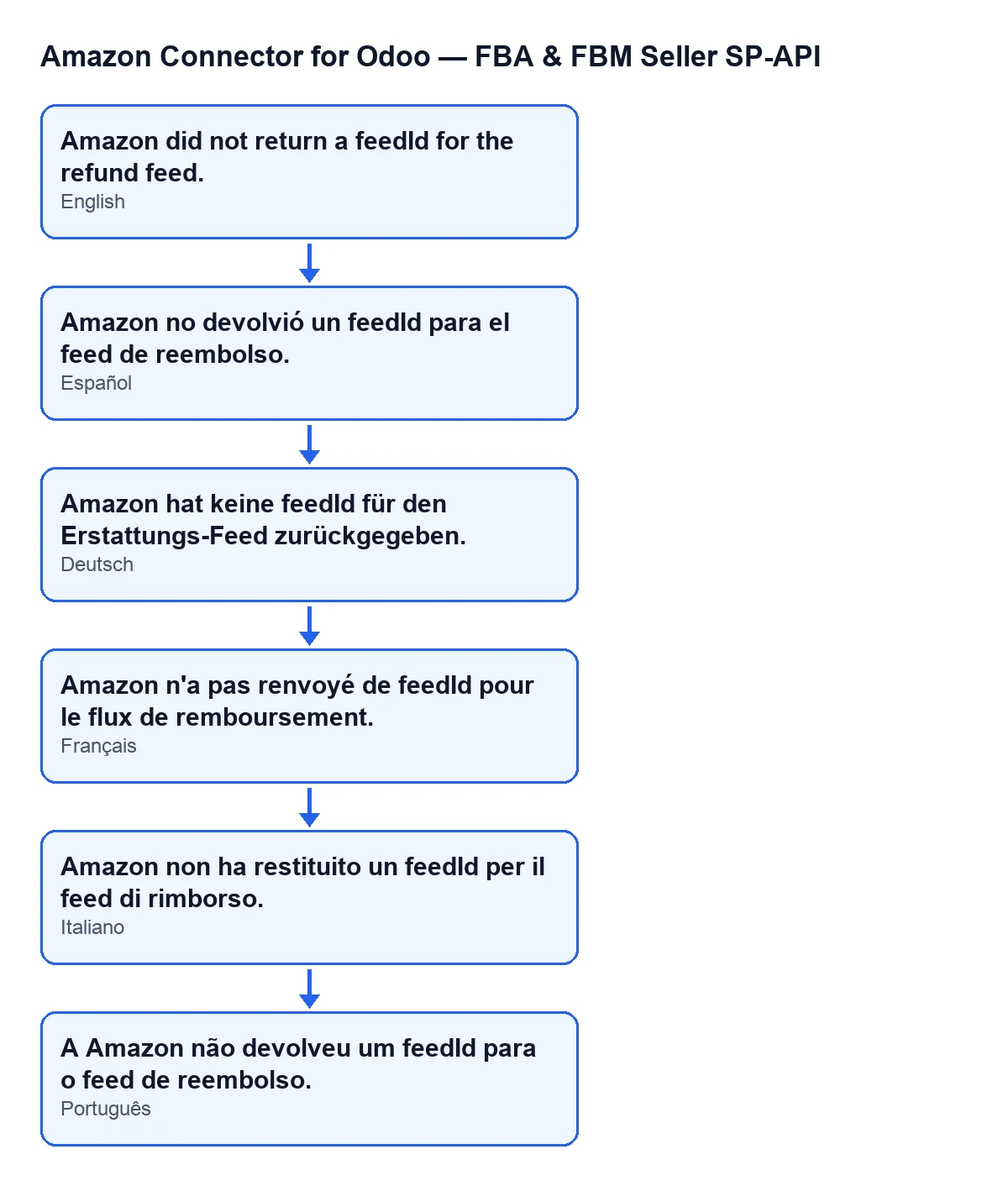
With Odoo in English it reads Amazon did not return a feedId for the refund feed.; the module also ships translations into Spanish, German, French, Italian and Portuguese, as the diagram shows.
Who can help me if it keeps happening?
FlexigoTech implements Odoo 17, 18, 19 and 20 and builds custom connectors and integrations. If you want to review your Amazon returns flow, there is the listing on Odoo Apps and the module page.
Keep reading
Checked in the connector's source code (version 20.0) and the linked sources
Sources
- Module source code: flexigobe_amazon_seller_connector 20.0 (8576afa5): models/amazon_spapi_return_line.py
- Module source code: flexigobe_amazon_seller_connector 20.0 (8576afa5): views/amazon_spapi_return_line_views.xml
- apps.odoo.com/apps/modules/20.0/flexigobe_amazon_seller_connector
- flexigotech.com/en/services.html