

It is worth removing the middleware when that layer holds state Odoo should own: the stock you publish, the real status of each order, the tracking that goes back to the channel. It is not worth it when it only transports: it receives a file and drops it somewhere else without deciding anything. That is the whole rule. What follows: when the honest answer is "don't move" and how to make the change without stopping order fulfilment, told from our own migration to connectors that talk directly to the third party's API in production.
Key idea: the middleware does not cost you the subscription. It costs you having the truth of your operation live in two places. Every status that exists both in the middle layer and in Odoo is a reconciliation somebody does by hand, or nobody does.
What the middleware costs you in daily work, not in money
We already made the case for removing a layer with electronic invoicing in SERES from Odoo, and the underlying comparison is in Odoo 19 versus middleware connectors. With marketplaces and carriers it is the same thing multiplied by the day's orders: four jobs nobody budgets for.
| Job | With middleware | With a native connection |
|---|---|---|
| Product master | Two: Odoo and the middleware's mapping | One. The channel mapping is a field on the product |
| Order status | Three truths: marketplace, middleware and Odoo | Two: the channel and Odoo, with the remote status next to the order |
| Shipment traceability | Order in Odoo, tracking in the middleware, confirmation in the marketplace | Order, delivery, tracking and confirmation on the same record |
| Who reads the log | The provider's panel, with its own login and retention | An Odoo model with request and response, filterable and purged |
The log row deserves a warning: "we have it in Odoo" does not mean it gets written. In the audit of our Mirakl connector, the function that recorded every call asked if not log_model, and the helper returned an empty recordset when everything went well; in Odoo an empty recordset is falsy, so logging had been a no-op since day one. The proof was in production: that table's sequence was still NULL after months of cron runs. Today the check is if log_model is False.
When you should not move: the three clear cases
- Several ERPs. If Odoo runs one entity and another system runs another, and both sell on the same channels, the middleware is the only place where the published stock is the sum of both.
- Orchestration between third parties. If the flow is marketplace → external fulfilment operator → carrier and Odoo only hears about it at the end, the layer is conducting systems that are not yours.
- Nobody to maintain Odoo. A native connector is code inside your ERP. If nobody, in-house or an Odoo partner, is going to do that work, the middleware with its subscription is the cheap option.
The migration plan without stopping the operation
Four steps and one principle: the native connection comes in reading and does not write outbound until it has spent days reading the same thing the middleware reads. We applied it in June 2026 when we replaced, on our own Odoo.sh production, an old Amazon module with the connector that talks to SP-API directly.
1. Flow inventory, with direction
One row per flow: orders in, stock and prices out, tracking out, cancellations and returns in, invoices up. For each one, direction, frequency and trigger (cron, webhook or person). A Mirakl marketplace yields eight to twelve rows; a carrier three or four; an e-signature platform two.
2. Order: reads before writes
The native connector is installed with every write to the third party switched off: in ours, a global switch plus a per-account flag for each outbound action. It only reads orders, statuses and inventory; the middleware keeps writing and nobody stops fulfilling. This is where the first cutover failure appeared: the new importer checked whether an order existed by looking at its own table, freshly created and empty, not at the sale orders the previous system had already created. Result: seventeen duplicated, confirmed sale orders, each reserving stock a second time. The fix was to look up the marketplace reference on sale.order before creating anything. The rule: deduplicate against the destination, never against the connector's own staging table.
3. Parallel run with a daily comparison
One or two weeks with both systems reading the same channel and, every morning, a short list: orders one imported and the other did not, statuses that disagree, unmatched SKUs. Zero two days in a row, then the first write.
4. Cutover per channel, and forward-only writes
You cut one channel, not all of them. And when writes go on, only those a transition triggers: confirming the shipment when a delivery is validated is safe, because it happens once per order that actually leaves. What is not safe is a cron that scans existing records and resends them. Our cutover left 534 historical deliveries, done and flagged "pending sync" by the old module; the retry cron found them and sent 28 shipment confirmations to Amazon in four minutes, before we switched it off. The lesson: before enabling a scanning cron, reconcile the backlog sitting in the state that cron looks for.
Historical data: what to migrate and what to leave read-only
You migrate what can still change: open orders, the SKU ↔ channel reference mapping, shipments whose tracking has not yet gone back to the marketplace and returns in progress. You do not migrate the call history or closed orders: you ask for read-only access to its panel for the claims period. In our cutover the business data was untouched: 1,838 sale orders and 13,236 products stayed where they were.
How to check the native connection works before the cutover
With a real Odoo build and the third party's sandbox, not with mocks. We told it with numbers in the tests were green and the connector did not work: a connector with 236 of 236 tests green on Odoo 19, 18 and 17 had 32 real failures underneath, and another with 163 of 163 had never written a log line. The three checks that matter:
- The sync window asks for what changed, not what was created. We made this mistake twice: the Mirakl connector sent
start_date(creation) instead ofstart_update_date, and the AliExpress one filtered by creation date since the last run. In both, an order created in the morning and shipped in the afternoon never re-entered the window and its status in Odoo stayed frozen. - The log has rows. After the first import, count the records in the log model. Zero means it is not being written, not that there are no errors.
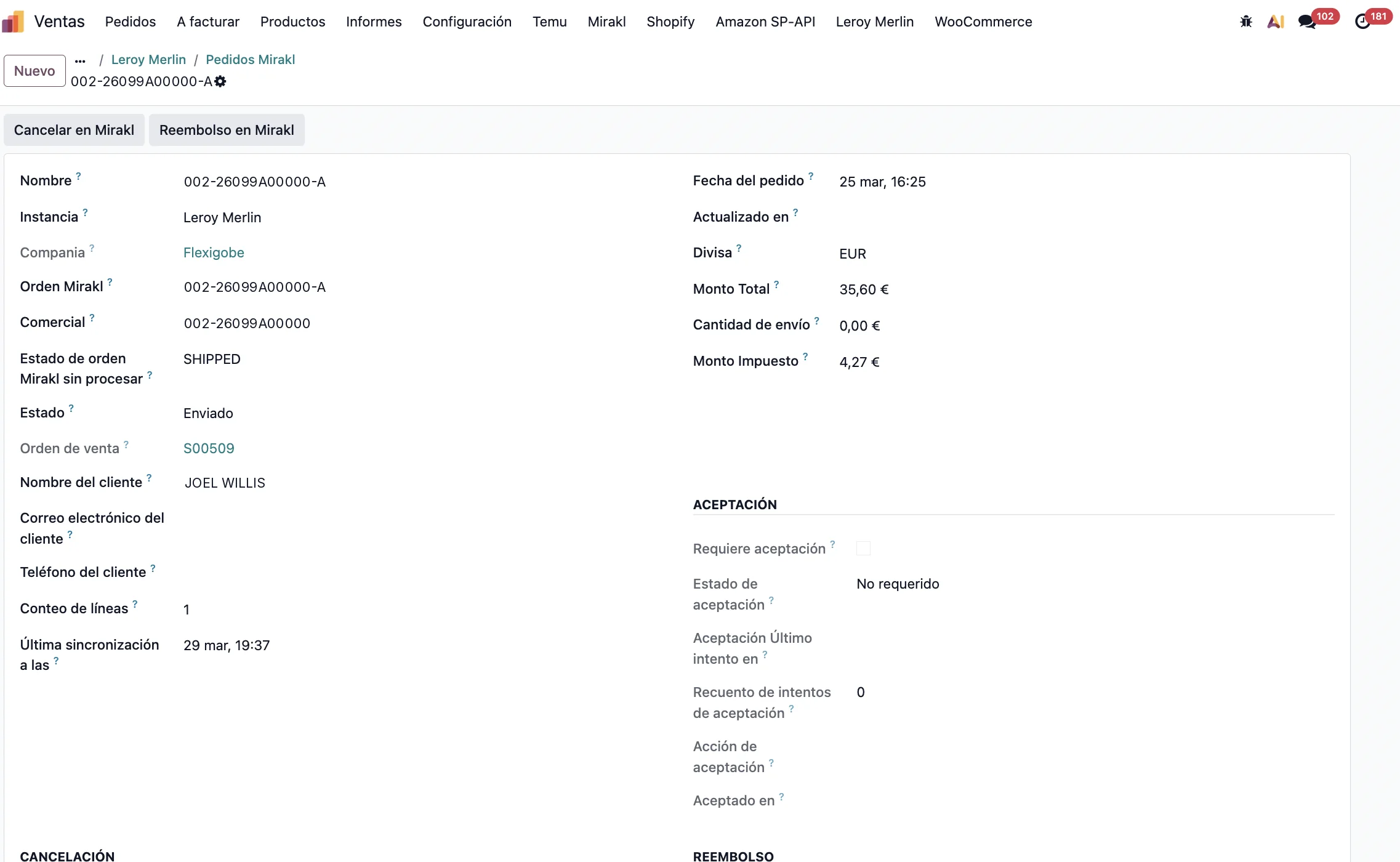
- The trace is on the record. From an imported order you must reach the sale order, the delivery and the tracking without leaving Odoo.
What remains afterwards: who maintains the connector on the next Odoo version
This is the part the middleware used to spare you and is now yours. Every Odoo version changes something a connector touches: in 19, read_group is marked deprecated in the ORM itself; in 18 list views moved from <tree> to <list>; in 17 an ir.cron without numbercall runs once and switches itself off. None of the three errors at install time. Our connectors are published for 19, 18 and 17 at once and tested on real builds of each series. Before moving, decide who does that work: your team, an Odoo partner, or the connector's author if they publish it for several versions and migrate it as soon as the new one is out.
If the connector is for your own software, Odoo connector for your software explains how we do it with technology partners; the catalogue lists the ones already talking to Amazon, Mirakl, ManoMano, AliExpress and the carriers. With several channels, the cutover order depends on which one publishes the stock: see selling on several marketplaces from a single Odoo and real-time stock for marketplaces.
Decision checklist
- Does the middleware hold stock, order status or tracking that Odoo does not have? If it only transports files, do not move.
- One ERP, or several selling on the same channels? Does Odoo learn about the order at the start of the flow or at the end?
- Who moves the connector to the next Odoo version, and when?
- Do you know how many historical records sit in the state a retry cron looks for?
If you want someone to look at your case with these criteria, services and solutions describe how we work.
Frequently asked questions
How long should both systems run in parallel?
Until the daily comparison shows zero differences two days in a row, and never less than a week.
Can I move one channel and leave the rest on the middleware?
Yes, and it is the recommended way. You only have to decide who publishes stock to that channel from the cutover on, and it must be only one.
Does the same apply to EDI and e-signature as to marketplaces?
The rule does: if the layer holds the document status (accepted, rejected, signed), moving it is worth it. There are two or three flows instead of ten, and the parallel run sends the same document both ways to the third party's test environment.
Useful links inside FlexigoTech
What we do about this
Paying for a middleware and unsure whether you still need it?
Tell us which channels you have, which Odoo version and who maintains it. We will tell you whether moving is worth it, in what order, and what should stay on the middleware. Email comercial@flexigobe.com or call +34 616 809 504.