
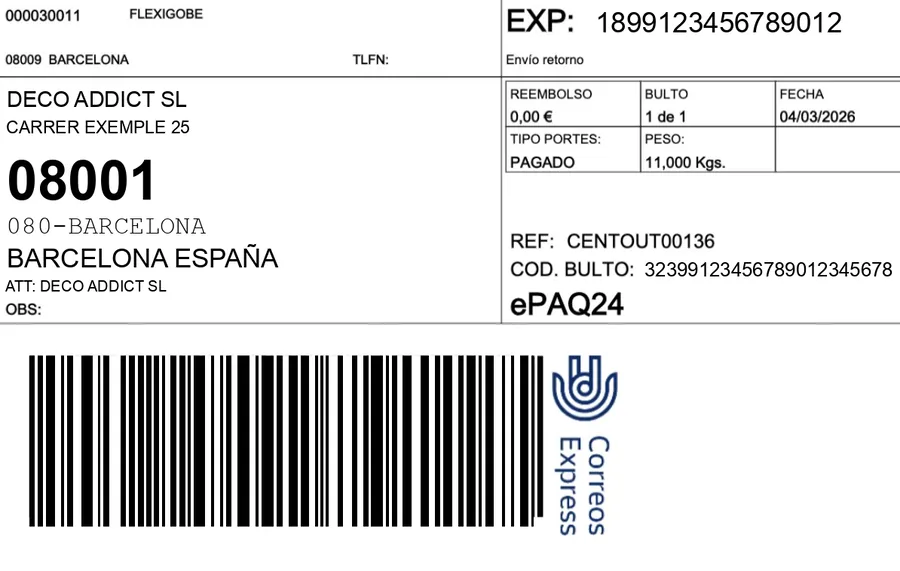
Connecting a carrier to Odoo sounds like a big project and almost never is. What has to work fits in one sentence: hitting validate on the delivery prints the DHL label, and the tracking number is stored and sent to the customer. Everything else — pickups, incidents, rates — is built on top of that.
What DHL needs that Odoo does not have out of the box
Three things, none of them exotic. The parcel's real weight and dimensions, not the product's: a delivery with three items goes in one box, and that box has its own weight. The service type, because DHL Express and DHL Parcel are not the same and share neither rates nor lead times. And an address their validator accepts, which is not always the one the customer typed.
Where it breaks: addresses
The number one reason a label does not print is not the API: it is the address failing validation. Postcodes formatted for another country, towns that do not exist in their address book, phone numbers without an international prefix on non-EU shipments. A decent connector does not just fail: it says which field DHL rejected and writes it on the delivery, so whoever is picking can fix it without opening a log.
If you ship outside the EU, the label is not enough: you need customs paperwork with the value and tariff code for each line. That data already lives in Odoo — the HS code sits on the product form — and that is where it has to flow to DHL from. If the integration does not send it, you will be copying by hand on every shipment.
Tracking has to reach the customer on its own
Storing the number on the delivery and doing nothing else is half the job. The number has to appear in the shipping confirmation email, and if you sell on marketplaces it must also be pushed to the channel within each one's deadline: Amazon, Mirakl and Temu measure that and penalise it. That is where the carrier connector and the marketplace connector have to talk to each other, and why they are better off in the same Odoo.
Your own module or OCA
For DHL there is a community module and there is custom development, and the honest choice depends on your case, not on who is selling. We wrote up what to check before deploying the OCA DHL module on Odoo 19 and when each route wins in native module vs OCA in logistics. Unvarnished summary: if your operation is standard and single-service, start with what already exists; if you have several services, customs or marketplace requirements, that is where a generic module falls short and custom development is worth it.
We work both ways, and the carrier connectors we have published — Correos Express and MRW — run on Odoo 17, 18 and 19, and Odoo 20 the day it ships. For DHL and the rest, we build against your contract, which is what really decides which services you have available.
Frequently asked questions
Can I use several carriers at once?
Yes, and it is the norm. Each Odoo delivery method can be restricted by country or postcode and priced by rules — weight, volume, amount —; you pick one on the order and each one prints its own label. We compared them in which carrier fits which case.
Do I need my own DHL contract?
Yes. The integration works with the API credentials and services of your contract; we do not resell shipping. Without a contract there are no services to offer.
What about pickups?
With DHL, if your contract's API offers them, they are built so you can request them from Odoo: we do not have an off-the-shelf DHL connector. In our Correos Express connector they are already created, modified and cancelled from the delivery order, and the MRW one sends the pickup date inside the shipment request itself. Whatever the carrier, ask for one pickup per day and warehouse rather than one per shipment, which is how you end up with twenty pickups and an annoyed carrier.
Useful links inside FlexigoTech
What we do about this
Want labels out of Odoo and to stop logging into the carrier's website?
Tell us which carriers you use, whether you ship outside the EU and whether you sell on marketplaces. We will tell you what gets automated and what does not. Write to comercial@flexigobe.com or book a call.