
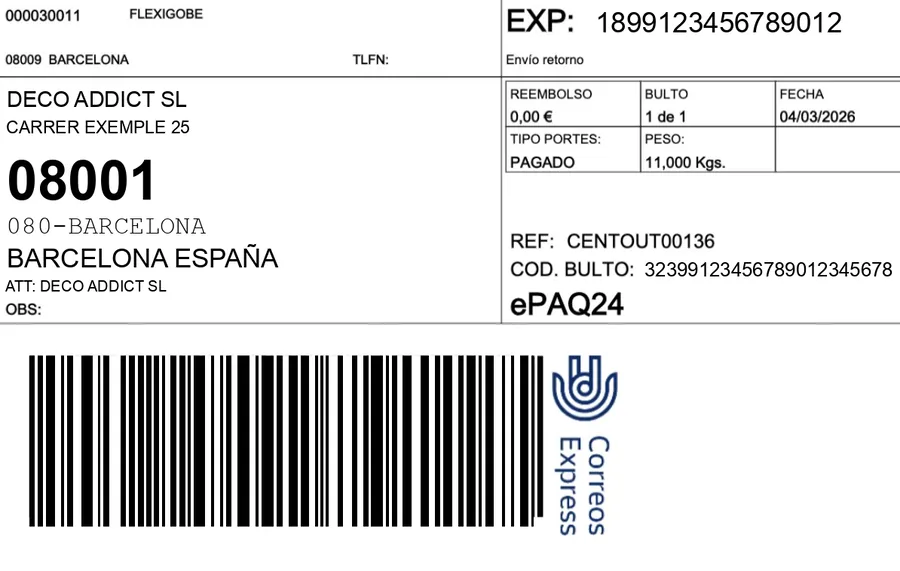
We have published connectors for MRW, SEUR, Correos Express, DHL, GLS, UPS and CTT for Odoo, and we have integrated carriers into websites with no Odoo behind them, such as eclipseando.com. The APIs change names and formats, but the work is always the same: four calls, three or four errors that repeat, and one architecture decision that is best made before writing the first line. This article is the version for your own website; if your shop runs Odoo, most of it is already solved in the carrier connectors.
Key idea: the integration does not end when the label comes out. It ends when the customer gets the notice that their parcel is on its way, or held at a pickup point, without anyone on your team copying anything. If you design only the label, you will do the rest by hand.
Before coding: onboarding and the test environment
No carrier gives you API access for filling in a form on their website. You need a transport contract with a sales rep, and from there come the credentials: a customer or account code, a user and a password or key, and sometimes a franchise or agency code. Ask for them from day one and ask for the test environment too, which not all of them have and not all of which behave like production. Some APIs are still SOAP with XML (historically the case for several Spanish carriers); others are REST with JSON. It does not change what has to be done, it changes how long the documentation takes to read.
The four calls
| Call | What you send | What it returns | Where it breaks |
|---|---|---|---|
| Create shipment | Sender, recipient, parcels, weight, service, order reference. | Shipment number and, almost always, the label in the same response. | Unnormalised addresses, Canary or Balearic postcodes, phone numbers with spaces, non-ASCII characters. |
| Label | Shipment number and format (PDF, ZPL, size). | The file, usually base64-encoded. | Requesting it twice and creating two shipments; printing on A4 what was 10×15. |
| Tracking | Shipment number. | Event list with date, code and text. | Polling every minute and getting cut off; not mapping the codes to your own statuses. |
| Manifest / end of day | Date and the day's shipments. | Confirmation or pickup document. | Forgetting it: the carrier does not collect what is not manifested. |
Creating the shipment: half the work is cleaning the address
The creation call is where the rejections pile up. Every carrier has its own idea of a valid address: maximum street length, postcode of exactly five digits, province as a code and not as text, phone mandatory and without prefix, and in several, nothing outside ASCII in the name. What works is normalising before calling: splitting street and number, trimming fields to each API's maximum, replacing accents where the API does not accept them, and validating that the postcode exists for that country. And always storing the complete request and response, XML or JSON, next to the order. When a parcel goes missing three weeks later, that trace is the only proof of what was sent.
Tracking: polling with sense, or a webhook if there is one
Few carriers notify by webhook; most have to be asked. The right way is a scheduled job that queries only open shipments, at a reasonable interval (hourly is usually enough, more often on delivery day), that stops when the status is final and that respects the API's limits. Event codes are mapped to a small set of own statuses: accepted, in transit, out for delivery, delivered, incident, returned. Five or six, not forty. And every status change triggers the customer notice, which is what all of this is for.
When you have no API because your supplier is the one shipping
It is more common than it looks: you sell, but a supplier with its own transport contract packs and ships the parcel. You have no credentials, you cannot create the shipment or query it. What you almost always do have are the emails the carrier sends to the contact address for every movement. On eclipseando.com we solved it this way with GLS: a job reads the mailbox every ten minutes, recognises the four kinds of email (on its way, out for delivery, at a pickup point with a deadline, recipient absent), extracts the shipment number and the order it belongs to, and turns each into a status and a notice to the buyer. The last two are the urgent ones: a parcel at a pickup point goes back to the sender if nobody collects it, and a customer who does not know it is there will not go.
The errors we see in production
- Testing only against the sandbox. Several carriers have a test environment that accepts what production rejects. The test that counts is a real shipment to your own office.
- Creating the shipment when the order is confirmed on the website. It is created when the parcel is packed. Created earlier, every cancellation is a ghost shipment that sometimes gets invoiced.
- Not storing the request and the response. Without the full XML or JSON next to the order, a claim is your word against the carrier's.
- One tracking number per order. Works until the first order with two parcels or two suppliers. Tracking is modelled per shipment.
- Old certificates and ciphers. Some APIs are still on TLS with ciphers modern libraries reject by default. That is found on day one, not on go-live day.
With Odoo behind, almost none of this gets programmed
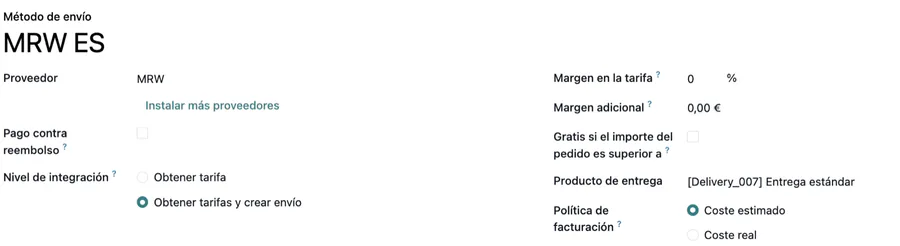
If the shop runs Odoo, the four calls are already written in the connectors we publish on the App Store, tested on Odoo 19, 18 and 17 against real Odoo.sh: the label comes out when the delivery order is validated, tracking is polled by cron and written on the delivery order, the manifest is closed from Odoo itself and the customer notice goes out by email or SMS with whatever template you want. The website only has to read the delivery order's status. That is why, when someone asks us to integrate a carrier into a website and they already have Odoo, the answer is usually to connect the website to the ERP, not to rewrite the integration.
Frequently asked questions
How long does integrating a carrier take?
It depends mostly on two things you do not control: how long the carrier takes to give you credentials and a test environment, and whether its API is REST with current documentation or SOAP with a years-old PDF. The four calls themselves are bounded work; what stretches it are the waits and the tests with real shipments.
Can several carriers be integrated at once?
Yes, and it is best designed that way from the start: an own layer with the four operations (create, label, tracking, manifest) and one adapter per carrier underneath. Adding the second costs a fraction of the first if the first was built with that separation.
What if my supplier ships with its carrier and I have no access?
You work with what arrives: the carrier's emails or the files the supplier returns. Reading them automatically and turning them into statuses and notices is not as clean as an API, but it removes the manual copying and, above all, prevents a customer from not knowing their parcel is waiting at a pickup point.
Useful links inside FlexigoTech
Need to connect a carrier and unsure where to start?
Tell us which one, whether you already have credentials and whether Odoo is behind it. We will tell you what gets programmed, what already exists and what to ask the carrier for before starting. Email comercial@flexigobe.com or call +34 616 809 504.