
Dsco is a dropship network: a retailer sells on its own site, the order reaches you as the supplier and you ship it straight to their customer, on the retailer's behalf. Today it is part of Rithum, the company formed when CommerceHub and ChannelAdvisor came together. Before going further, the part that matters: we have no published Dsco connector. If you came looking for a module to install, it is not in our catalogue. What we can explain is how the workflow fits into Odoo, which is where nearly every problem is decided.
How the network works, seen from the supplier's side
You onboard once, and every retailer that accepts you becomes a trading partner with its own rules. According to Dsco's integration guide, the supplier receives orders and sends four things back into the network: the acknowledgement that it will fulfil the order, the shipment with its tracking, the cancellation when it cannot, and the invoice for the units shipped. Separately there is inventory, which the retailer uses to decide what to offer. Rithum recommends doing this over the API, with client credentials exchanged for an access token; CSV or EDI files remain an option, with fewer features.
In Odoo this is not the Dropship route
The name is misleading. Odoo's Dropship route is for the opposite case: you sell and your supplier ships. In Dsco you are the supplier, so the order is a normal sale from your own warehouse with three fields set correctly: the invoiced customer is the retailer, the delivery address is their customer's, and the price is the cost agreed with the retailer, not what the shopper paid. The retailer's order number goes into the customer reference and is the key you look up before creating anything. Otherwise every retry duplicates orders, which is the first thing we check when auditing an inherited connector.
The packing slip carries the retailer's brand
The shopper does not know you exist. The box carries the retailer's packing slip: their logo, their order number, their returns wording and none of your prices. In Odoo that means one report template per retailer, chosen by the order's customer, not a single template full of conditionals that grows every time a new partner comes on board. If you use the labels Dsco generates, its documentation says the packing slip can also be downloaded from its portal. Then you have to decide, retailer by retailer, whether to print Odoo's or attach theirs. Either works. Both at once does not.
The label you are handed
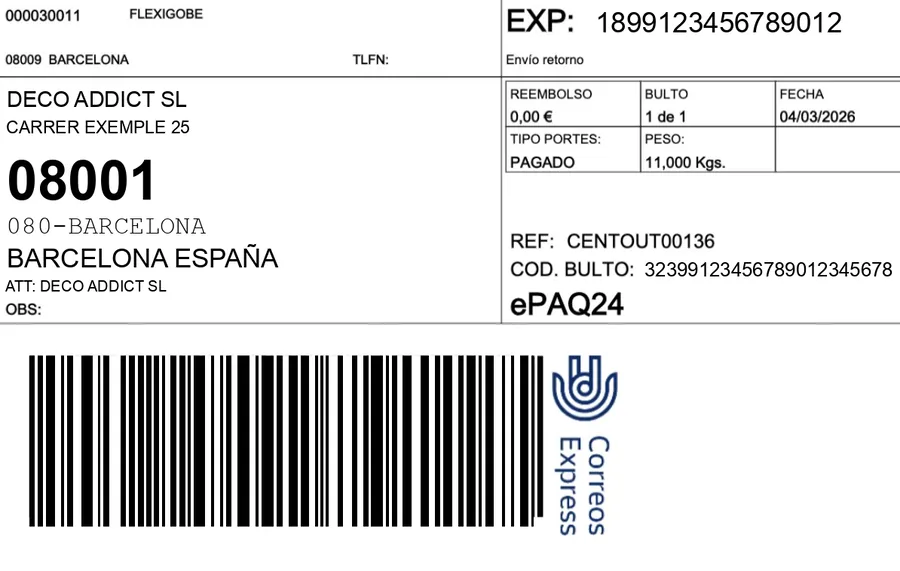
Dsco can generate the label using a carrier account connected either by the retailer or by the supplier. If the account is the retailer's, you choose neither carrier nor service: the label arrives as a file, it is attached to the Odoo delivery order, and the tracking number you report back has to be that label's. If the account is yours, the label can come from your carrier connector in Odoo and the shipment is then reported to the network. Dsco identifies each shipment by partner, warehouse code and order number, so every Odoo warehouse needs its Dsco code mapped.
One label source per retailer. If both Odoo and Dsco can generate it, sooner or later somebody prints two: the parcel leaves with one and the retailer receives the tracking of the other.
Running out of stock is paid for
On a marketplace, when you run out you simply stop selling. In retailer dropship the retailer has already charged the customer, and if you cancel, that cancellation is yours and the retailer measures it. Each retailer sets its own rules and consequences, so we will not give you a number. What you can do is avoid getting there, with three decisions in Odoo: publish the free quantity (on hand minus reserved) with a buffer per retailer, not physical stock; send it when it changes, not in a nightly batch; and acknowledge the order in Dsco only once Odoo has managed to reserve the units. It is the multichannel overselling problem with less room for error.
What we do, and when it is not worth it
To repeat: we have no published Dsco connector. What we do is build the integration to order against each retailer's requirements, leaning on what Odoo already solves (carriers, routes, reports and reservations) and on what we learned building our published connectors for Amazon, Mirakl and the rest of the catalogue. Now the honest part: if you sell to a single retailer with a handful of orders a day, the Dsco portal and an attentive person are probably enough, and paying for an integration makes no sense. It pays off when volume or the number of retailers means that retyping by hand starts costing you cancellations. The wider picture of retailer dropship is in CommerceHub and Odoo.
Frequently asked questions
Is there a ready-to-install Dsco connector for Odoo?
We do not have one published. If someone offers you one, ask which retailers it runs with in production and whether it covers acknowledgement, shipment, cancellation and invoice, not just order intake.
API or files?
Rithum recommends the API for suppliers, and its guide describes the CSV or EDI file route as having fewer features. If you already exchange EDI with other retailers and that flow works, reusing it can make sense; if you are starting from scratch, the API is the way.
How do you invoice the retailer from Odoo?
With the delivered-quantities invoicing policy. The invoice goes to the retailer, not the shopper, and covers only the units shipped, which is what Dsco expects to receive. Invoicing what was ordered rather than what was shipped leaves an invoice that does not match the shipments.
Useful links inside FlexigoTech
Has a retailer taken you on through Dsco?
Send us their requirements guide: which messages they ask for, who provides the label and what deadline they give you. We will tell you what can be automated in Odoo, what will still need someone watching and whether integrating it is really worth it. Write to comercial@flexigobe.com or book a call.