What does the Correos Express connector cover?
The documented scope includes REST orchestration, carrier configuration, shipping, labels, tracking, PUDO, stop delivery, pickups, retries, and support for live installations.


Generate labels, sync tracking, schedule pickups and manage multi-package shipments directly from the Odoo 19 delivery flow. Full integration with the Correos Express API, 6-point guided validation and real operation from day one.
All screenshots are from a real production environment. No mockups, no prepared demos.
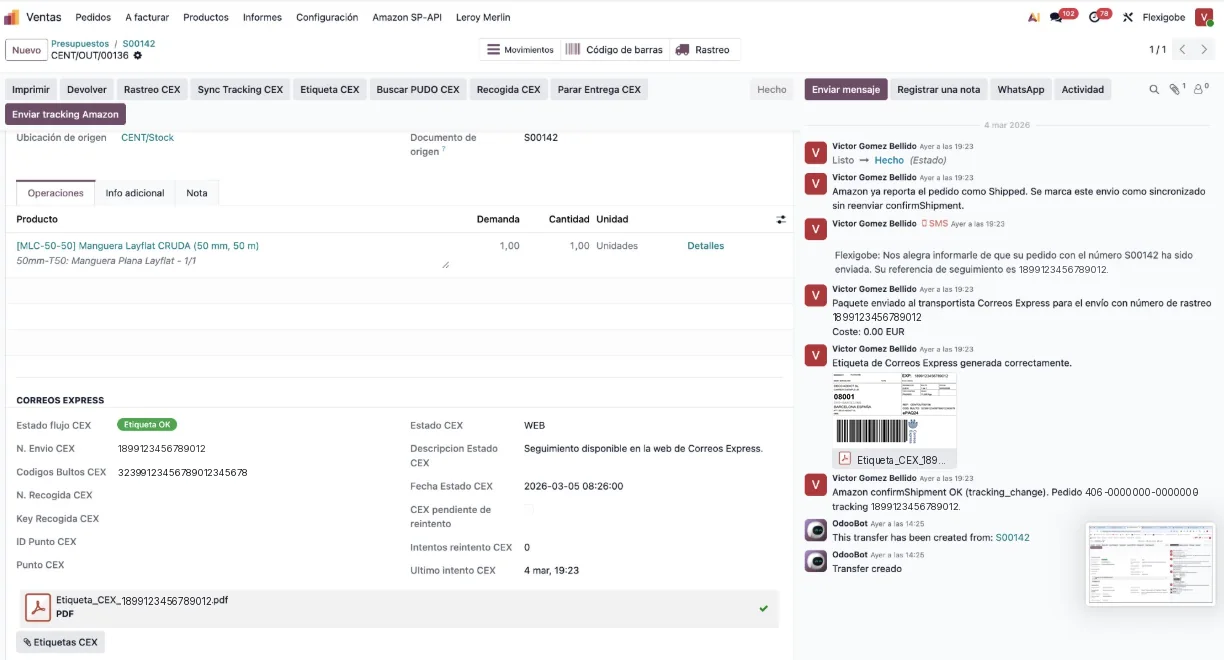
Delivery order in Odoo 19 with the Correos Express block integrated. Available actions: generate label, confirm pickup, print and check status.
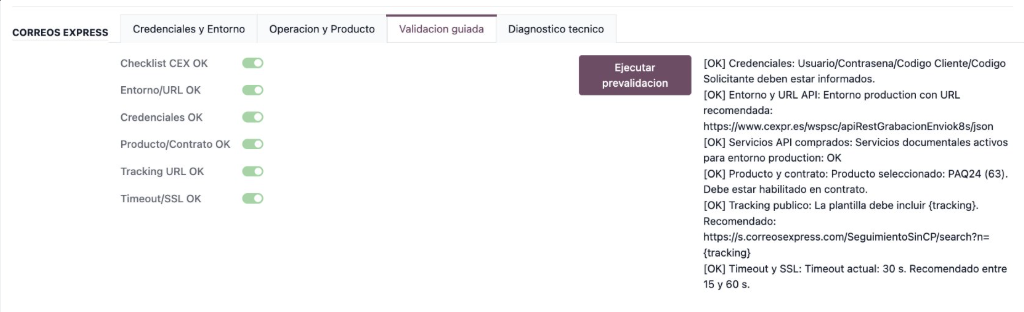
Pre-go-live validation panel. Runs 6 key checks and shows pass/fail results before activating the production environment.
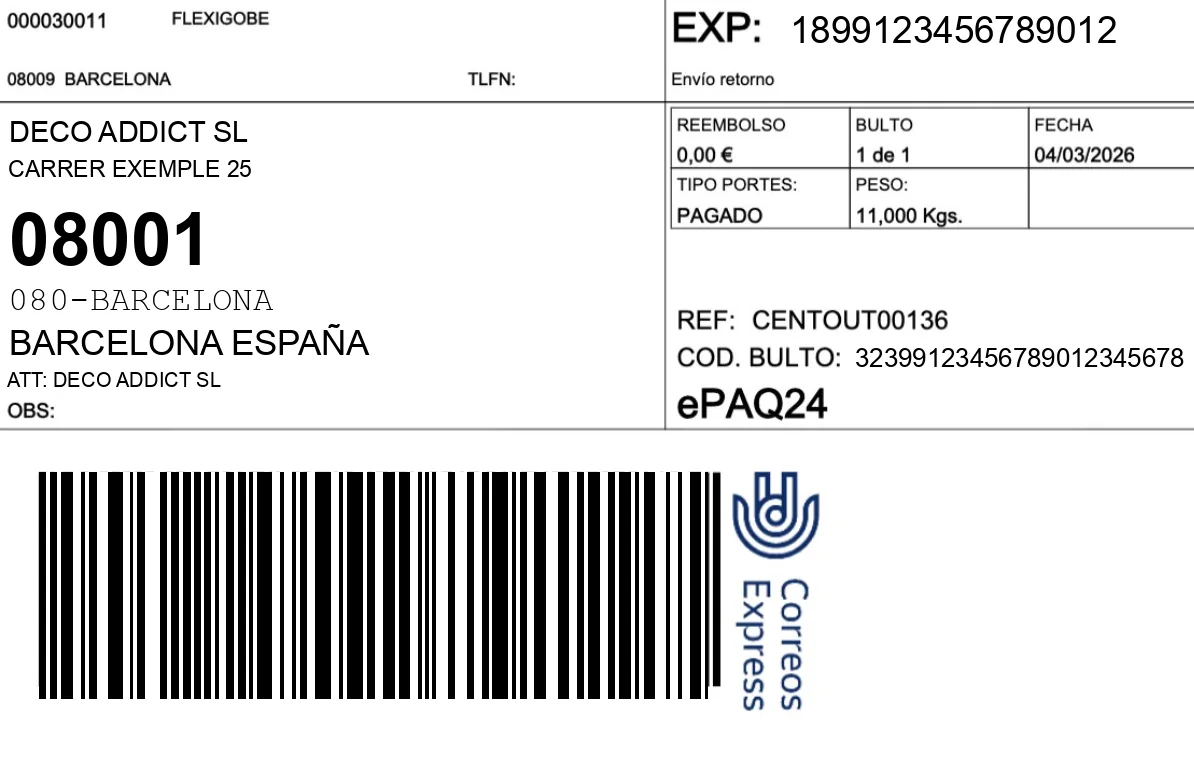
Correos Express label automatically generated and attached to the delivery note in Odoo. Available in PDF, ZPL and EPL for thermal printers.
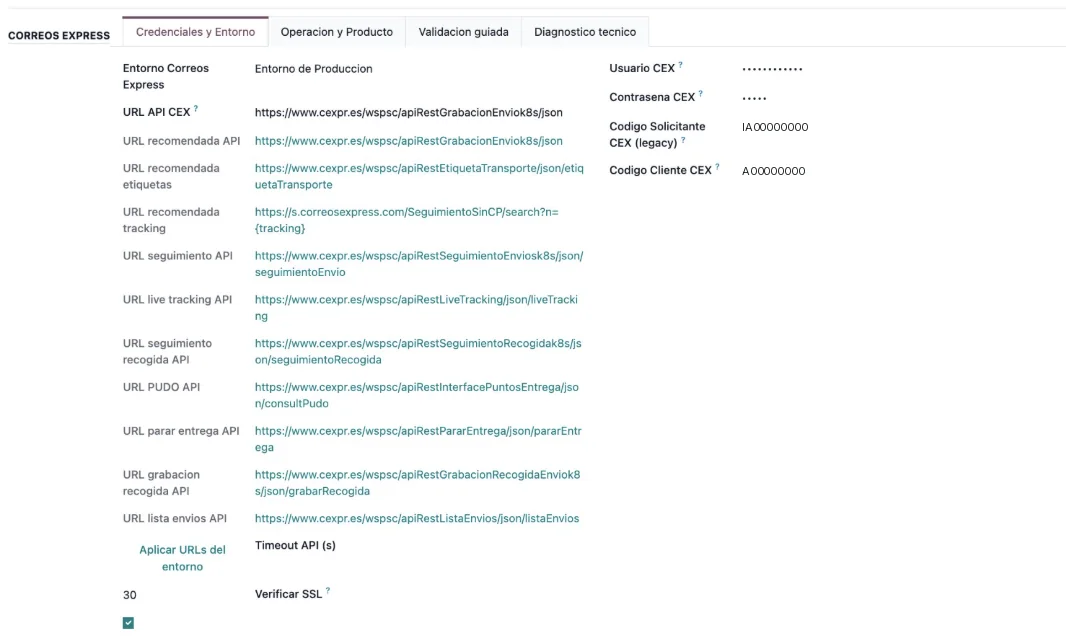
API credentials configuration screen. Support for test and production environments, with certificate management and connection parameters.
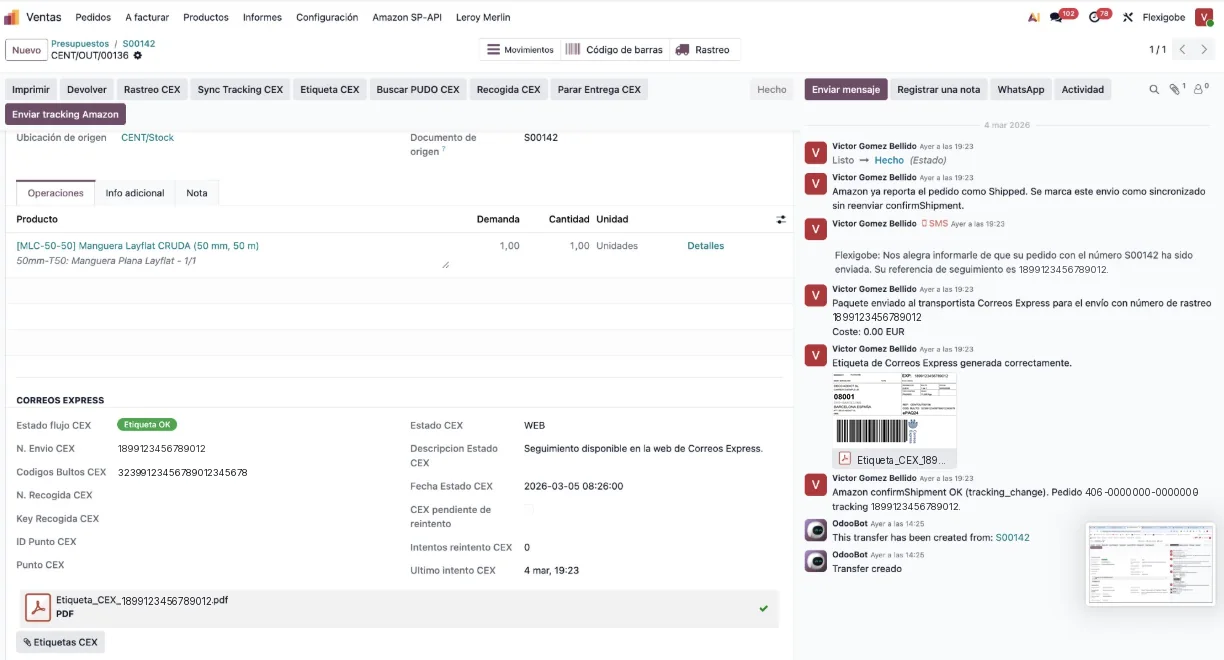
Shipment status updated in real time from the Correos Express API. Tracking is synced directly to the delivery note chatter.
Label generation is triggered directly from the delivery validation button. The system calls the Correos Express API, receives the PDF and automatically attaches it to the delivery note. No copying references, no screen switching.
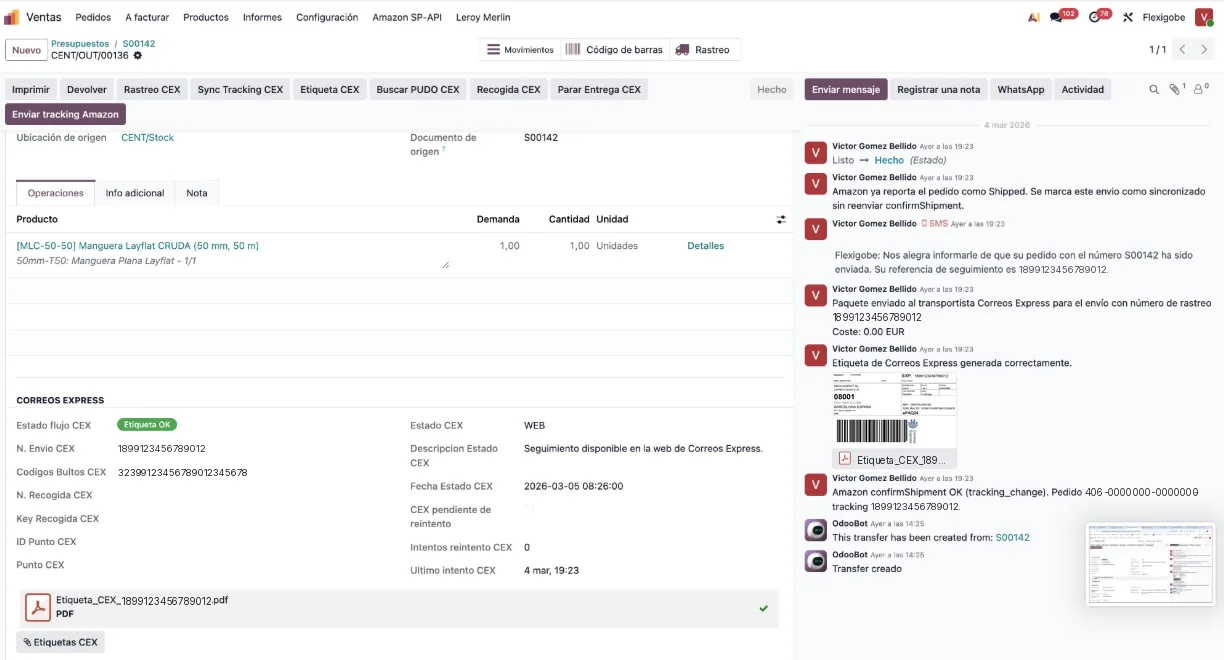
The tracking of each shipment is updated directly in Odoo. The status appears in the delivery note chatter and in the standard tracking field. Your operators always know if a package is in delivery, delivered or has an incident, without leaving the ERP.
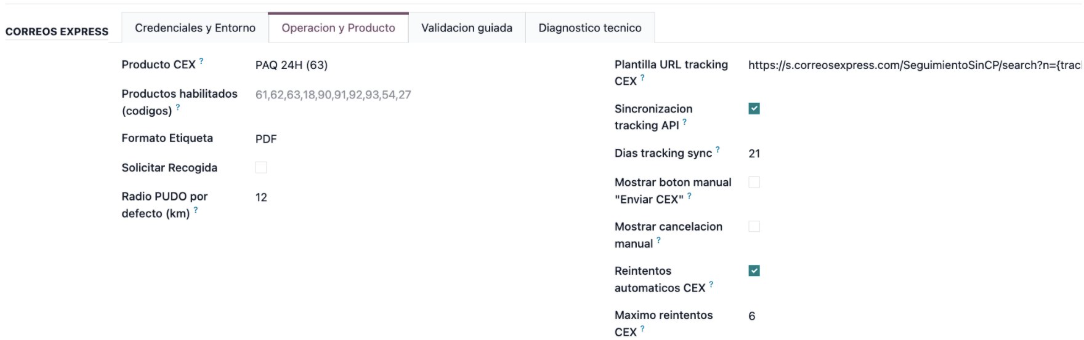
Schedule and cancel pickups directly from the delivery form. The module also includes search for Correos Express PUDO points for shipments to convenience points.
Before activating the module in production, the validation wizard runs 6 key checks: credentials, connectivity, service configuration, label parameters, delivery note format and environment. You see exactly what fails and how to fix it.
The module includes a guided wizard that verifies your complete configuration before processing the first real shipment.
Verifies that the Correos Express user, password and client code are valid and the authentication token is generated correctly.
AutomaticChecks that the Odoo server has access to the Correos Express API endpoints, both in test and production.
AutomaticValidates that the service codes configured in Odoo correspond to active and contracted services in the Correos Express account.
AutomaticVerifies that the selected label format (PDF, ZPL, EPL) is compatible with contracted services and printer configuration.
AutomaticChecks that the company in Odoo has all mandatory fields filled: name, address, postal code, city and contact phone.
AutomaticRuns a test shipment against the Correos Express staging environment to confirm the complete flow —label, tracking number— works end to end.
AutomaticInstall the module from the private repository delivered with the license. Select Correos Express as the delivery method in Settings → Inventory → Delivery Methods.
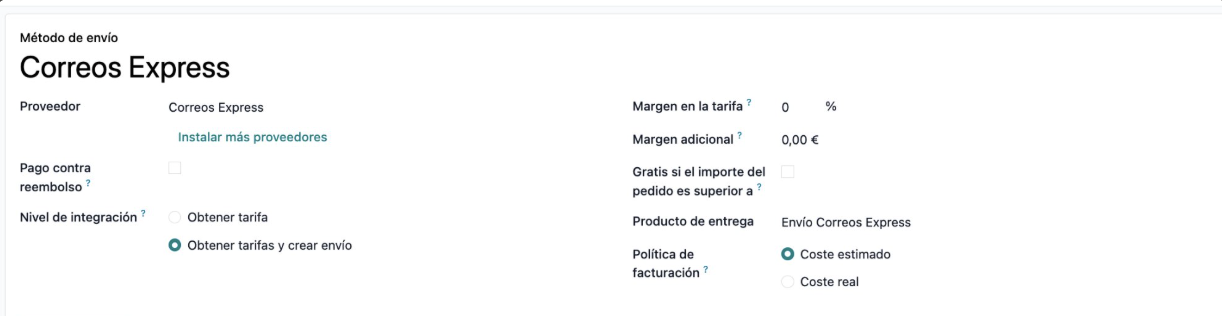
Enter the Correos Express API credentials in the 4 configuration tabs: General, Authentication, Services and Labeling.
Launch the validation wizard and confirm that all 6 checkpoints are green. If something fails, the system indicates exactly what to adjust.
Confirm the sales order, validate the delivery in Odoo and the Correos Express label is automatically generated and attached. The tracking number is recorded in the delivery note.
Connector keys to operate Correos Express from Odoo orders, delivery notes and deliveries.
The documented scope includes REST orchestration, carrier configuration, shipping, labels, tracking, PUDO, stop delivery, pickups, retries, and support for live installations.
Includes installation and update defenses to avoid blocking due to pending columns or schema timeouts, as well as deferred backfill when appropriate.
Yes. Calculates packages from packages, lines and quantities, considers kits or BOMs and normalizes label counters as “1 of 2” when applicable.
Yes. The design includes API tracking, Live Tracking fallback and crons to update recent deliveries without depending on constant manual review.
We link this sheet with the implementation, the SEO page and the catalog so that the user better understands what to buy next.
The module is in production and ready to integrate with your Odoo 19. Request a license or ask for a demo to see it working in your environment.
Specialized team · Replies in <1 day