
If you sell on Temu and run your business on Odoo, every order means jumping between the seller panel and your ERP: copying orders by hand, confirming shipping twice, keeping catalog and prices aligned in two places and watching the channel's compliance rules. This native Odoo connector links both: it imports Temu orders, pushes stock per SKU, manages fulfillment with shipping documents and tracking, syncs catalog and prices, and generates tax invoices — so you run the whole Temu channel from a single system.
The very screens you get in Odoo — the real thing.
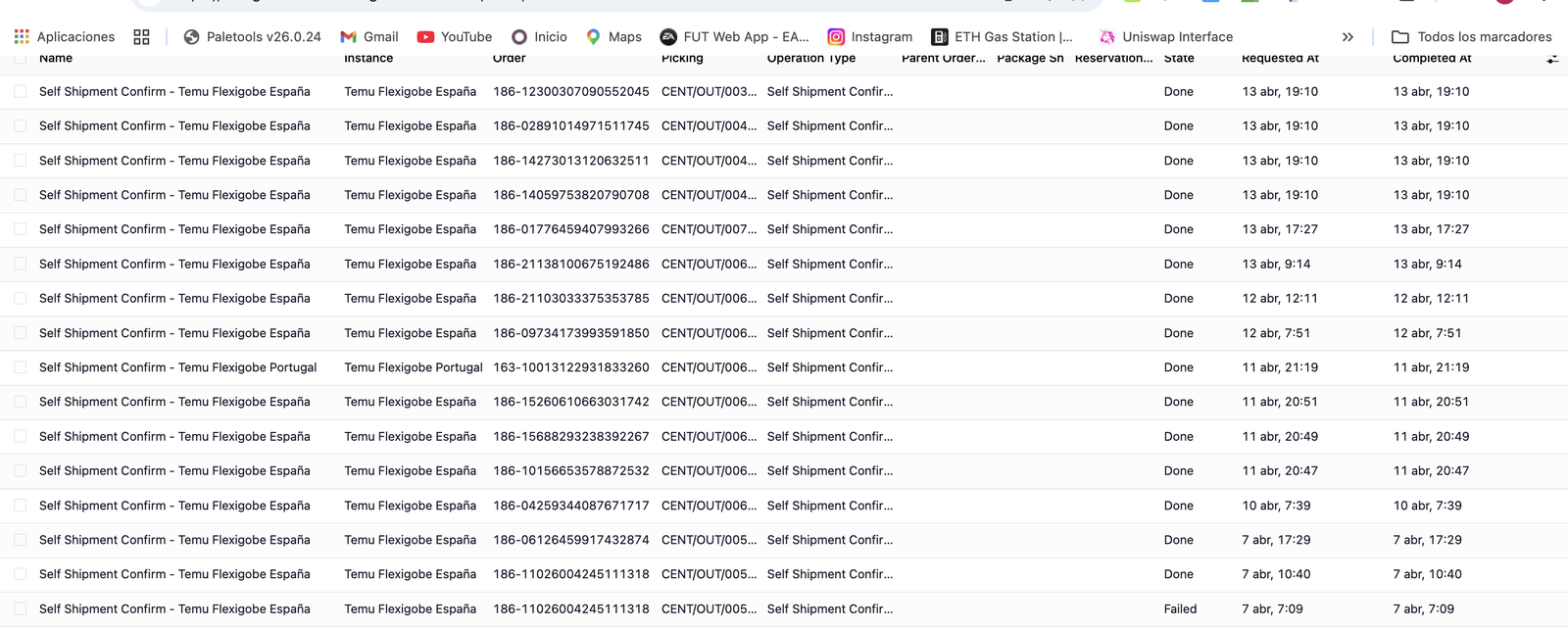
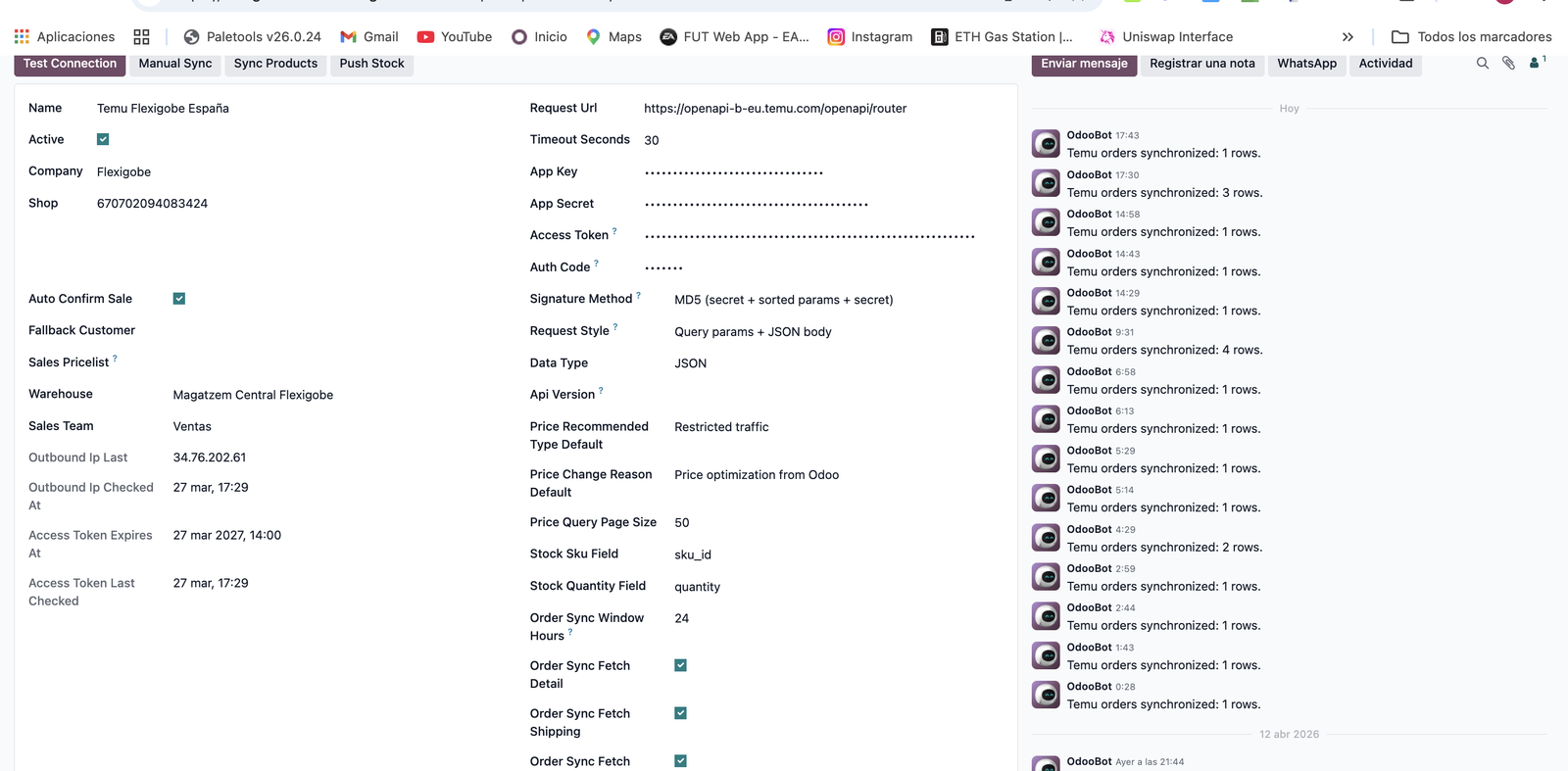
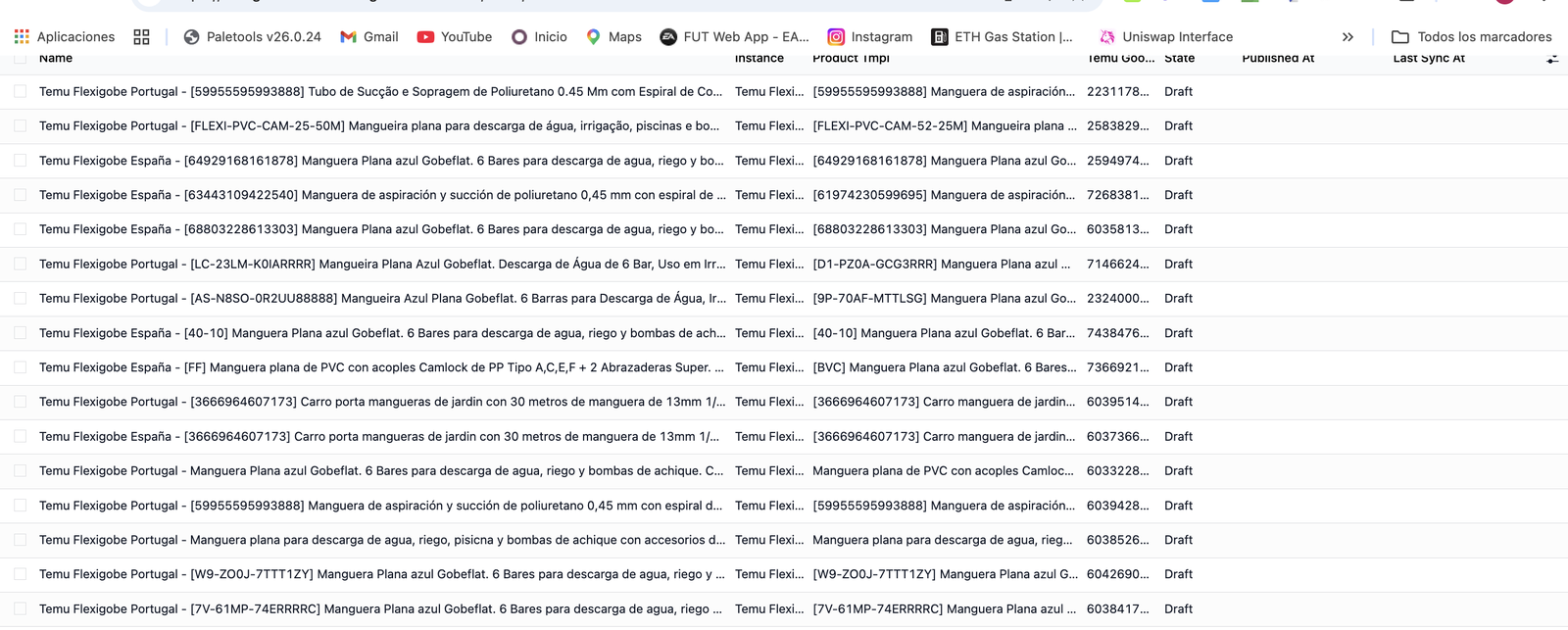
Try the Temu connector inside a real Odoo 19, no sign-up. User demo / flexigodemo.
It doesn't stop at importing orders. Multi-instance, fulfillment with tracking, catalog, price and stock push per SKU, tax invoices and after-sales — all with webhooks, cron jobs and payload traceability, inside the ERP, with no external platform in between.
Manage several Temu seller accounts, credentials, tokens, webhooks, outbound IP and request signatures from a single Odoo database, with sync behavior configurable per instance.
Imports orders from your Temu seller account with lines, amounts, customization and buyer data, and enriches them so you process them in the ERP without any manual entry.
Brings shipping, shipment confirmation, shipping documents, pickup reservations and Temu tracking into Odoo, with full traceability of every step of each order's cycle.
Prepares publishing, keeps product bindings, works with recommended price, base price and price orders, and pushes stock per SKU so you never sell what you don't have.
Covers cancellations, returns and tax invoices with access to the signed PDF when your Temu app has the right permissions: the channel's fiscal compliance, inside Odoo.
Syncs by button, wizard, cron and webhook to cut delays, and logs every Temu payload and response so support always has real screens to audit against.
Four steps from a fresh install to a Temu channel that runs itself from Odoo. No middleware, no external platform: the connector talks to the Temu Partner API directly from your instance.
Enter your app key and app secret in the Control Center, whitelist your Odoo.sh or server IP with Temu and enable the scopes you need. Credentials are stored per instance and every call is signed.
Cron jobs and webhooks pull new Temu orders with lines, amounts, customization and buyer data, and create them in Odoo, so warehouse and accounting keep working exactly as they do today.
When you ship in Odoo, the connector confirms the shipment on Temu, handles shipping documents and pickup reservations and sends the tracking number, so the buyer sees the real status without you touching the seller panel.
Per-SKU stock push, recommended and base price handling and product bindings keep Temu in step with the ERP, and every payload and response is logged so you can audit exactly what was sent and when.
One license, one payment, no monthly fee. You buy it on the Odoo App Store and install it on your own Odoo like any other module.
FlexigoTech is Flexibles y Accesorios Gobe, S.L., based in Barcelona. Development is run by a single engineer, so when you ask about per-SKU stock push, webhooks or Temu tax invoices you talk directly to the person who wrote the code — not a salesperson, not a first-line support desk forwarding tickets.
It's a native Odoo module — no external platform, no SaaS fee. It covers the Odoo side (orders, fulfillment, catalog, pricing, stock, tax invoices, webhooks); it does not include the Temu Partner account, app creation, or IP and scope approval, which depend on Temu. It's all spelled out below and in the FAQ, before you buy.
This product is the Odoo side of the integration. The Temu Partner account and the enabling of APIs, scopes and IP depend on Temu. We tell you before you buy, not after.
Temu multi-instance for Odoo; orders, fulfillment, after-sales, catalog, pricing and per-SKU stock push; webhooks, cron, wizards and payload traceability; Research, DSA and Ads when Temu enables them; full source code, ready for Odoo.sh and on-premise, for Odoo 17, 18 and 19.
The Temu Partner account; creating the app inside Temu; IP whitelist approval; the activation of scopes or special APIs by Temu; and functional onboarding or bulk catalog-load services.
Temu rarely comes alone. It usually shows up alongside the need to tidy several marketplaces, stock and logistics inside a single Odoo.
It connects your Temu seller account to Odoo: it imports Temu orders with lines, amounts and buyer data, pushes stock per SKU, manages fulfillment with shipping documents and tracking, syncs catalog and prices, generates tax invoices and covers the channel's compliance flow (DSA/Article 40). The goal is to run your whole Temu operation from Odoo, without jumping to the marketplace panel for every task.
The connector is built for Odoo 19 and is also available for Odoo 18 and 17. The Odoo App Store page lists the versions published at any given time, and the live demo runs on a real Odoo 19 so you can see the module working before you buy.
The module is the Odoo side; the rest depends on Temu. You need a Temu Partner account with your app created (app key and app secret), your Odoo.sh or server IP approved in Temu's whitelist, and the scopes enabled for the features you will use (orders, shipment, publishing, pricing, inventory, invoice). A technically perfect connector cannot get a response if Temu has not yet enabled the endpoint, scope or IP for your app.
Yes. Besides importing orders, the connector brings fulfillment into Odoo: picking, shipment confirmation, shipping documents, pickup reservations and tracking, so each Temu order's full cycle is mirrored in the ERP and you never update it by hand in the marketplace panel.
No. It is a native Odoo module you install on your own Odoo.sh or on-premise instance. You pay €169 once on the Odoo App Store, the full source code is included, and there is no external platform, middleware or recurring SaaS fee.
Yes. There is a live demo: a real Odoo 19 with the module installed and no sign-up (user demo, password flexigodemo), where you can see order import, fulfillment and catalog and price sync. When you are ready, you buy the license on the Odoo App Store for €169, one-time, and we help you set it up if you need it.
Try it in the live demo, no sign-up, on a real Odoo 19. €169 one-time, no SaaS fee, source code included. Tell us how you sell and we'll tell you straight whether the connector fits your setup.