Orders copied by hand
Without a connector, every AliExpress order has to be keyed into Odoo manually. It is slow, quantity and customer mistakes creep in, and your ERP is always a step behind the marketplace.

If you sell on AliExpress and run Odoo, every order makes you jump between the marketplace dashboard and your ERP: copying orders across, checking shipping status, logging returns by hand. This connector for Odoo (17, 18 and 19) pulls your seller orders, products, shipment tracking and AliExpress returns straight into Odoo, so you run the whole operation from a single system.
The very screens you get in Odoo, working for real.
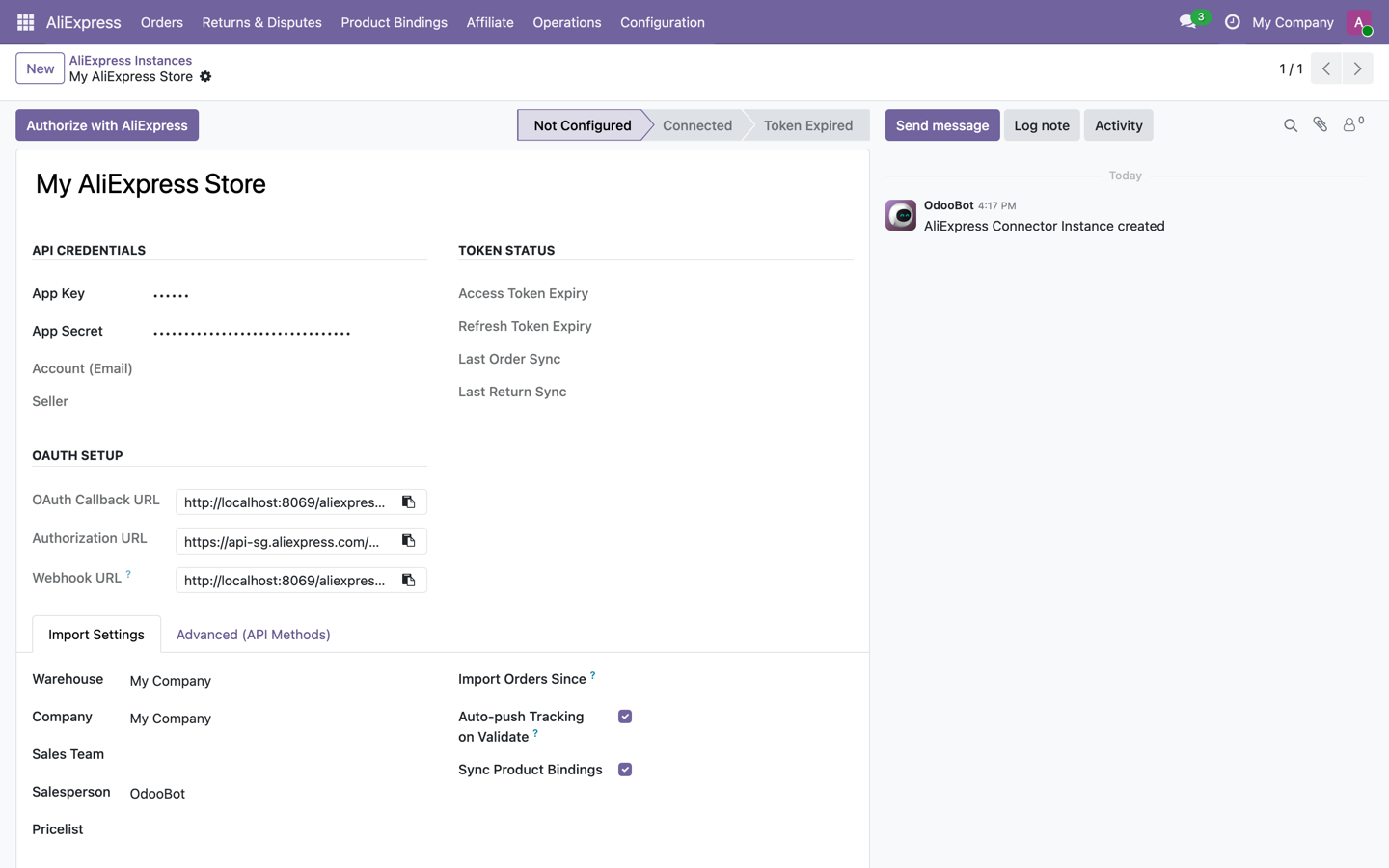
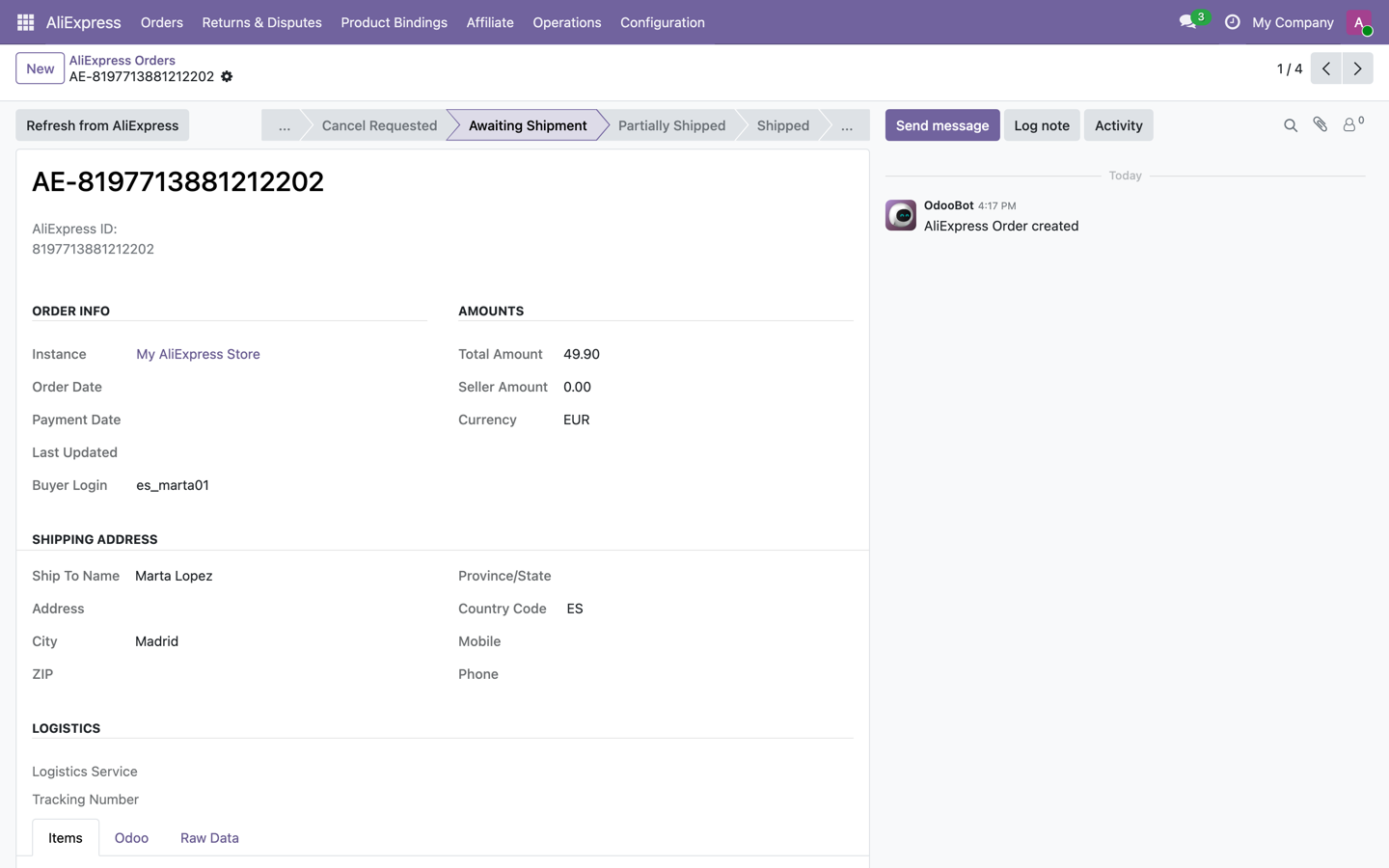
Try the AliExpress connector inside a real Odoo 19, no sign-up. User demo / flexigodemo.
Selling on AliExpress while keeping your accounting and stock in Odoo means working in two places at once. Every order gets copied by hand, every shipment gets checked in the marketplace dashboard, and every return gets logged somewhere else. That does not scale.
Without a connector, every AliExpress order has to be keyed into Odoo manually. It is slow, quantity and customer mistakes creep in, and your ERP is always a step behind the marketplace.
Shipment tracking lives in the AliExpress dashboard while your operations live in Odoo. To know what has shipped and what is in transit, you end up flipping between two different screens every single time.
When a customer returns an item, the case is handled on AliExpress but never reflected in Odoo. Your stock levels and ERP figures drift away from what is actually happening on the marketplace.
It does the concrete, useful things: pull in your seller orders, keep products mapped, record shipment tracking and reflect AliExpress returns in Odoo. All inside the ERP, with no external platform in the middle.
Brings the orders from your AliExpress seller account into Odoo, with their lines, quantities and customer details, so you process them inside the ERP alongside the rest of your operation.
Keeps the mapping between your AliExpress products and your Odoo products, so sales are tied to the right item and you never have to duplicate catalog work across two dashboards.
Carries the AliExpress shipping status into Odoo, so you can see which orders are shipped or in transit without opening the marketplace dashboard to check them one by one.
Reflects AliExpress returns in Odoo, so customer cases are recorded in the ERP and the status of every order stays consistent across both systems instead of drifting apart.
You pay 149 EUR once on the Odoo App Store, with the source code included and no recurring SaaS fee. It stays your module, inside your own Odoo, on versions 17, 18 and 19.
It installs as a standard Odoo module: no external platform to maintain, no third-party middleware, no separate login. Everything happens inside the ERP you already run.
Three simple steps: install the module, connect your AliExpress seller account, and let orders, tracking and returns flow into Odoo.
Add the module to your Odoo 17, 18 or 19 instance from the App Store. It installs like any other Odoo app, with the source code in your hands and no external service to set up first.
Link your AliExpress seller credentials and map your products to the matching Odoo items. From then on, the catalog stays aligned so every sale lands on the right product.
AliExpress orders arrive in Odoo with their lines and customer data, shipment tracking is reflected, and returns are recorded, so you run everything from the ERP instead of the marketplace dashboard.
FlexigoTech is Flexibles y Accesorios Gobe, S.L., based in Barcelona. Development is handled by a single developer, so when you ask about order synchronization or AliExpress tracking you are talking directly to the person who wrote the code, not a salesperson or a first-line agent forwarding tickets.
It is a native Odoo 17-19 module, with no external platform to maintain and no extra SaaS fee. We do not make up reviews or customer stories: the connector syncs your seller orders, keeps products mapped, brings the tracking across and reflects AliExpress returns in Odoo. What it does and what it does not, we tell you before you buy, not after.
No monthly fees, no per-order charges, no middleware subscription. You buy the AliExpress connector once on the Odoo App Store and the source code is included, so it stays your module on Odoo 17, 18 and 19.
A single purchase on the Odoo App Store. No recurring SaaS fee and no charge per synced order.
You get the module source, so it lives inside your own Odoo and your team can review or adapt it if you ever need to.
Built and published for the current Odoo releases, Community and Enterprise, so it fits the version you already run.
Questions about setup or syncing go straight to the developer who built it, based in Barcelona, not a ticket queue.
AliExpress rarely comes alone. It usually shows up alongside the need to organise several marketplaces, your stock and your logistics inside a single Odoo.
It syncs your AliExpress seller orders into Odoo, keeps products mapped to your catalog, brings shipment tracking across and reflects returns in the ERP. The goal is to run your whole AliExpress operation inside Odoo, without switching between the marketplace dashboard and your ERP.
The connector is available for Odoo 17, 18 and 19. The Odoo App Store listing shows the versions published at any given time, and the live demo runs on a real Odoo 19 so you can see the module working before you buy.
Yes. The AliExpress connector is a standard Odoo module and works with Odoo Community as well as Enterprise on versions 17, 18 and 19, since it does not rely on Enterprise-only features. If you are unsure about your setup, try the live demo or ask us and we will confirm your case.
Yes. On top of orders and products, the connector brings AliExpress shipment tracking and returns into Odoo, so the status of every order is reflected in the ERP and you never have to check it separately in the marketplace dashboard.
The AliExpress connector is a one-time purchase of 149 EUR on the Odoo App Store. There are no monthly SaaS fees and no middleware. The source code is included, so it stays your module inside your own Odoo.
Yes. There is a live demo, a real Odoo 19 with the module installed and no sign-up (user demo, password flexigodemo), where you can see orders, products, tracking and returns syncing. Once you are sure, you buy the license on the Odoo App Store, and we can help you set it up if you need it.
Try it in the live demo, no sign-up, on a real Odoo 19. Tell us how you sell and we will tell you straight whether the connector fits you.